Is Fishbowl the Right Inventory Software For You?
Take This Quick Quiz to Find Out!
Key Takeaways
- System Classification: Fishbowl is primarily an advanced inventory management system (IMS) with ERP-like features, not a full comprehensive ERP solution
- Ideal Customer: SMBs with $1-25M revenue needing advanced inventory control beyond QuickBooks capabilities
- AI Reality: No genuine AI capabilities – uses traditional statistical forecasting methods, not machine learning
- Cost Reality: Total first-year costs typically range $15,000-$30,000 including implementation, training, and hardware
- Implementation Timeline: Typical deployment requires 6-12 weeks with structured methodology and dedicated resources
Fishbowl stands as one of the most popular inventory management solutions for growing businesses, but understanding its true capabilities, limitations, and costs is crucial for making an informed decision. This comprehensive guide addresses the most critical questions about Fishbowl's functionality, positioning, and suitability for modern supply chain operations.
What is Fishbowl, and is it a true ERP for modern supply chain management?
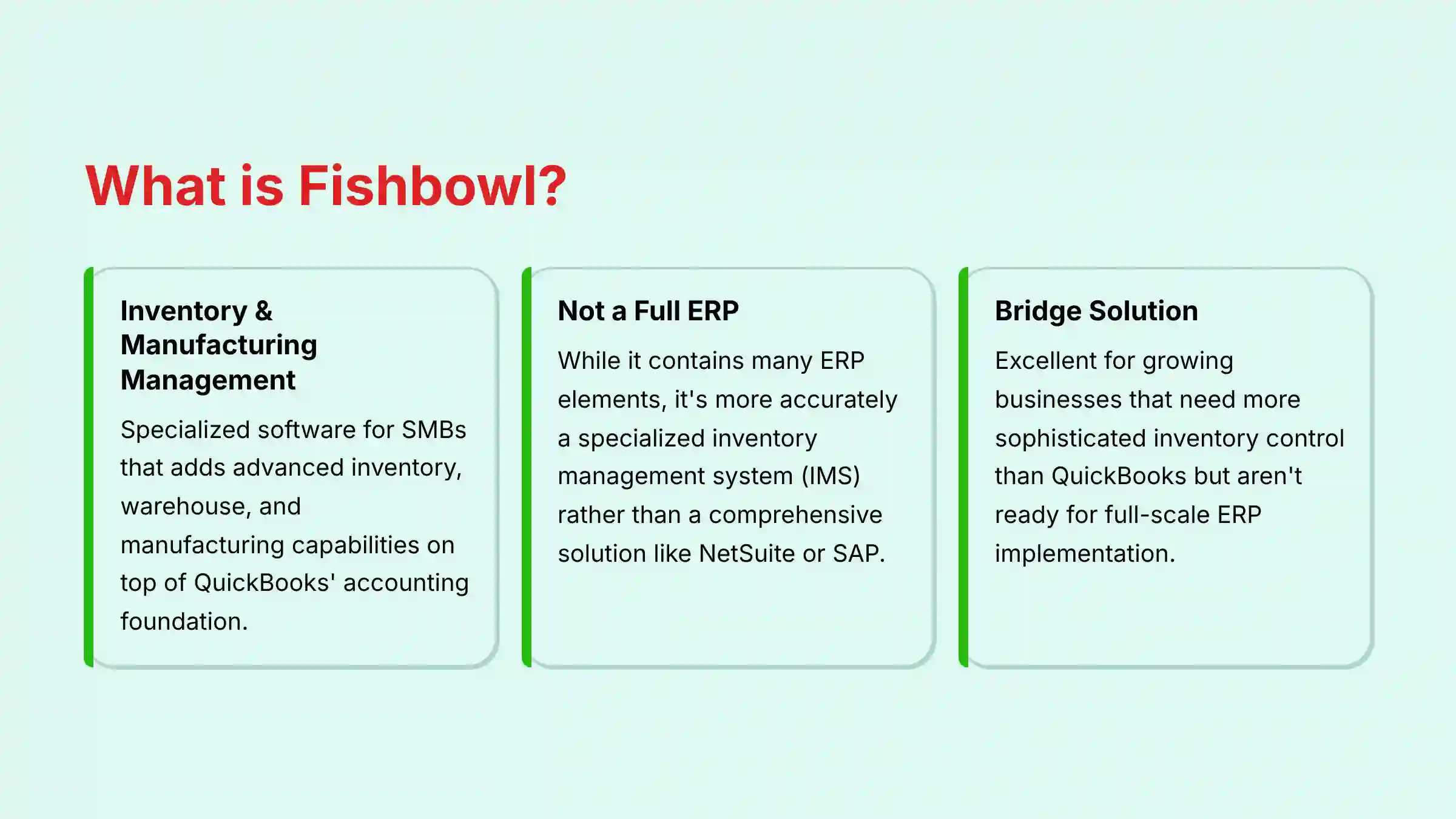
Fishbowl is primarily an inventory and manufacturing management software designed for small to medium-sized businesses (SMBs). It is best known for its deep integration with the accounting software QuickBooks, effectively adding advanced inventory, warehouse, and manufacturing capabilities on top of QuickBooks' accounting foundation.
While it contains many elements of an Enterprise Resource Planning (ERP) system—such as inventory control, purchase order management, sales orders, and bills of materials—it is most accurately described as a specialized manufacturing and inventory management system (IMS) rather than a comprehensive, all-in-one ERP like NetSuite or SAP.
A true ERP typically includes native modules for financials, human resources, and CRM, whereas Fishbowl's strategy is to be the operational hub that integrates with a separate, dedicated accounting system. For a modern supply chain, Fishbowl provides robust foundational tools for tracking and managing physical goods but may require integration with other platforms for advanced analytics, AI-driven forecasting, and end-to-end financial visibility.
The software serves as an excellent bridge solution for growing businesses that need more sophisticated inventory control than QuickBooks can provide but aren't ready for the complexity and cost of a full-scale ERP implementation. For businesses seeking comprehensive Fishbowl Overview and Features, the platform's strength lies in providing visibility and control over physical inventory operations, particularly for companies with complex manufacturing processes or multiple warehouse locations.
Who is the ideal customer for Fishbowl?
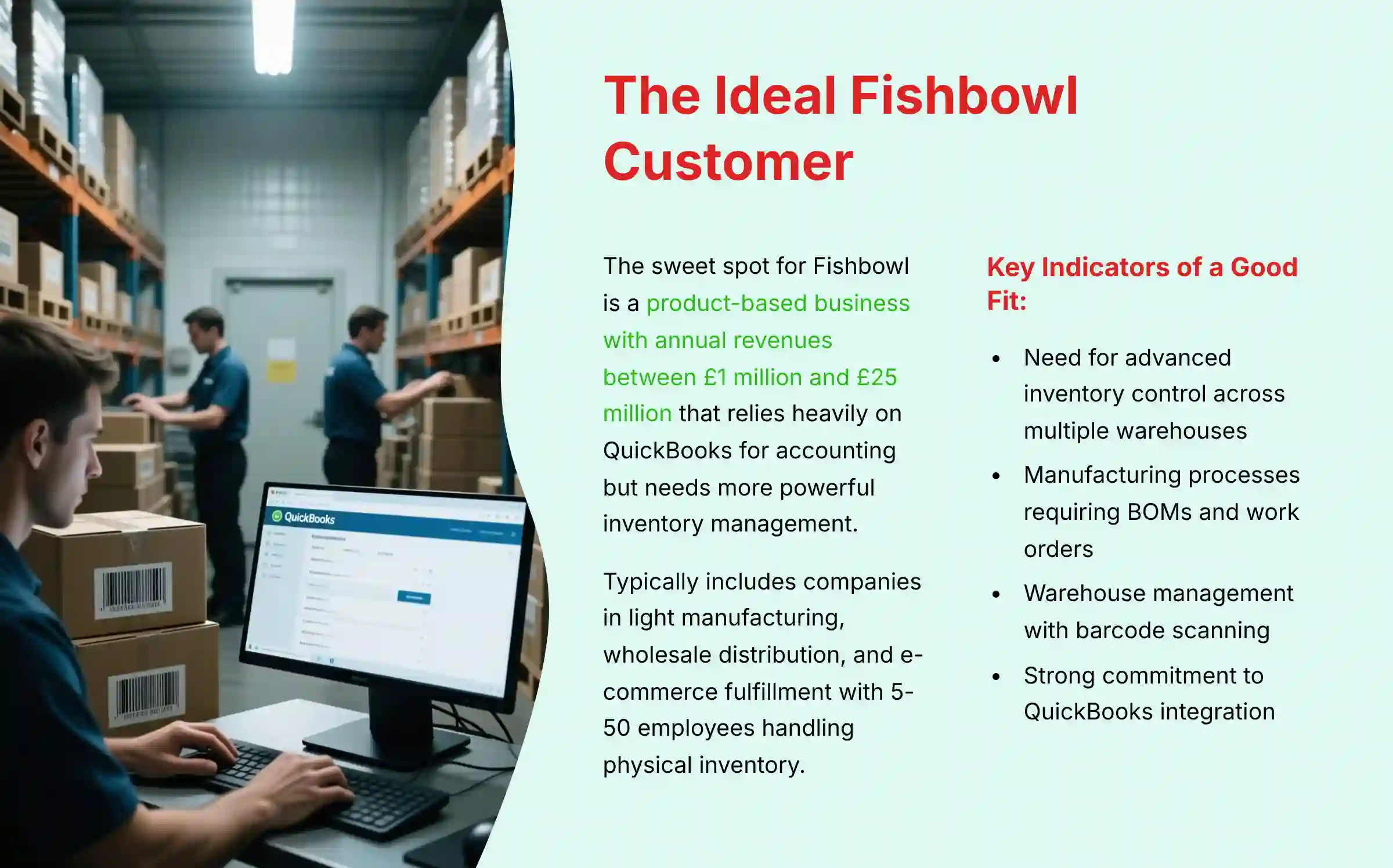
The ideal customer for Fishbowl is a small to medium-sized product-based business that has outgrown basic inventory tracking in spreadsheets or QuickBooks but is not yet ready for the complexity and cost of a full-scale ERP system. This typically includes companies in the light manufacturing, wholesale distribution, and e-commerce fulfillment sectors with annual revenues between $1 million and $25 million.
The sweet spot for Fishbowl is a business that relies heavily on QuickBooks for its accounting and needs a powerful solution to manage the physical movement and transformation of goods. Key indicators that a business is a good fit for Fishbowl include the need for:
- Advanced Inventory Control: Tracking inventory across multiple warehouses, managing serialized or lot-numbered items, and setting up complex reorder points.
- Manufacturing Processes: Creating multi-level bills of materials (BOMs), issuing work orders, and tracking manufacturing stages.
- Warehouse Management (WMS): Implementing barcode scanning for picking, packing, and shipping to improve accuracy and efficiency.
- QuickBooks Integration: Maintaining QuickBooks as the financial system of record while gaining more sophisticated operational capabilities.
Companies that prioritize a seamless QuickBooks integration above all else and need robust control over their physical inventory operations will find the most value in Fishbowl's focused feature set. Businesses with 5-50 employees handling physical inventory typically see the strongest ROI from implementing Fishbowl. Those considering this solution should explore our detailed Fishbowl Review for comprehensive insights into its QuickBooks integration capabilities.
Does Fishbowl have genuine AI capabilities for demand forecasting and inventory optimization?
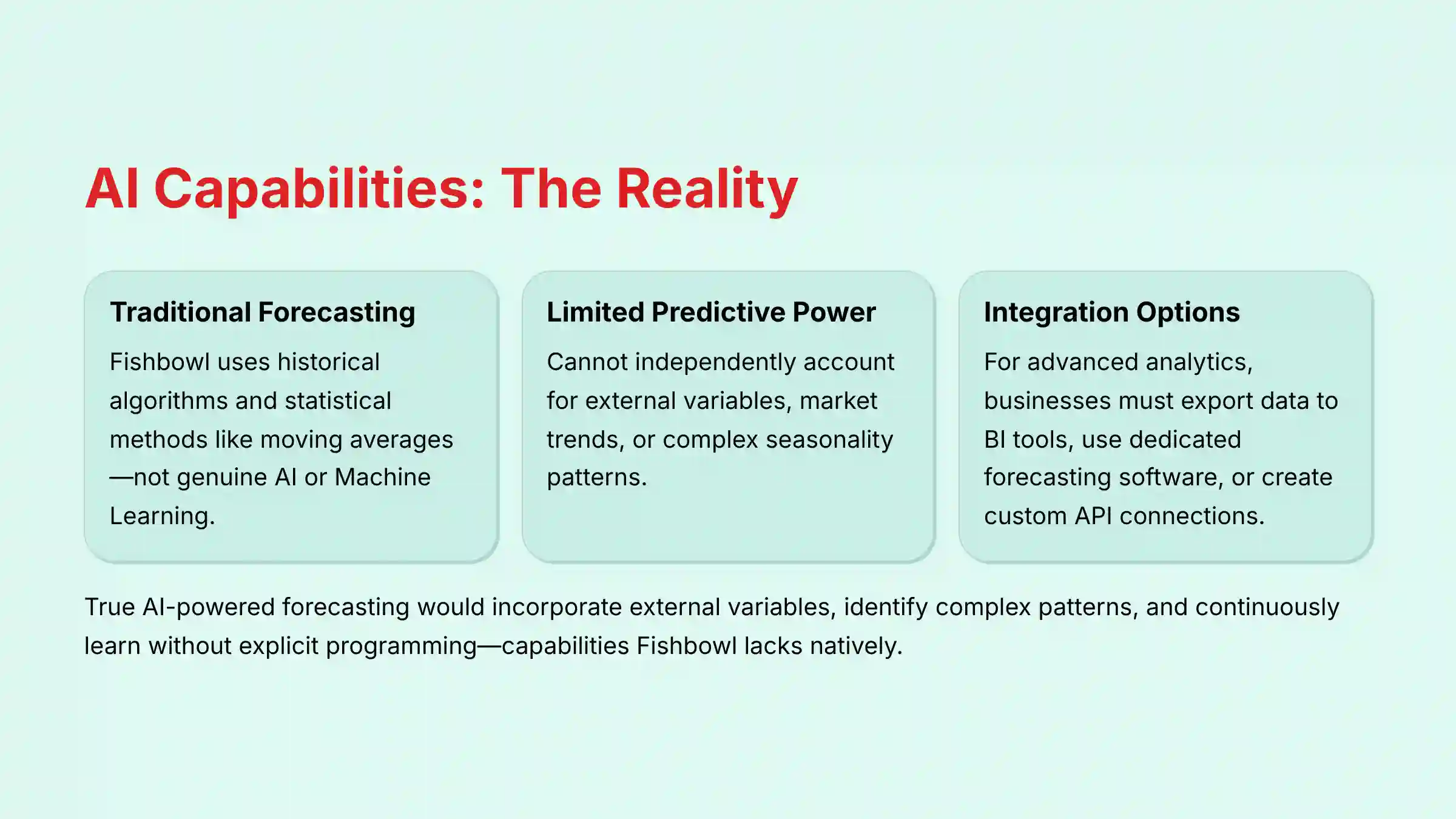
Fishbowl does not have genuine, built-in Artificial Intelligence (AI) or Machine Learning (ML) capabilities for demand forecasting and inventory optimization in the way modern, AI-native platforms do. Its forecasting tools are based on traditional, historical algorithms that analyze past sales data and use statistical methods like moving averages to predict future demand and suggest reorder points.
While this approach is a significant step up from manual spreadsheet calculations and is effective for businesses with stable demand patterns, it is not AI. True AI-powered forecasting incorporates external variables (market trends, seasonality, weather, economic indicators), identifies complex patterns, and continuously learns to improve its accuracy without explicit programming.
For businesses seeking more advanced predictive capabilities while using Fishbowl, there are several integration options:
- Business Intelligence Tools: Export Fishbowl data to Power BI, Tableau, or similar platforms that offer more sophisticated analytics.
- Dedicated Forecasting Software: Use specialized demand planning software that can ingest Fishbowl historical data.
- API Connections: Leverage Fishbowl's API to create custom connections to AI platforms that can analyze inventory patterns.
To achieve AI-driven optimization with Fishbowl, a business would need to implement this hybrid approach, using Fishbowl as the core system of record for inventory data and the external tool as the “AI brain” for predictive insights and optimization recommendations. Companies looking for true AI-powered alternatives should consider our comprehensive guide to Best 10 AI Warehouse Management Systems (WMS) of 2025: From Chaos to Intelligent Orchestration.
Fishbowl vs. NetSuite: Which is better for an AI-driven supply chain?
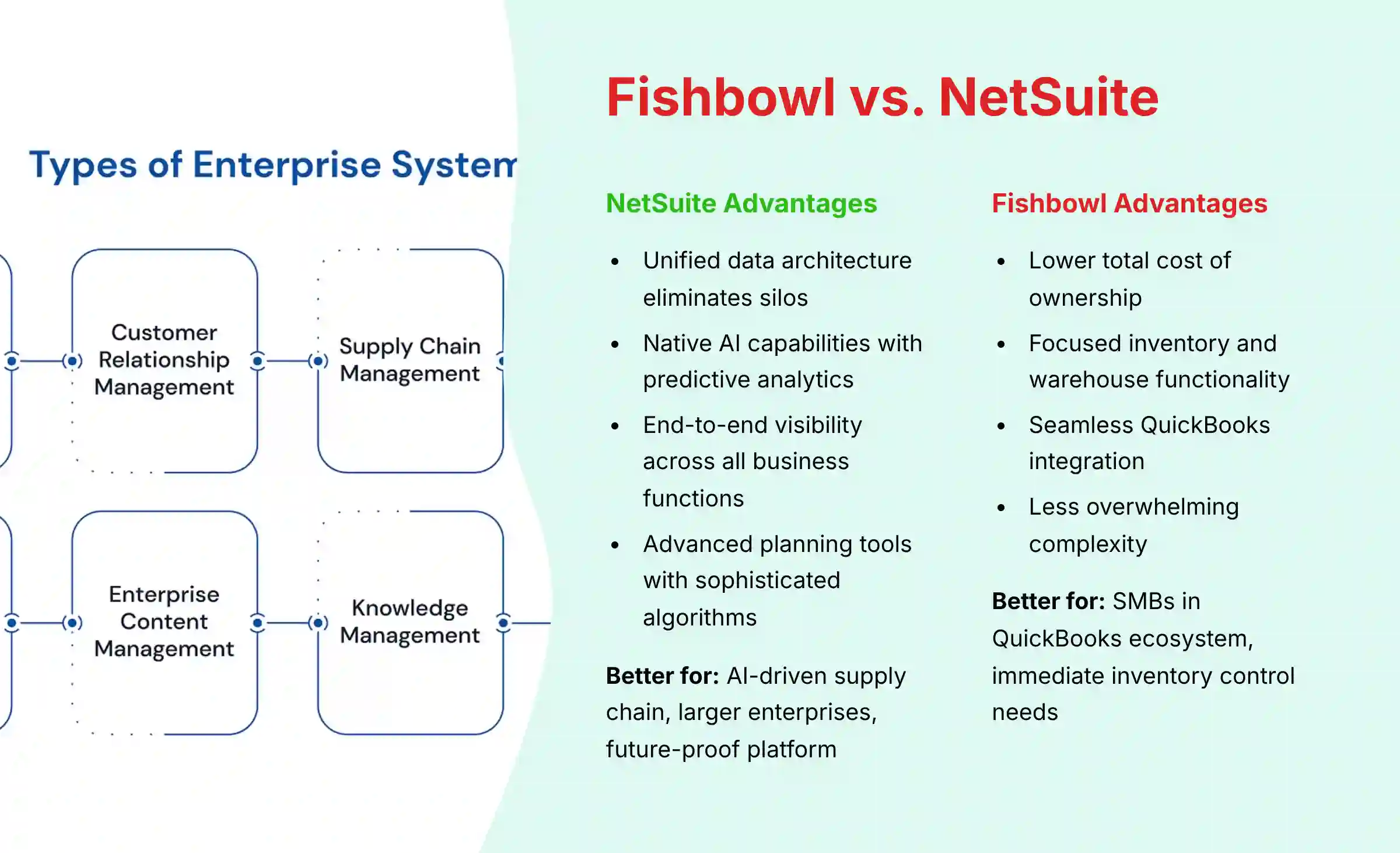
Fishbowl and NetSuite serve different segments of the market and have fundamentally different architectures, making the choice dependent on scale, budget, and technological focus. For a company prioritizing a truly AI-driven supply chain, NetSuite is the more capable and future-proof platform for several reasons:
- Unified Data Architecture: NetSuite is a comprehensive, cloud-native ERP with a single database that eliminates data silos, creating a foundation for accurate AI modeling across all business functions.
- Native AI Capabilities: Oracle's SuiteAnalytics and AI investments provide built-in predictive analytics, anomaly detection, and intelligent recommendations that Fishbowl cannot match.
- End-to-End Visibility: NetSuite captures data from every business process (sales, finance, operations), enabling AI models to identify cross-functional patterns that affect inventory decisions.
- Advanced Planning Tools: NetSuite's Supply Planning module includes sophisticated algorithms for demand planning and inventory optimization that go beyond basic historical averaging.
Fishbowl, however, is the better choice for SMBs deeply embedded in the QuickBooks ecosystem who need a powerful, cost-effective solution for physical inventory and warehouse management without a full ERP investment. Its strengths include:
- Lower Total Cost of Ownership: Significantly more affordable than NetSuite for smaller operations.
- Focused Functionality: Excellent core inventory and warehouse management capabilities without overwhelming complexity.
- QuickBooks Integration: Seamless synchronization with the most popular SMB accounting software.
The decision ultimately depends on your strategic priorities: if you need an immediate solution for inventory control at a reasonable price point, Fishbowl delivers exceptional value. If you're investing in a data-driven, predictive supply chain with advanced AI capabilities, NetSuite provides the integrated foundation necessary for true supply chain intelligence. For businesses exploring other options, our Fishbowl Top Alternatives and Competitors guide provides comprehensive comparisons.
What are the biggest limitations of Fishbowl for a company focused on predictive analytics?
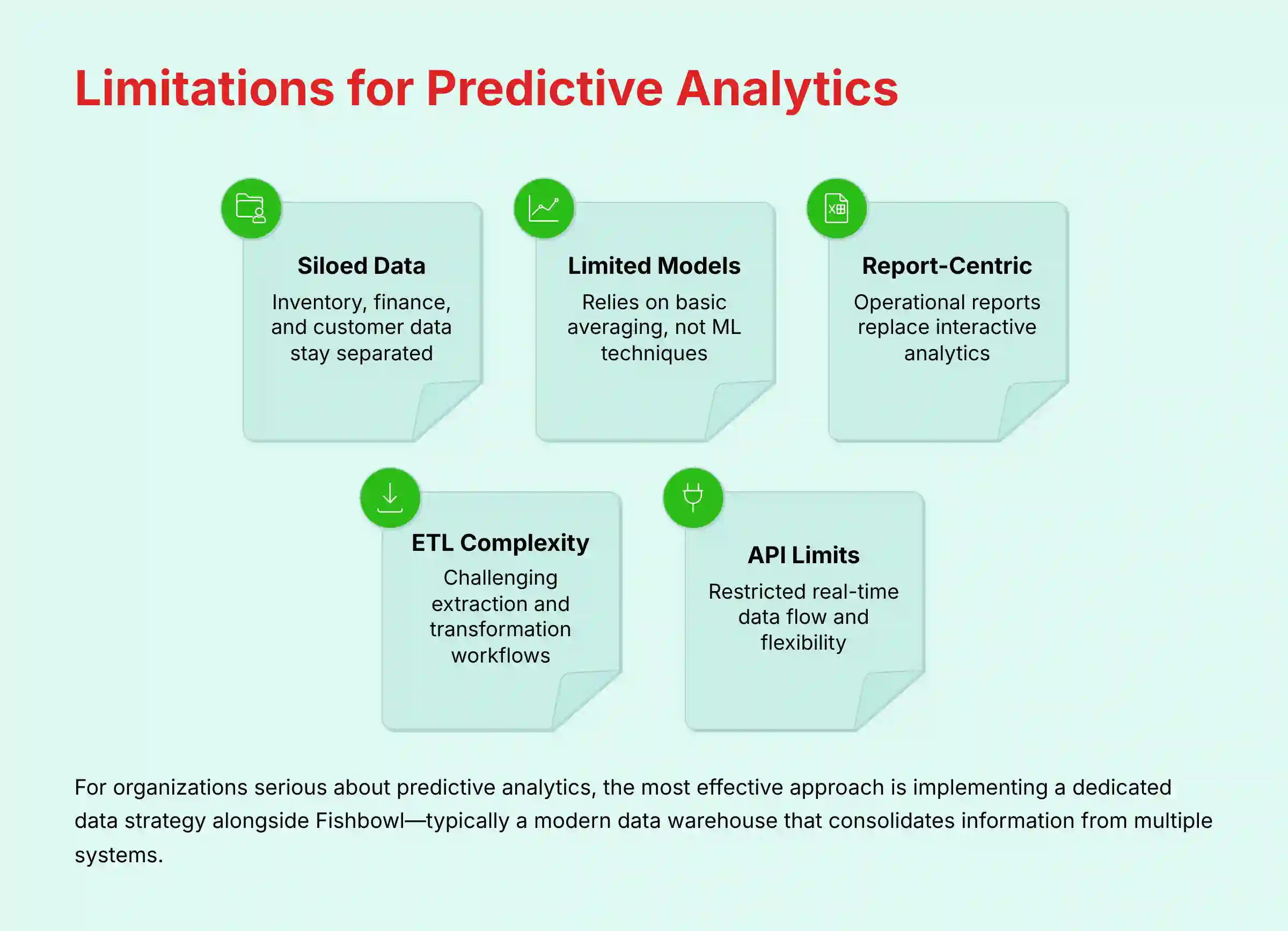
The primary limitations of Fishbowl for a company focused on predictive analytics center around its data architecture, analytical capabilities, and integration framework:
- Siloed Data Architecture: Fishbowl is not a unified ERP system, meaning critical data for comprehensive analytics is housed in separate systems. Financial data lives in QuickBooks, while customer relationship data might exist in a CRM. This fragmentation creates barriers to building holistic predictive models that require multi-dimensional data.
- Limited Statistical Models: Fishbowl's forecasting relies on basic historical averaging techniques rather than sophisticated statistical models or machine learning algorithms. It cannot independently account for complex variables like market volatility, external demand signals, or multi-factor seasonality patterns.
- Report-Centric vs. Analytics-Centric: The platform is designed around operational reports rather than interactive analytics. While it provides comprehensive visibility into what happened, it lacks the native tools to explore why it happened or predict what will happen next.
- Data Extraction Complexity: Creating a comprehensive analytics environment requires significant ETL (Extract, Transform, Load) work to consolidate Fishbowl data with other business systems, introducing potential for delays, errors, and inconsistencies.
- Limited API Flexibility: While Fishbowl does offer API access, it may not provide the real-time, bidirectional data flow needed for advanced predictive models that continuously update based on changing conditions.
For organizations serious about predictive analytics, the most effective approach is to implement a dedicated data strategy alongside Fishbowl. This typically involves establishing a modern data warehouse or lake that consolidates information from Fishbowl and other systems, then applying specialized analytics tools to that unified dataset.
How does Fishbowl handle multi-warehouse inventory and integrations with 3PLs?
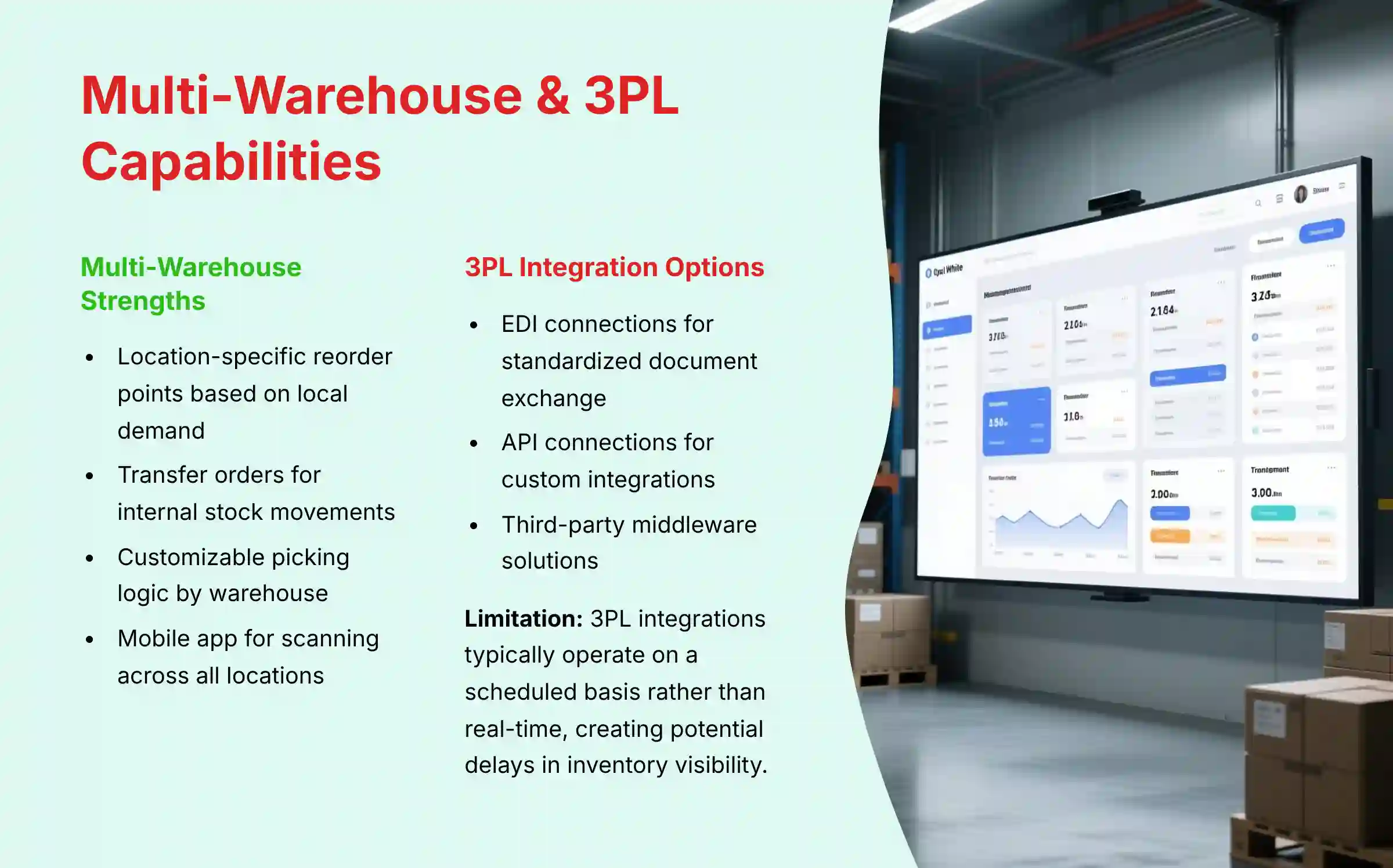
Fishbowl excels at managing inventory across multiple physical warehouses under your direct control. The system allows you to create distinct warehouse locations with customizable naming conventions, track inventory levels separately for each location, and manage transfers of stock between facilities with full traceability. You can assign specific users to specific warehouses and run segmented reports on inventory valuation, velocity, and stock levels by location.
The multi-warehouse capabilities include:
- Location-Specific Reorder Points: Set different minimum stock levels for each warehouse based on local demand patterns.
- Transfer Orders: Create and track internal stock movements between warehouses with proper documentation.
- Picking Logic Customization: Configure warehouse-specific picking strategies (FIFO, LIFO, etc.).
- Mobile Warehouse Management: Use the Fishbowl Go mobile app for scanning and inventory management across all warehouse locations.
For Third-Party Logistics (3PL) integration, Fishbowl requires additional configuration:
- EDI Integration: Fishbowl can connect with Electronic Data Interchange (EDI) providers to facilitate standardized document exchange with 3PLs.
- API Connections: Using Fishbowl's API, you can build custom integrations with 3PL systems for inventory updates and order fulfillment.
- Third-Party Connectors: Several middleware solutions exist that specifically bridge Fishbowl with popular 3PL platforms.
The primary limitation is that these 3PL integrations typically operate on a scheduled basis rather than real-time. This means there may be a delay between when a 3PL fulfills an order and when that information is reflected in Fishbowl. For businesses with high-volume operations across multiple 3PLs, this can create challenges in maintaining accurate inventory visibility. Companies seeking practical implementation guidance should explore our Fishbowl Tutorials and Usecase resource.
How much does Fishbowl really cost, including implementation and hidden fees?
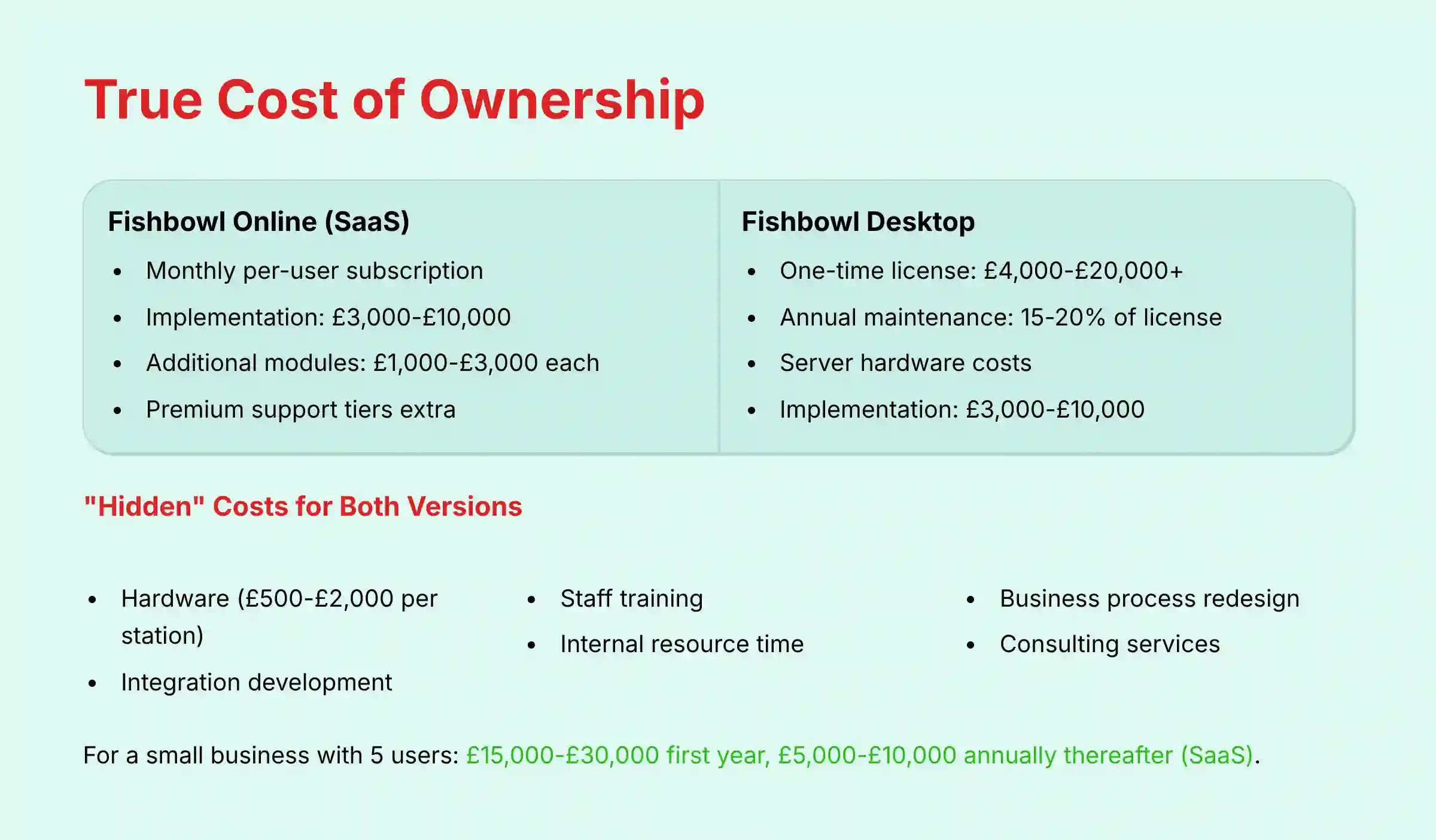
Fishbowl offers two distinct pricing models depending on which product you choose, and understanding the total cost of ownership (TCO) requires looking beyond just the advertised rates:
Fishbowl Online (SaaS Model):
- Subscription Pricing: Monthly per-user fee, typically billed annually
- Included in Subscription: Software access, hosting, regular updates, standard support
- Implementation Services: $3,000-$10,000 depending on complexity
- Data Migration Services: Often charged separately based on data volume and complexity
- Additional Modules: E-commerce connectors, EDI, advanced reporting ($1,000-$3,000 each)
- Premium Support Tiers: Available at additional cost for priority response times
Fishbowl Desktop (On-Premise Model):
- Perpetual License: One-time fee based on concurrent users ($4,000-$20,000+)
- Annual Maintenance: 15-20% of license cost for updates and support
- Server Requirements: Hardware costs if not using existing infrastructure
- Implementation Services: Similar to Online version ($3,000-$10,000)
Common “Hidden” Costs for Both Versions:
- Hardware: Barcode scanners, label printers, and mobile devices ($500-$2,000 per station)
- Integration Development: Custom API work for connecting to other systems ($5,000-$15,000)
- Staff Training: Both initial and ongoing as new features are released
- Internal Resources: Dedicated project manager and subject matter experts during implementation
- Business Process Redesign: Consulting to optimize workflows for the new system
For a small business implementing Fishbowl with 5 users, first-year costs typically range from $15,000-$30,000 all-inclusive, with subsequent annual costs of $5,000-$10,000 for the SaaS version or $1,000-$3,000 for the on-premise version (maintenance only).
Always request a detailed quote specifying exactly which services and features are included, particularly for implementation and data migration services.
Is Fishbowl Online SOC 2 compliant, and what are its data security measures?
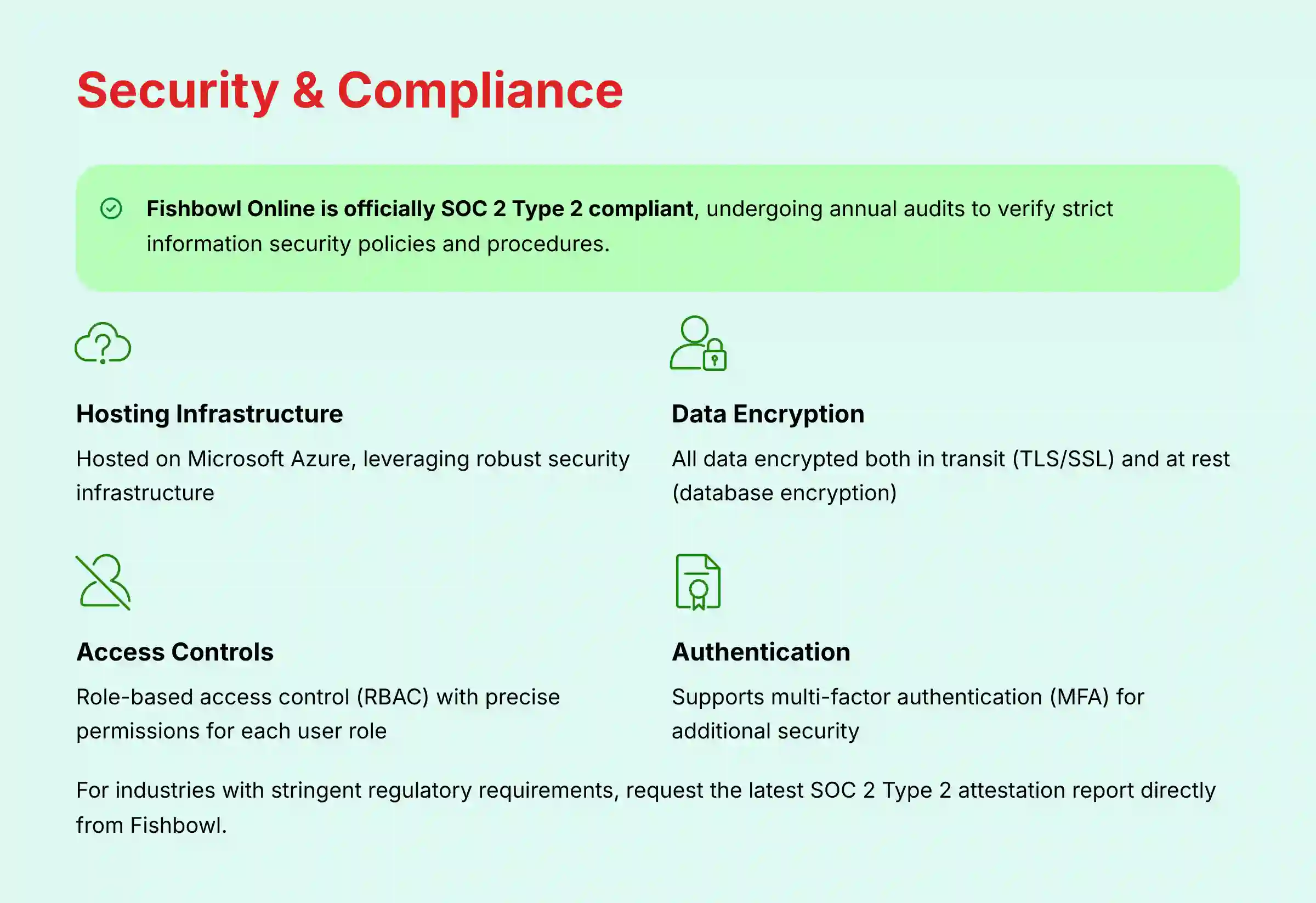
Fishbowl Online is officially SOC 2 Type 2 compliant, with the company stating on its website that the platform undergoes annual SOC 2 audits. This is a critical certification for supply chain management software as it verifies that the service provider follows strict information security policies and procedures.
The SOC 2 compliance specifically covers Fishbowl Online's controls related to:
- Security
- Availability
- Processing integrity
- Confidentiality
- Privacy
Beyond the SOC 2 certification, Fishbowl Online implements several key security measures:
- Hosting Infrastructure: The application is hosted on Microsoft Azure, leveraging the robust security infrastructure of this major cloud provider.
- Data Encryption: All data is encrypted both in transit (using TLS/SSL protocols) and at rest (database encryption).
- Access Controls: The system provides role-based access control (RBAC) that allows administrators to define precise permissions for each user role, limiting access to sensitive information based on job responsibilities.
- Authentication Options: Supports multi-factor authentication (MFA) to provide an additional layer of security beyond passwords.
- Regular Backups: Automated data backups are performed to ensure business continuity and disaster recovery capabilities.
For industries with stringent regulatory requirements, such as defense, healthcare, or pharmaceuticals, it's recommended to request the latest SOC 2 Type 2 attestation report directly from Fishbowl to verify specific controls relevant to your compliance needs. This report will provide detailed information on the testing performed by independent auditors and the effectiveness of Fishbowl's security controls over time.
What does the typical Fishbowl implementation process and timeline look like?
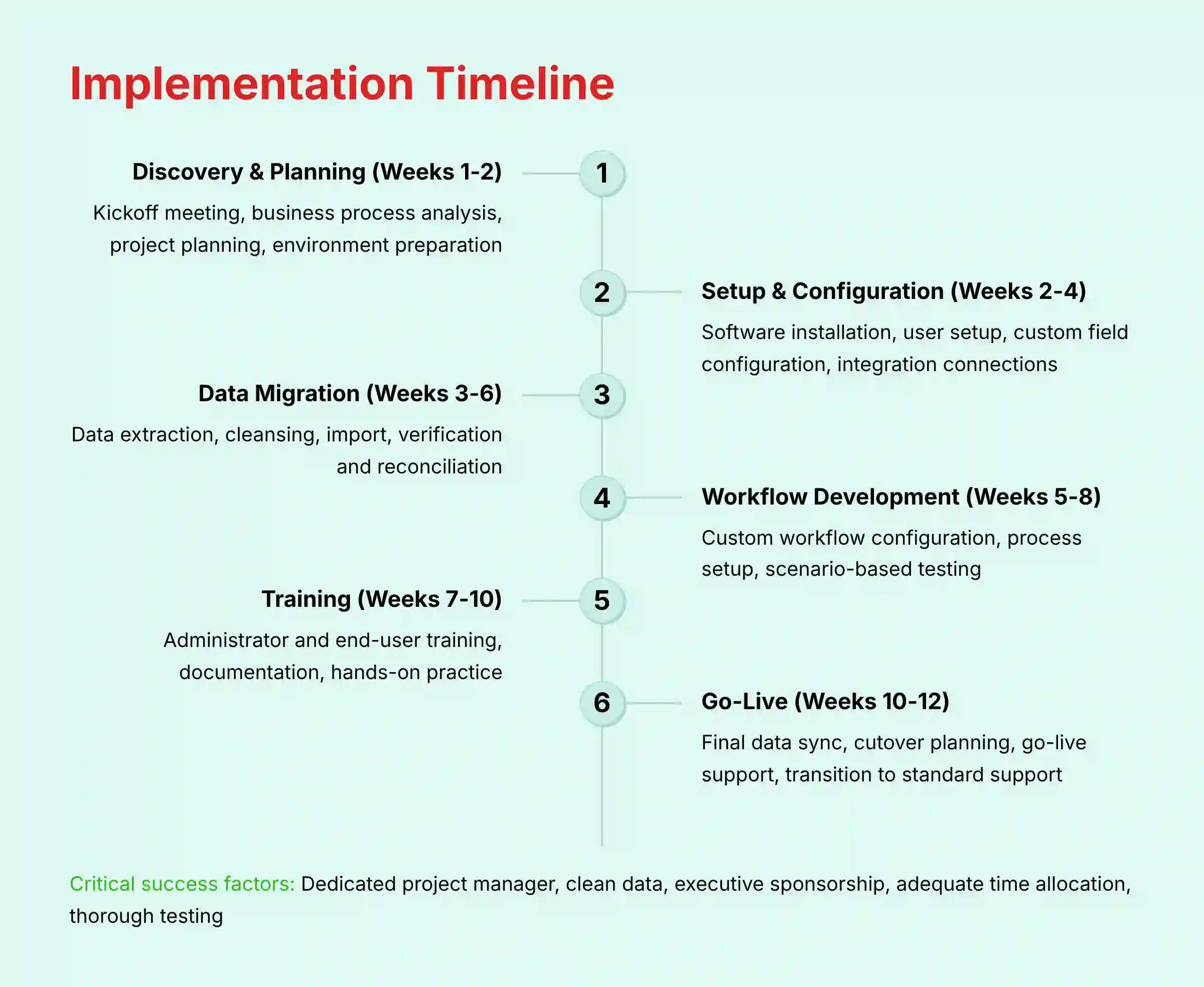
A typical Fishbowl implementation follows a structured methodology that spans 6-12 weeks, depending on business complexity, data volume, and team availability. Understanding this timeline is crucial for proper resource allocation and project planning:
Phase 1: Discovery & Project Planning (Weeks 1-2)
- Kickoff meeting with the assigned Fishbowl implementation specialist
- Business process analysis and documentation
- Project plan development with key milestones and responsibilities
- Server/environment preparation (Desktop) or account setup (Online)
- Configuration strategy development
Phase 2: System Setup & Configuration (Weeks 2-4)
- Software installation and initial configuration
- User account creation and permission setup
- Custom field configuration
- Part/product categorization structure design
- Integration connection setup (QuickBooks, e-commerce, etc.)
- Barcode scanning hardware configuration (if applicable)
Phase 3: Data Migration & Validation (Weeks 3-6)
- Data extraction from legacy systems
- Data cleansing and formatting
- Template preparation for inventory items, customers, vendors
- Data import execution
- Verification and reconciliation of imported data
- Master data configuration (units of measure, locations, etc.)
Phase 4: Workflow Development & Testing (Weeks 5-8)
- Custom workflow configuration
- Order process setup
- Manufacturing workflow configuration (if applicable)
- Test environment creation
- Scenario-based testing
- Process documentation development
Phase 5: Training & Knowledge Transfer (Weeks 7-10)
- Administrator training
- Role-specific end-user training
- Process documentation review
- Hands-on practice sessions
- Knowledge validation
Phase 6: Go-Live & Stabilization (Weeks 10-12)
- Final data synchronization
- Production environment validation
- Cutover planning and execution
- Go-live support
- Post-implementation review
- Transition to standard support
Critical Success Factors:
- Dedicated internal project manager
- Clean, standardized data prepared before migration
- Executive sponsorship and clear decision-making authority
- Adequate time allocation for key team members
- Realistic expectations and thorough testing
Smaller businesses with simple inventory needs and clean data can sometimes accelerate this timeline to 4-6 weeks, while complex manufacturing operations with multiple locations may require 12-16 weeks for full implementation. For additional implementation insights and common questions, reference our comprehensive Fishbowl FAQs resource.

Leave a Reply