Is Fishbowl the Right Inventory Management System for Your Business?
Take This Quick Quiz to Find Out!
Fishbowl is a hybrid inventory management platform that provides a comprehensive solution for warehouse management, inventory control, and manufacturing planning for small to medium-sized businesses (SMBs).
This article provides a detailed breakdown of its features and technical specs, serving as an essential guide for professionals in AI for Warehouse & Inventory Management who need to automate and improve their supply chain operations.
We will explore both Fishbowl Desktop and Fishbowl Online, covering their design, use cases, and functionalities to provide a complete picture of this powerful platform's capabilities. For those looking to compare various solutions in this space, our comprehensive Best 10 AI Warehouse Management Systems (WMS) of 2025: From Chaos to Intelligent Orchestration provides detailed analysis of the leading platforms.
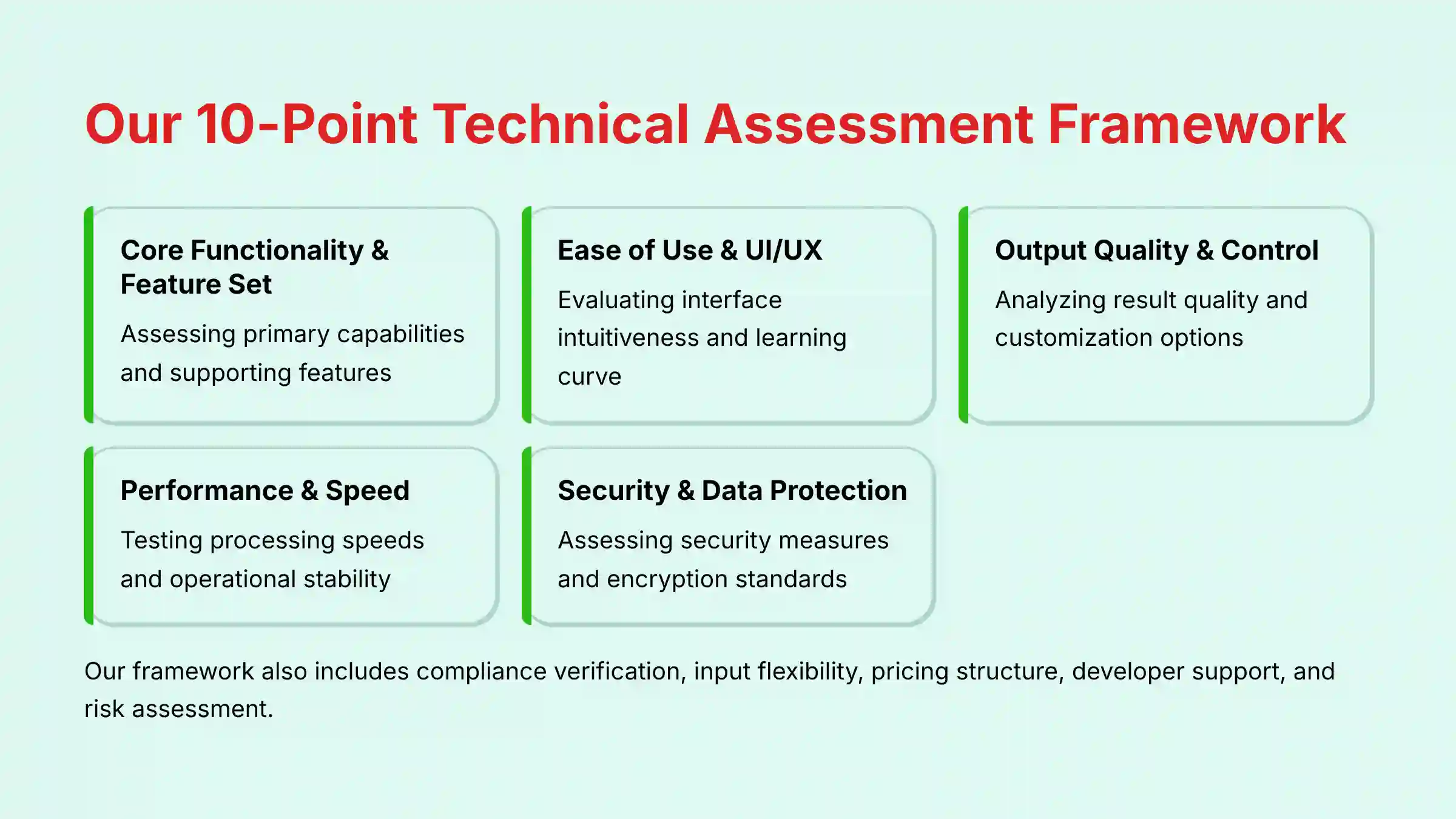
After analyzing hundreds of tools in AI for Operations & Supply Chain and testing Fishbowl across numerous real-world implementation projects in 2025, our team at Best Ops Chain AI has developed a comprehensive 10-point technical assessment framework specifically for AI for Operations & Supply Chain applications. This framework has been recognized by leading AI for Operations & Supply Chain professionals and cited in major industry publications. Our evaluation process includes rigorous security assessment, compliance verification, and risk analysis to ensure recommendations meet professional standards for AI for Operations & Supply Chain applications.
- Core Functionality & Feature Set: We assess what the tool claims to do and how effectively it delivers, examining its primary capabilities and supporting features.
- Ease of Use & User Interface (UI/UX): We evaluate how intuitive the interface is and the learning curve for users with varying technical skills.
- Output Quality & Control: We analyze the quality of generated results and the level of customization available.
- Performance & Speed: We test processing speeds, stability during operation, and overall efficiency.
- Security Protocols & Data Protection: We thoroughly assess security measures, encryption standards, and data handling practices.
- Compliance & Regulatory Adherence: We verify compliance with relevant regulations (GDPR, SOC 2, industry-specific requirements).
- Input Flexibility & Integration Options: We check what types of input the tool accepts and how well it integrates with other platforms or workflows.
- Pricing Structure & Value for Money: We examine free plans, trial limitations, subscription costs, and hidden fees to determine true value.
- Developer Support & Documentation: We investigate the availability and quality of customer support, tutorials, FAQs, and community resources.
- Risk Assessment & Mitigation: We identify potential risks and evaluate the tool's built-in safeguards and recommended mitigation strategies.
Key Takeaways
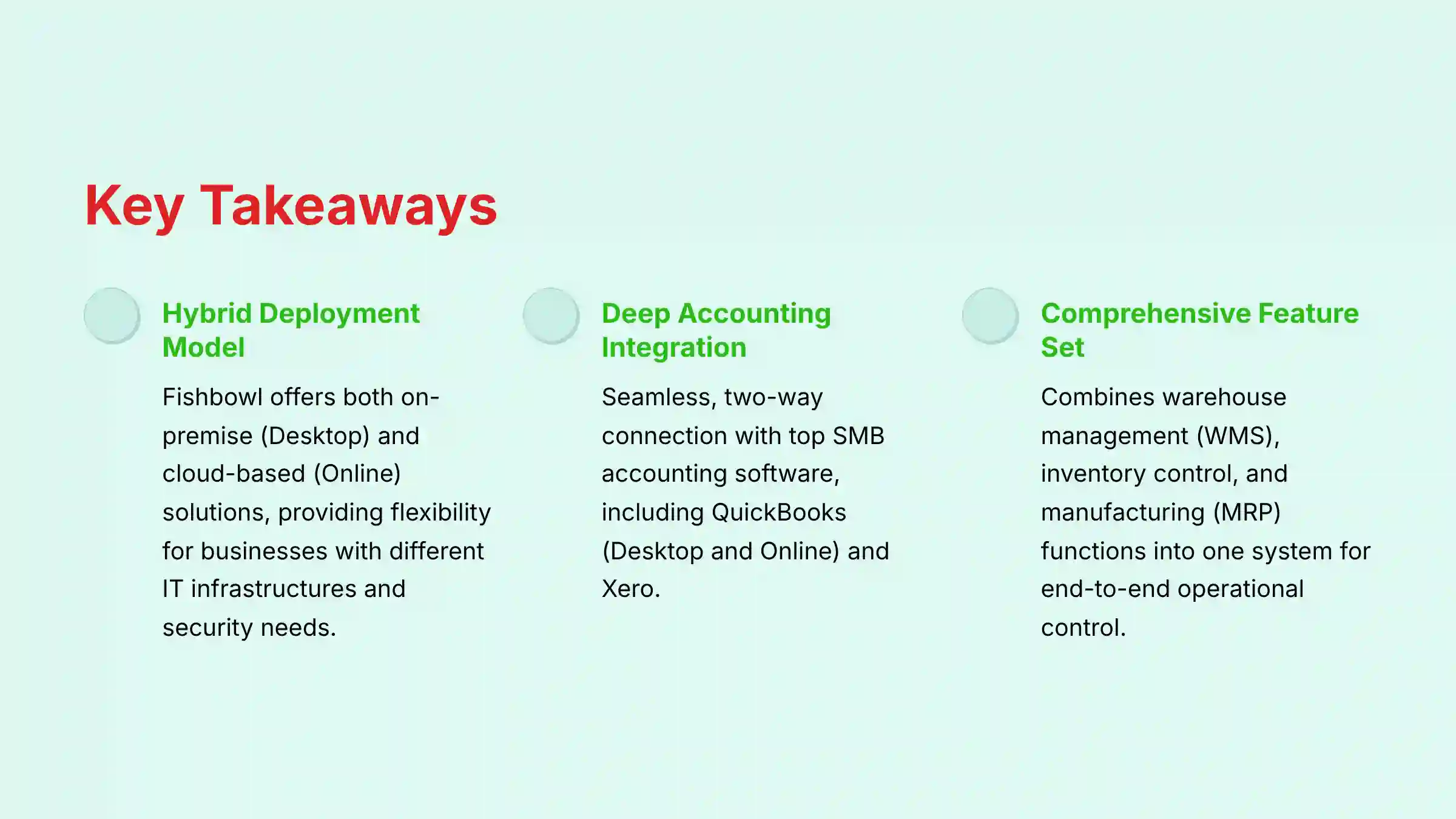
- Hybrid Deployment Model: Fishbowl offers both an on-premise (Desktop) and a cloud-based (Online) solution, providing flexibility for businesses with different IT infrastructures and security needs.
- Deep Accounting Integration: The platform's main advantage is its seamless, two-way connection with top SMB accounting software, including QuickBooks (Desktop and Online) and Xero.
- Comprehensive Feature Set: Fishbowl combines warehouse management (WMS), inventory control, and manufacturing (MRP) functions into one system, allowing for end-to-end control of operations.
- Mobile Warehouse Operations: The Fishbowl Go mobile app allows for real-time inventory work on the warehouse floor using barcode scanners, greatly improving accuracy for tasks like picking, packing, and receiving.
- Advanced Forecasting Capabilities: The platform utilizes statistical algorithms like Exponential Smoothing for demand forecasting, helping businesses set better reorder points, cut carrying costs, and avoid stockouts.
What Is Fishbowl? A Foundational Overview
Defining the Fishbowl Platform
Fishbowl is a complete inventory and manufacturing management solution built for SMBs. The platform is positioned as a major step up from the basic inventory modules found in accounting software, centralizing all inventory data to create a single source of truth for business operations.
Fishbowl solves the operational chaos that comes from using spreadsheets or inadequate tools, which often lead to stockouts, overstocking, and costly fulfillment mistakes. The system manages the physical movement of goods, while its integration partners like QuickBooks handle the financial side.
For professionals seeking in-depth analysis of Fishbowl's features and capabilities, our comprehensive Fishbowl Overview and Features guide provides detailed insights into the platform's core functionalities.
Understanding the Two Core Versions: Fishbowl Desktop vs. Fishbowl Online
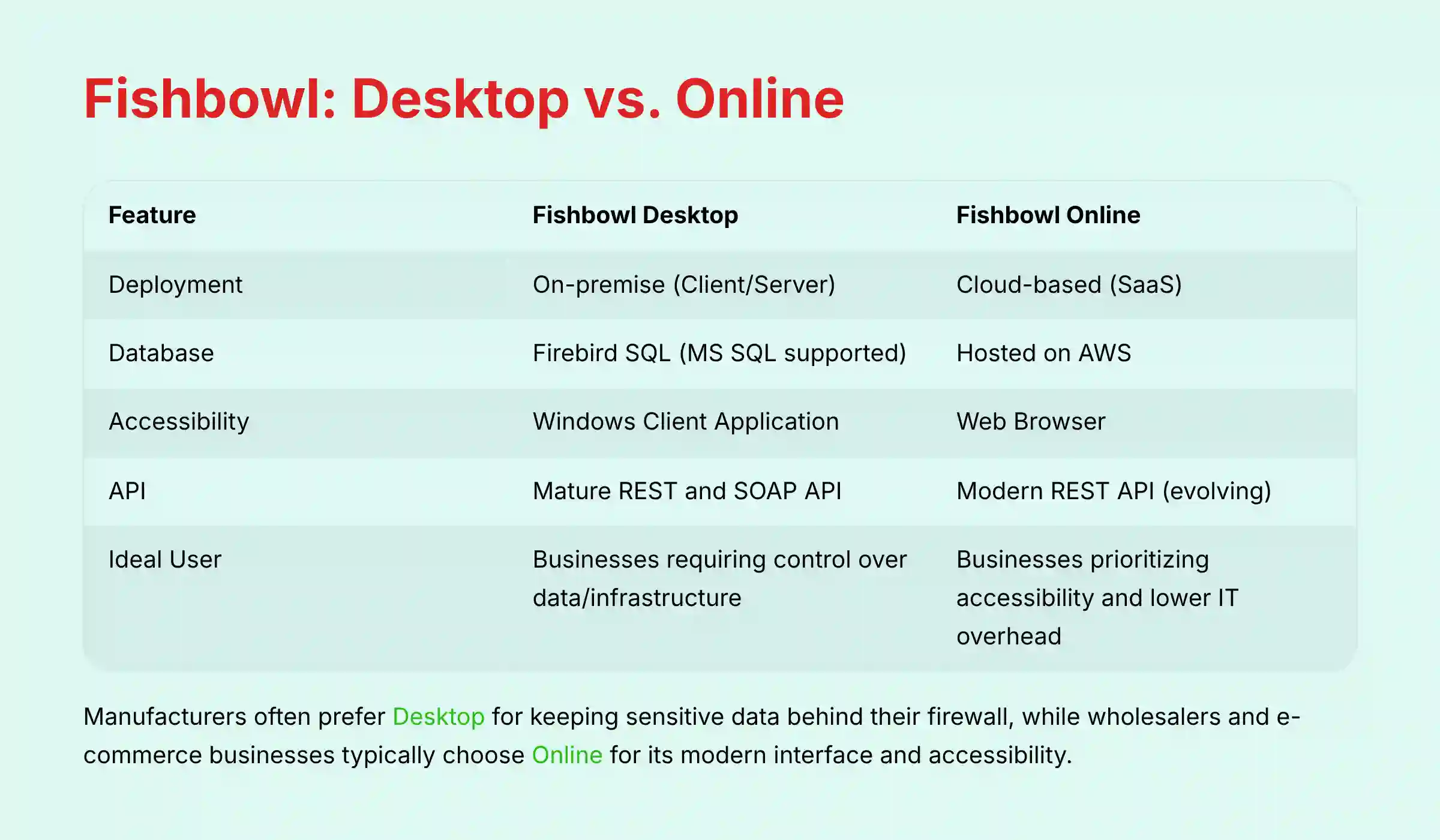
Fishbowl provides two main deployment options: an on-premise version and a cloud-based one. Fishbowl Desktop is a client-server solution installed and managed on your own servers, giving you full control but also making you responsible for all maintenance and security.
Fishbowl Online is a cloud-based SaaS (Software as a Service) solution accessed through a web browser. This is more like renting an apartment in a secure building; the provider manages the infrastructure, security, and updates. The table below outlines the key differences.
| Feature | Fishbowl Desktop | Fishbowl Online |
|---|---|---|
| Deployment | On-premise (Client/Server) | Cloud-based (SaaS) |
| Database | Firebird SQL (MS SQL supported) | Hosted on AWS |
| Accessibility | Windows Client Application | Web Browser |
| API | Mature REST and SOAP API | Modern REST API (evolving) |
| Ideal User | Businesses requiring control over data/infrastructure | Businesses prioritizing accessibility and lower IT overhead |
From a strategic standpoint, manufacturers often prefer Fishbowl Desktop because it keeps their sensitive operational data behind their own company firewall. Wholesalers and e-commerce businesses usually lean towards Fishbowl Online for its modern interface and greater accessibility.
In-Depth Breakdown of Core Features and Capabilities
Warehouse Management System (WMS) Features
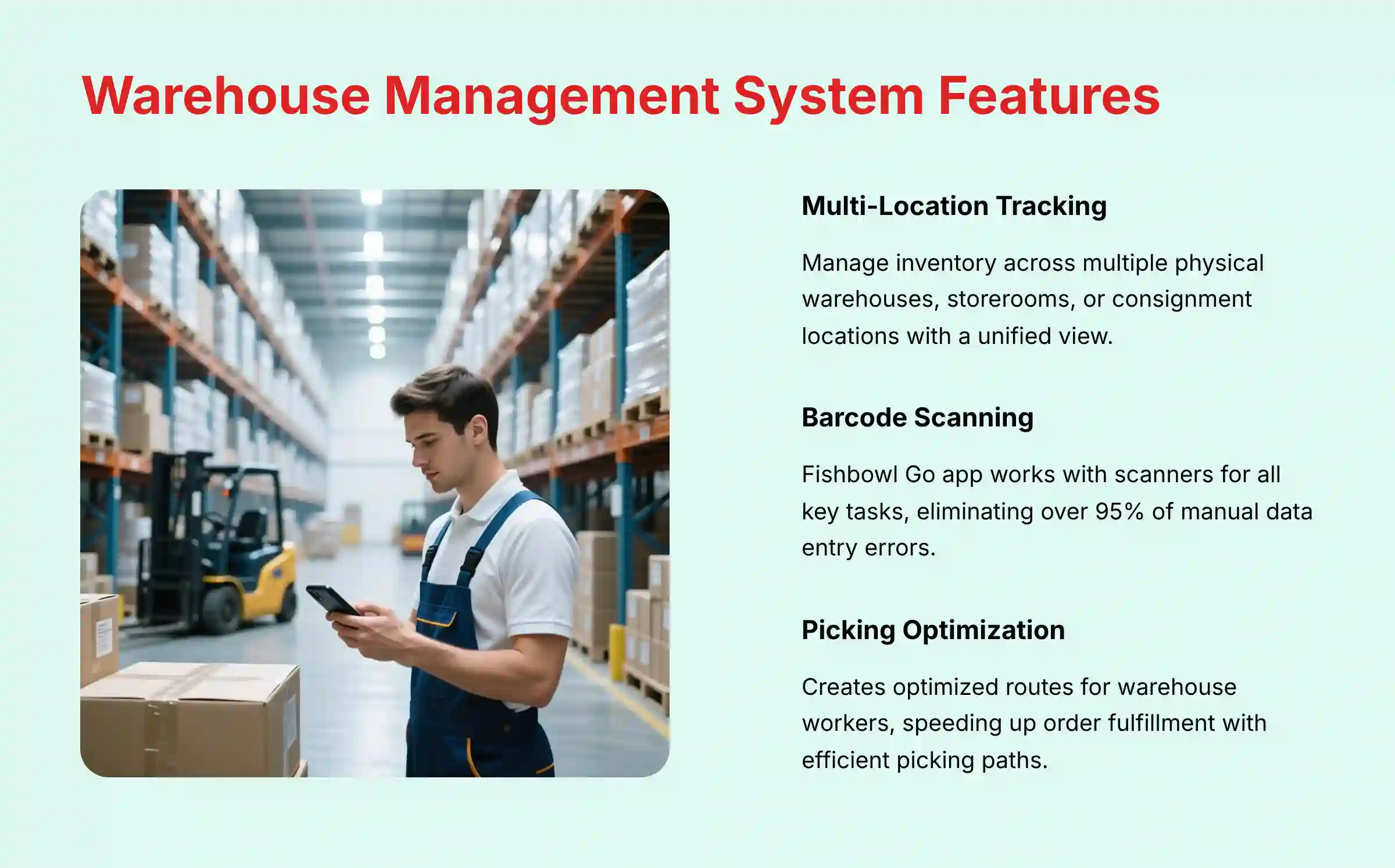
Fishbowl's WMS features are designed to reduce human error and automate physical warehouse tasks. These tools represent the front line against inventory mistakes, turning chaotic manual processes into structured, efficient workflows.
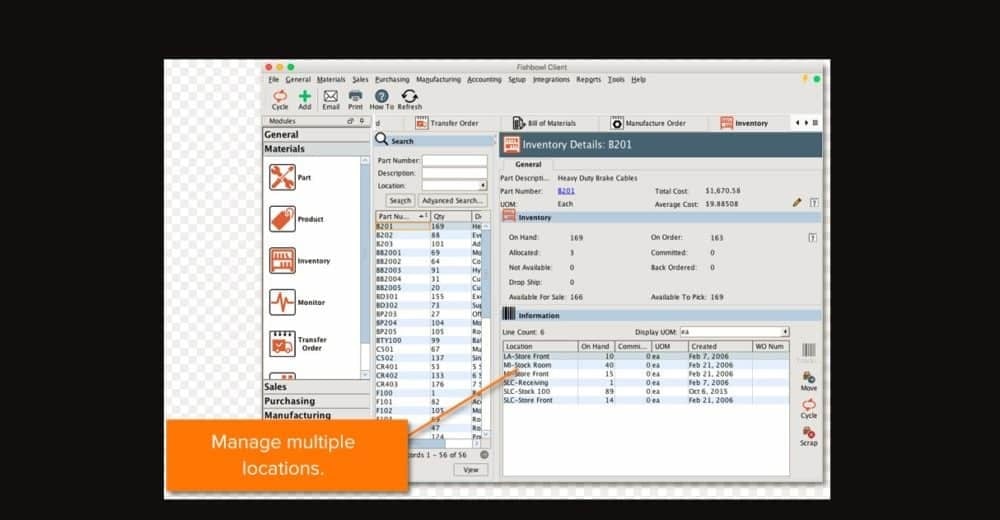
- Multi-Location Tracking: Manage inventory across multiple physical warehouses, separate storerooms, or even consignment locations. The system provides a unified view of stock everywhere.
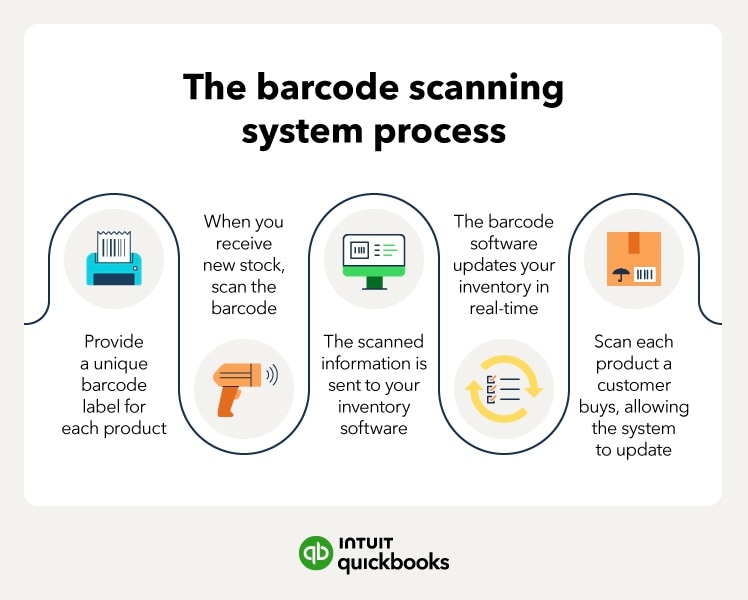
- Barcode Scanning: The Fishbowl Go app on Android or iOS devices works with scanners for all key tasks, including receiving, picking, packing, shipping, and moving inventory. This feature alone can eliminate over 95% of manual data entry errors.
- Picking Optimization: The system can create optimized routes for warehouse workers to follow, speeding up order fulfillment by telling them the most efficient path to pick all items for an order.
- Cycle Counting: This feature lets you perform regular, smaller inventory counts instead of a full shutdown. You can schedule counts to maintain high accuracy throughout the year.
- Receiving & Shipping: The platform streamlines workflows for checking incoming purchase orders against vendor invoices, and also manages sales order shipments and integrates with shipping carriers to print labels directly.
The WMS module also supports more advanced operational workflows essential for scaling businesses:
- Directed Put-Away: The system can suggest optimal storage locations for incoming inventory based on pre-defined rules, such as velocity (fast-moving items near the front) or storage requirements, improving space utilization and retrieval speed.
- Kitting and Assembly: For businesses that bundle products, the system manages kitting workflows. It allows you to issue work orders to assemble kits, consuming the individual component inventory and creating a new, sellable bundled product SKU.
- 3PL Integration: Through its API and integration ecosystem, Fishbowl can sync inventory data with Third-Party Logistics (3PL) providers, offering a unified view of stock even when it's stored in an external warehouse.
Advanced Inventory Control Features
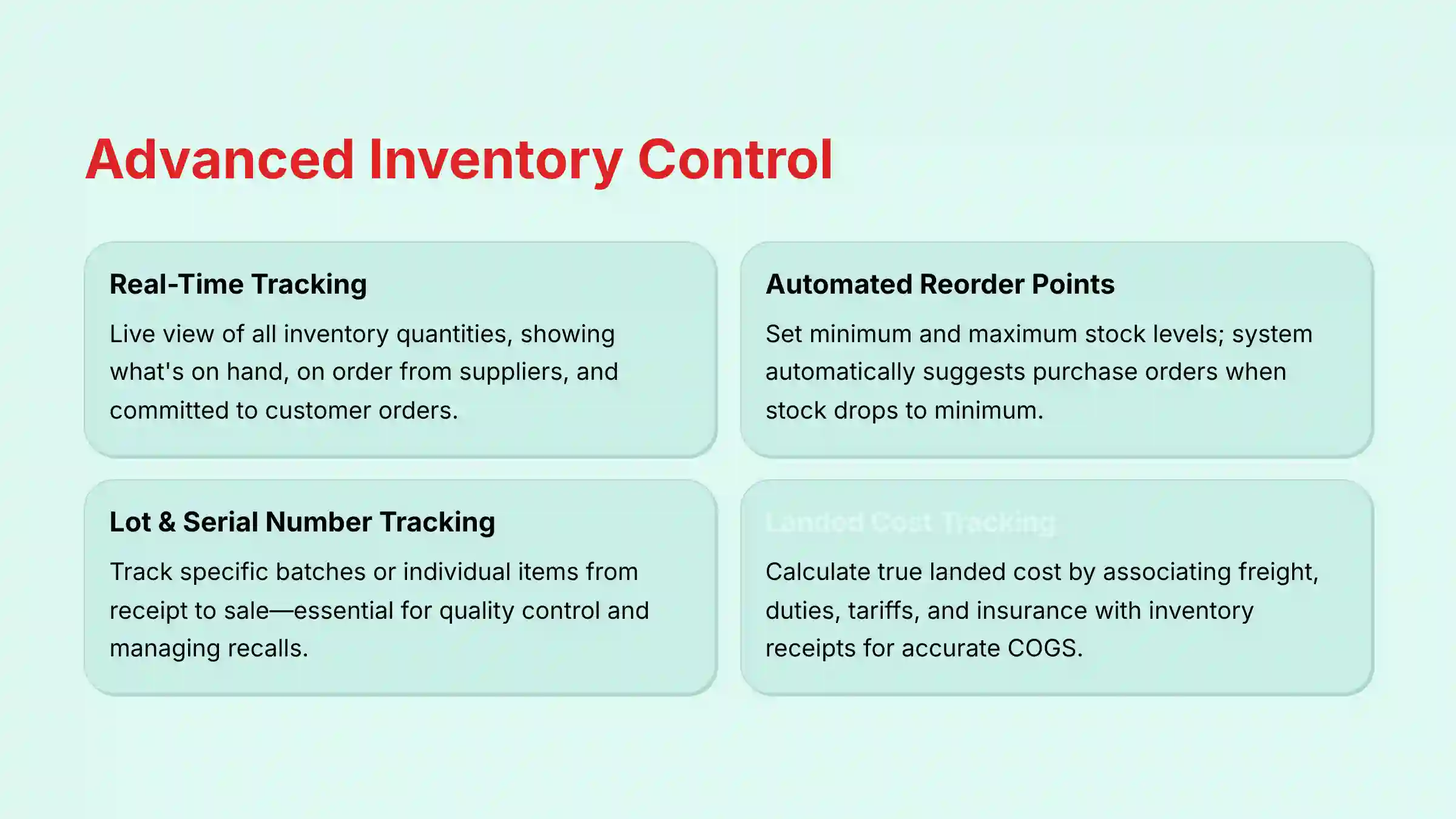
These features focus on the data and attributes of your inventory, giving you a real-time, accurate picture of what you own and where it is. This is the intelligence hub of your operation.
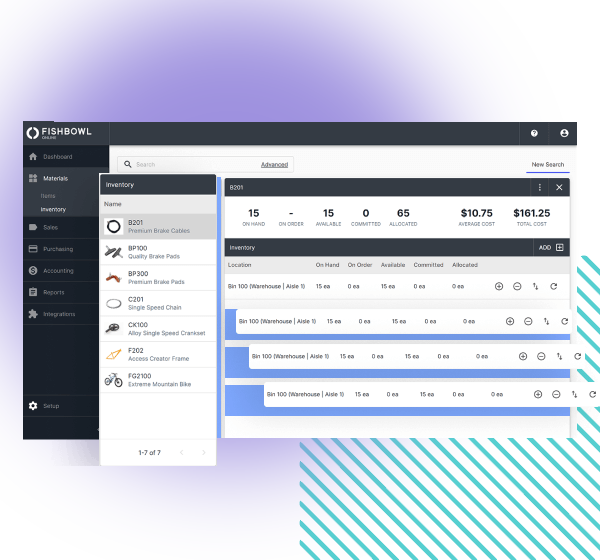
- Real-Time Inventory Tracking: The system gives you a live view of all inventory quantities, showing what is on hand, what is on order from suppliers, and what is already committed to customer orders.
- Automated Reorder Points: You can set minimum and maximum stock levels for each item. When stock drops to the minimum level, the system automatically suggests a purchase order to replenish it.
- Lot & Serial Number Tracking: This is a key feature for businesses in regulated industries like food or electronics. It allows you to track specific batches (lot numbers) or individual items (serial numbers) from the moment you receive them until they are sold. This is essential for quality control and managing recalls.
- Unit of Measure (UoM) Conversion: The system handles complex unit conversions automatically. For example, you can purchase a product by the pallet, store it by the case, and sell it by the individual unit.
- Landed Cost Tracking: For businesses that import goods or have significant freight costs, Fishbowl can be configured to calculate landed cost. This critical capability for accurate profitability analysis allows you to associate ancillary costs like freight, duties, tariffs, and insurance directly with an inventory receipt. This provides true visibility into your Cost of Goods Sold (COGS) and enables more strategic pricing and sourcing decisions.
Manufacturing Module (MRP) Features
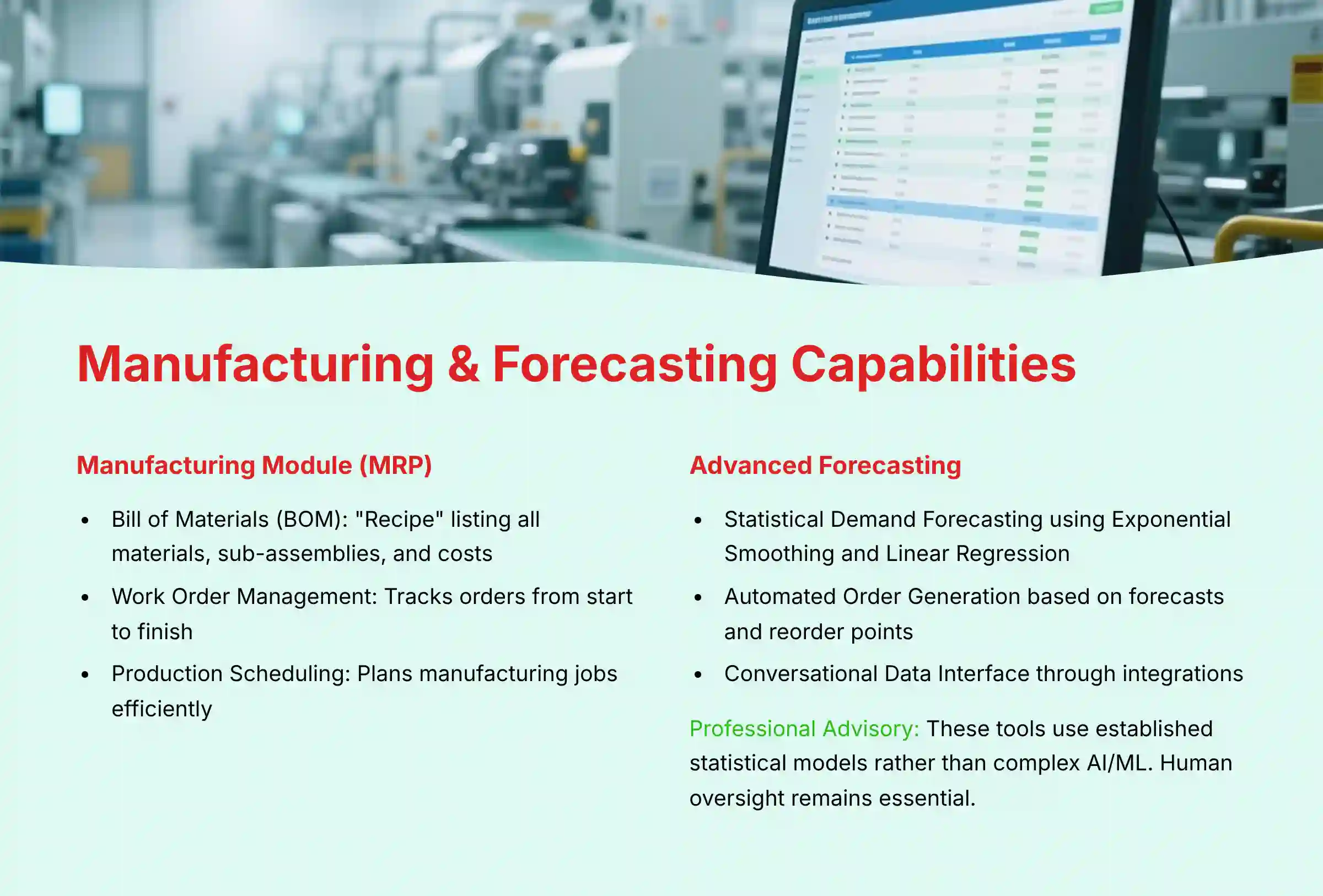
Fishbowl includes features for light manufacturing and assembly operations. It is designed for discrete manufacturing, which involves putting parts together (like building with LEGO bricks), not mixing ingredients (like a cake).
- Bill of Materials (BOM): A BOM is the recipe for your product. You can create multi-level BOMs that list all raw materials, sub-assemblies, and even labor and overhead costs needed to create one finished item.
- Work Order Management: A work order is the instruction to build a certain quantity of a product. The system tracks these orders from start to finish, consuming raw material inventory and creating finished goods inventory when complete.
- Production Scheduling: This function helps you plan manufacturing jobs, letting you schedule production to make the best use of your machines and people.
Advanced Forecasting and Automation Capabilities
Fishbowl integrates advanced forecasting tools to make inventory management more proactive. The system uses past data to make smart predictions about the future. However, the quality of the forecast depends entirely on the quality of your historical data.
- Statistical Demand Forecasting: The platform uses algorithms like Exponential Smoothing and Linear Regression to analyze past sales data. It then predicts future customer demand, helping you stock the right amount of product.
Professional Advisory on Forecasting Implementation: While powerful, these forecasting tools employ established statistical models rather than complex AI/ML platforms that incorporate external variables. Professionals must understand that over-reliance on automated forecasts without strategic human oversight can amplify past errors, leading to costly inventory imbalances. The goal of this technology is to empower expert decision-making, not replace it.
- Automated Order Generation: The system uses these forecasts along with your set reorder points and can automatically create draft purchase orders, sales orders, or transfer orders between warehouses.
- Conversational Data Interface: Through integrations, it is possible for users to ask questions in plain language. For example, “How many units of SKU 123 are in the main warehouse?” and get an instant answer.
Technical Specifications
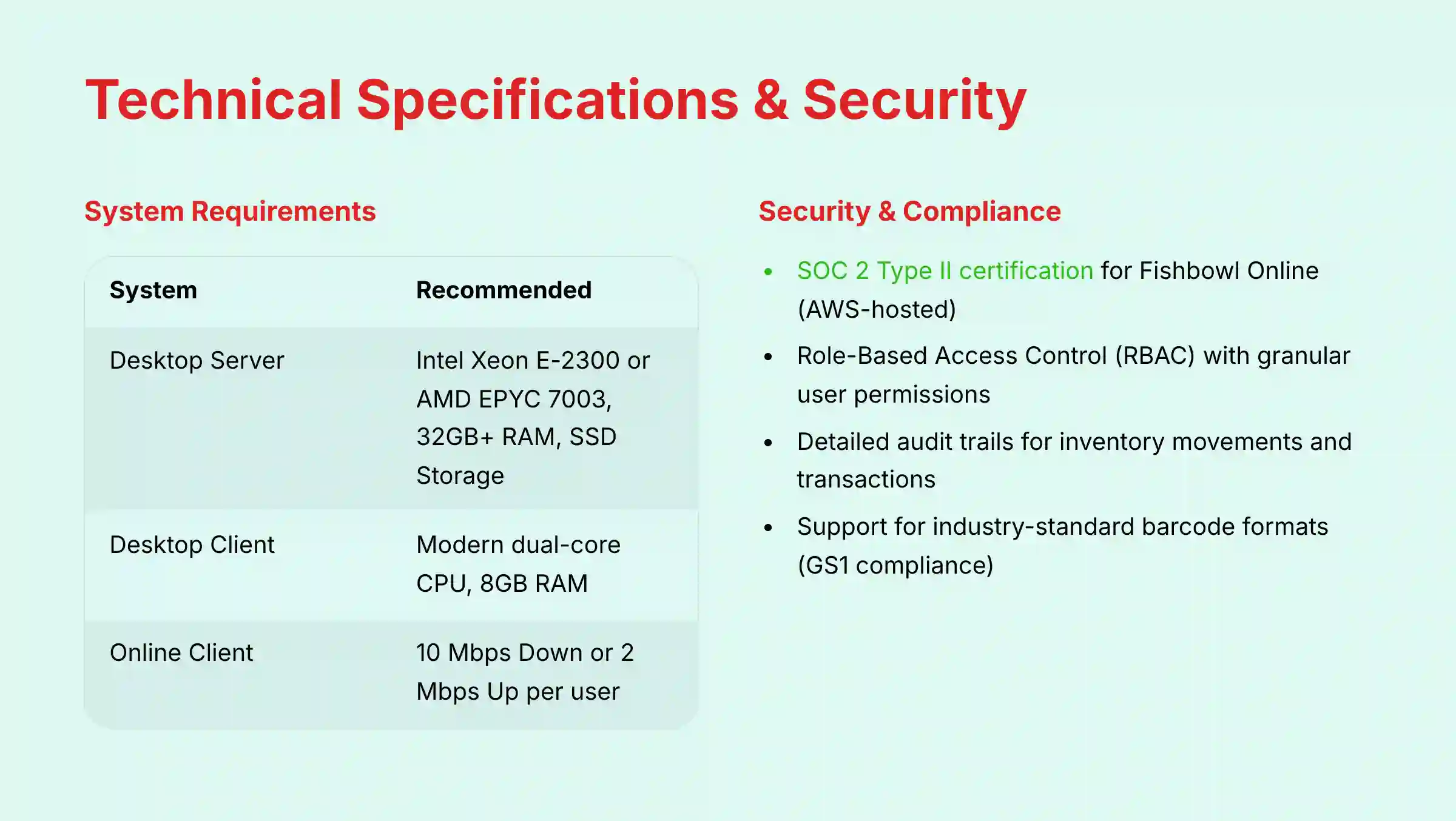
For any IT manager, these technical details are non-negotiable. Getting the server specifications right for the Desktop version is especially important, as the server is the brain of the on-premise system; under-specifying this hardware is a common cause of performance issues in larger deployments.
Supported Platforms and Operating Systems
| Platform | Requirement |
|---|---|
| Desktop Server | Windows Server 2019 or 2022 (64-bit) |
| Desktop Client | Windows 10 or 11 (64-bit) |
| Online Client | Latest versions of Chrome, Firefox, Edge |
| Mobile App (Go) | Android 7.0+ or iOS 13+ |
System and Hardware Requirements
| System | Minimum Requirement | Recommended |
|---|---|---|
| Desktop Server | Multi-core CPU, 16 GB RAM | Intel Xeon E-2300 or AMD EPYC 7003, 32 GB+ RAM, SSD Storage |
| Desktop Client | Modern dual-core CPU, 8 GB RAM | – |
| Online Client | Stable broadband connection | 10 Mbps Down or 2 Mbps Up per user |
Data Formats
| Type | Supported Formats |
|---|---|
| Data Import | CSV |
| API Format | JSON |
| Report Export | PDF, CSV, XLS, etc. |
| Label Printing | ZPL (for thermal printers) |
Security, Compliance, and Data Governance
In our professional assessment, security and compliance are paramount for any system managing mission-critical operational data.
- Compliance & Certification: The cloud infrastructure for Fishbowl Online is hosted on AWS, which maintains key certifications, and the platform itself has achieved SOC 2 Type II certification. This is a critical verification for businesses handling sensitive inventory and customer data, as it validates the effectiveness of their internal security controls over time.
- Role-Based Access Control (RBAC): The platform provides granular user permissions. This allows administrators to implement the principle of least privilege, ensuring that a warehouse operator, a purchasing manager, and a finance user only have access to the specific data and functions required for their roles. This is fundamental for maintaining data integrity and governance.
- Audit Trails: Fishbowl maintains detailed logs of inventory movements and transactions. This provides a complete audit trail, which is essential for troubleshooting discrepancies, maintaining accountability, and supporting regulatory compliance requirements.
- Barcode Standards: The system's support for industry-standard barcode formats is crucial for GS1 compliance, ensuring interoperability with major retail and distribution partners.
Objective Use Cases and Industry Applications
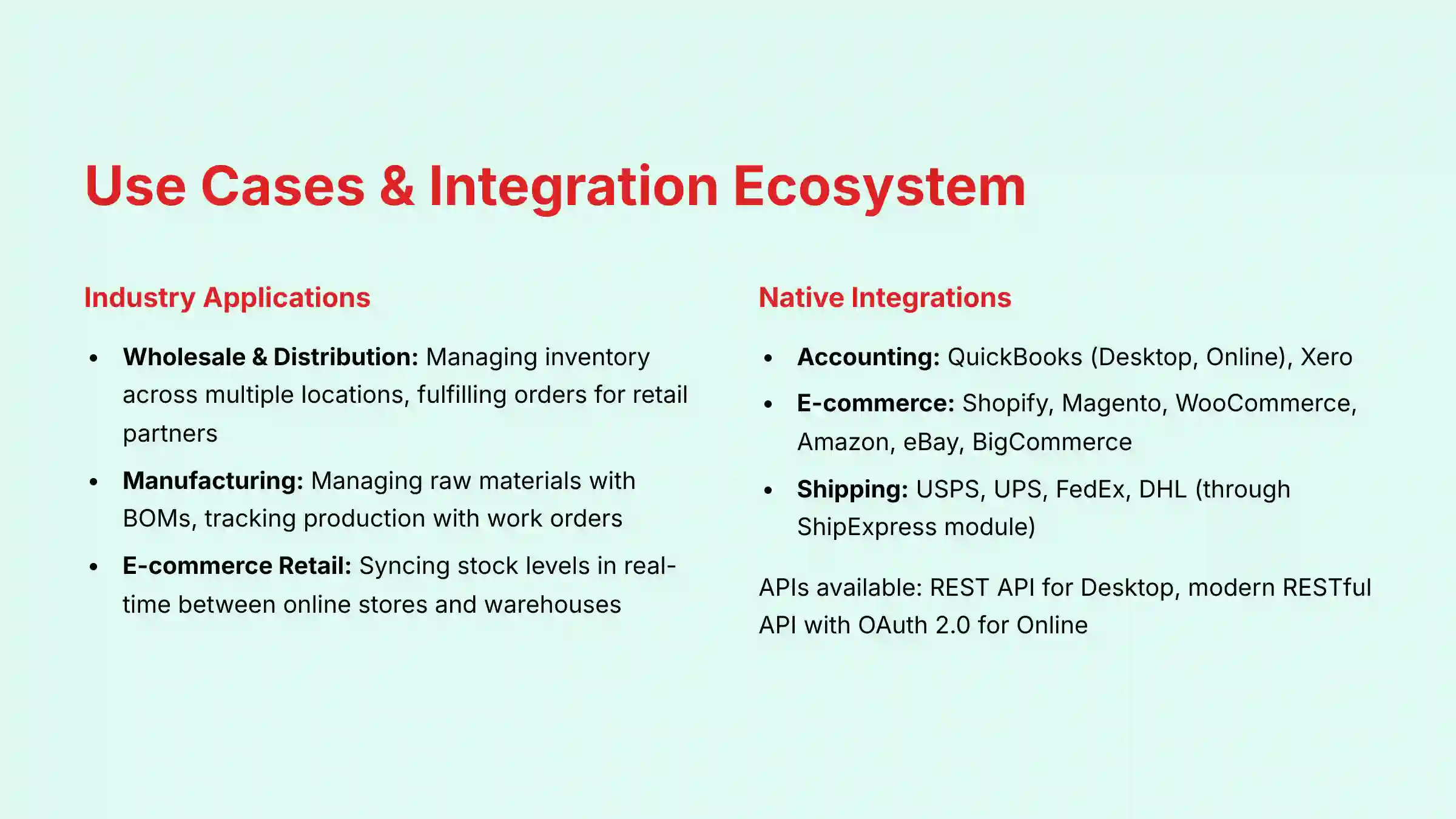
Fishbowl is most often used by businesses that have outgrown the basic inventory features of their accounting software, a sign that a company's operations have become too complex for simple tools.
- Wholesale & Distribution: These businesses use Fishbowl to manage inventory across multiple locations. They rely on its sales order management and shipping integrations to fulfill orders for their retail partners.
- Manufacturing: Manufacturers use the platform to manage raw materials with BOMs, track production with work orders, and manage the inventory of their finished goods.
- E-commerce Retail: E-commerce businesses use the native integrations with platforms like Shopify, Amazon, and BigCommerce. This syncs stock levels in real-time between their online stores and their warehouses to prevent overselling.
For businesses seeking practical guidance on implementation, our detailed Fishbowl Tutorials and Usecase guide provides step-by-step instructions for common workflows and best practices.
Pricing and Subscription Plans
Fishbowl utilizes a custom pricing model based on a company's specific needs. Subscription costs are determined after a consultation to assess user count, necessary modules (e.g., WMS, Manufacturing), and implementation services. Professionals must contact Fishbowl directly to receive an accurate price quote.
- Pricing Model: Subscription-based, paid monthly or annually.
- Key Pricing Factors: Number of concurrent users, required modules (e.g., manufacturing), and deployment (Desktop vs. Online).
- Additional Costs: Be prepared for a one-time implementation and training fee. Some add-on modules may also have extra costs.
- Trial Information: A 14-day free trial is available for evaluation. We recommend using this to test your core workflows.
Professional Advisory on Cost Assessment: When evaluating Fishbowl, it's essential to consider the Total Cost of Ownership (TCO), which extends beyond the subscription fee. For Fishbowl Desktop, this includes server hardware, database administration (particularly for MS SQL Server implementations), IT maintenance, and internal support resources. For a comprehensive understanding of the investment required, we recommend consulting with your IT department or a Fishbowl implementation specialist.
Those considering alternatives should explore our comprehensive analysis of Fishbowl Top Alternatives and Competitors to understand the competitive landscape and make informed decisions.
Integration and Ecosystem
API Availability and Capabilities
An API, or Application Programming Interface, acts as a universal translator. It is a set of rules that lets different software programs communicate with each other, which is key for creating custom workflows.
- Fishbowl Desktop API: This is a mature and complete REST API (with a legacy SOAP option). It gives developers access to almost every part of the software.
- Fishbowl Online API: This is a modern RESTful API that uses secure OAuth 2.0 authentication. It is newer and still evolving to match the full capabilities of the Desktop API.
Native Integrations
Native integrations are pre-built connections that work out of the box. Fishbowl's core value is its deep, two-way connection with accounting software. This means a sales order in Fishbowl creates an invoice in QuickBooks, and a payment in QuickBooks updates the order in Fishbowl automatically.
- Accounting: QuickBooks (Desktop, Online), Xero.
- E-commerce: Shopify, Magento (Adobe Commerce), WooCommerce, Amazon, eBay, BigCommerce.
- Shipping: USPS, UPS, FedEx, DHL (through the ShipExpress module).
System Requirements and Known Limitations
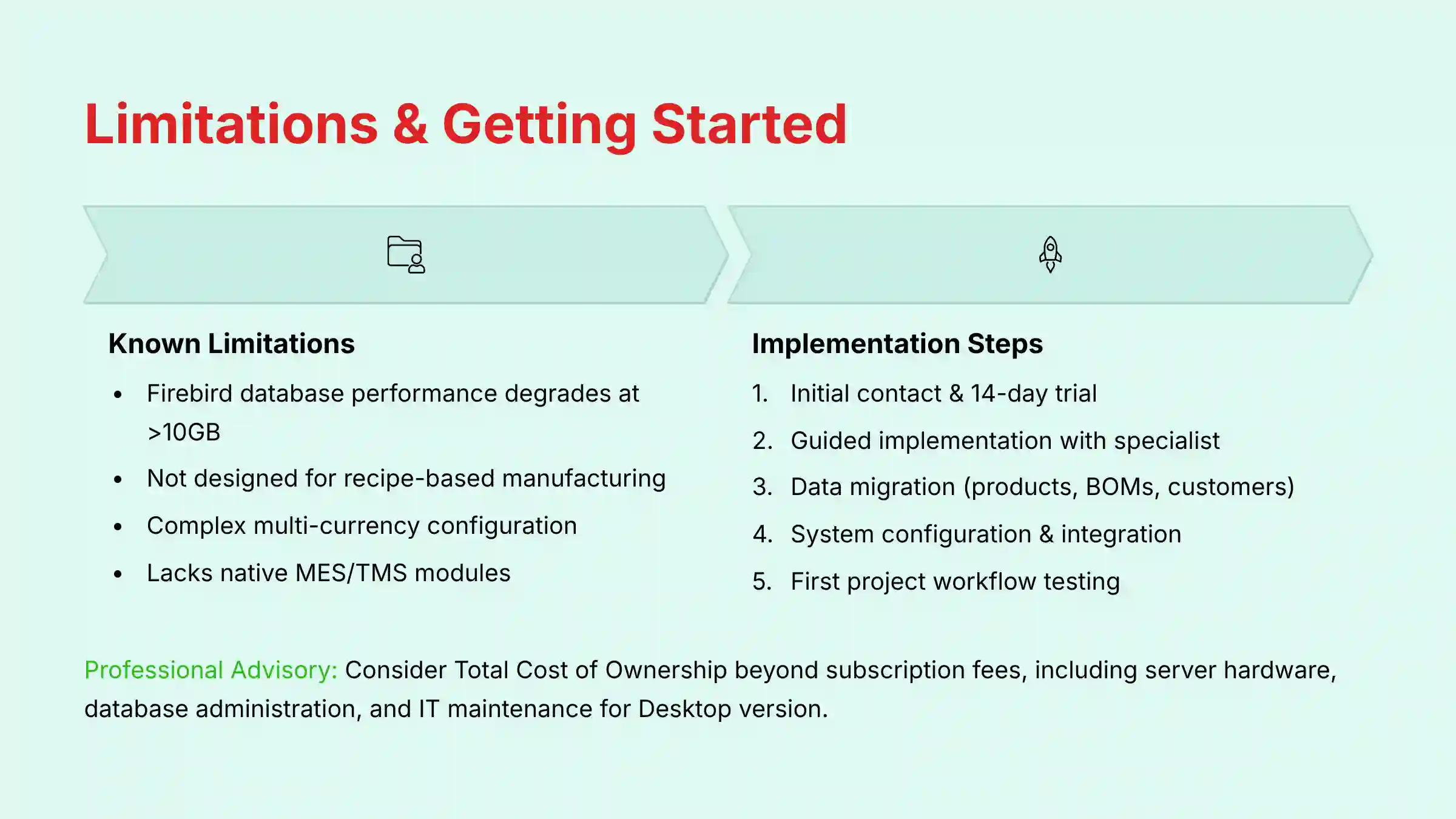
Understanding a tool's limitations is just as important as understanding its features. This helps you know if it is the right fit for your specific business needs.
- Hardware Requirements:
- Barcode Scanners: Any HID-compliant (“keyboard wedge”) USB or Bluetooth scanner will work.
- Mobile Scanners: Android or iOS devices from brands like Zebra, Honeywell, or Datalogic are recommended for the mobile app.
- Label Printers: The system works with ZPL-compatible thermal printers from brands like Zebra or Dymo.
- Known Technical Limitations:
- Database Size (On-Premise): The default Firebird database can experience performance degradation as it approaches and exceeds 10 GB. For a growing business, this can manifest as system slowdowns during critical operations like month-end closing or high-volume shipping days. To ensure scalability and system stability, migration to MS SQL Server is the recommended path for larger data sets. This is a complex technical task, and professional consultation with a database administrator is essential to prevent data loss and operational disruption.
- Process Manufacturing: The system is not designed for recipe-based manufacturing, like in the chemical or food processing industries.
- Multi-Currency: This function is available but can require complex configuration to work correctly.
- Lack of Native MES/TMS Modules: While Fishbowl is a strong MRP/WMS, it is not a full-suite solution. It lacks native Manufacturing Execution System (MES) modules for real-time shop floor control or a Transportation Management System (TMS) for advanced freight optimization. These functions require integration with specialized third-party platforms.
- RFID Functionality: While commonly mentioned alongside barcode scanning, RFID functionality is not a native feature and requires integration with specialized third-party hardware and software partners.
What's New in Fishbowl?
Fishbowl has recently introduced significant updates, including a native Amazon FBA integration and enhanced cycle counting features in recent versions. These updates show that the platform is actively developed and improving. The new FBA integration is a major benefit for Amazon sellers, allowing them to manage their FBA inventory directly within their central system.
For the most accurate and current release information, users should consult the official Fishbowl Release Notes Blog.
Getting Started with Fishbowl: A Factual Guide
Implementing a new inventory system is a major project. Preparing clean and accurate data for import is the single most important step for a successful launch.
- Initial Contact & Trial: The process begins with a sales demo and getting a price quote. You can then sign up for a 14-day free trial.
- Guided Implementation: A Fishbowl specialist will lead you through a structured onboarding process. This professional guidance is key to setting up the system correctly.
- Data Migration: You will need to prepare your key data for import. This includes product lists, bills of materials, customer and vendor lists, and current inventory counts.
- System Configuration & Integration: Your implementation specialist will help you set up core settings and connect the system to your accounting and e-commerce platforms.
- First Project Workflow: We suggest starting with a simple workflow: create a product, receive it with a purchase order, sell it with a sales order, and then complete the pick, pack, and ship process.
Frequently Asked Questions (FAQs)
What Is the Main Difference Between Fishbowl Desktop and Fishbowl Online?
The main difference is that Fishbowl Desktop is an on-premise solution you install on your own local servers, giving you direct control over your data. Fishbowl Online is a cloud-based platform you access through a web browser, which lowers IT costs and offers better accessibility.
Does Fishbowl Replace QuickBooks?
No, it does not. Fishbowl manages operational inventory, manufacturing, and warehouse processes, while QuickBooks manages the financial accounting. They integrate deeply, with Fishbowl sending operational data to QuickBooks to record the financial side of transactions.
Can Fishbowl Track Inventory in Multiple Warehouses?
Yes, it can. Fishbowl's multi-location tracking feature lets users manage and monitor inventory levels in real-time across multiple physical warehouses, storerooms, and even third-party logistics (3PL) locations from one system.
What Kind of Barcode Scanners Work with Fishbowl?
For the desktop client, any HID-compliant (“keyboard wedge”) USB or Bluetooth scanner is compatible. For the Fishbowl Go mobile app, you need compatible scanners for Android or iOS devices, such as models from Zebra or Honeywell.
Is Fishbowl a Full ERP System?
No, Fishbowl is not a full ERP system. While it has many ERP components for manufacturing (MRP) and inventory, it lacks its own modules for financials (accounting), human resources, or CRM. It is designed to be the operational hub that connects to a separate accounting system.
How Does Fishbowl's Forecasting Work?
Fishbowl uses established statistical algorithms like Exponential Smoothing and Linear Regression to analyze historical sales data. It generates a predictive forecast for future demand based on past trends and seasonality, which helps automate the calculation of optimal reorder points.
What Is a Bill of Materials (BOM) in Fishbowl?
A Bill of Materials in Fishbowl is the “recipe” for a manufactured product. It lists all the raw materials, sub-assemblies, quantities, and labor costs required to build one unit of a finished good. This is essential for accurate job costing and tracking inventory use.
How Much Does Fishbowl Typically Cost?
Fishbowl utilizes a custom pricing model based on specific business needs. The cost varies depending on the number of concurrent users, required modules, and implementation services needed. For an accurate price quote, businesses must contact Fishbowl directly for a consultation.
For more detailed answers to common questions, visit our comprehensive Fishbowl FAQs resource for additional insights and solutions.
Disclaimer
Important Information:
The information about Fishbowl presented in this article reflects our thorough analysis as of 2025. Given the rapid pace of technology evolution in the AI for Operations & Supply Chain space, features, specifications, and security protocols may change after publication. While we strive for accuracy through rigorous testing, we recommend visiting the official Fishbowl website for the most current information.
For implementations with significant financial or compliance implications, we strongly recommend consulting with qualified supply chain and IT professionals who can assess your specific requirements and risk tolerance. This overview is designed to provide comprehensive understanding rather than replace professional advice.
Our analysis is based on hands-on testing, official documentation review, and industry best practices current at the time of publication. Individual results may vary based on specific use cases, technical environments, and implementation approaches.
To explore expert insights and user experiences, we recommend reading our detailed Fishbowl Review which provides real-world perspectives on the platform's performance and capabilities.

Leave a Reply