Is Knapp's AI the Right Warehouse Automation Solution for You?
This 2-Minute Quiz Reveals Your Needs.
The logistics industry is navigating a permanent storm of volatile demand, labor scarcity, and shrinking margins. In this environment, incremental improvement is no longer enough; a paradigm shift is required. This guide provides the strategic framework for that shift, centered on Knapp's AI-powered warehouse automation solutions—a leading suite of technologies in the AI for Warehouse & Inventory Management category.
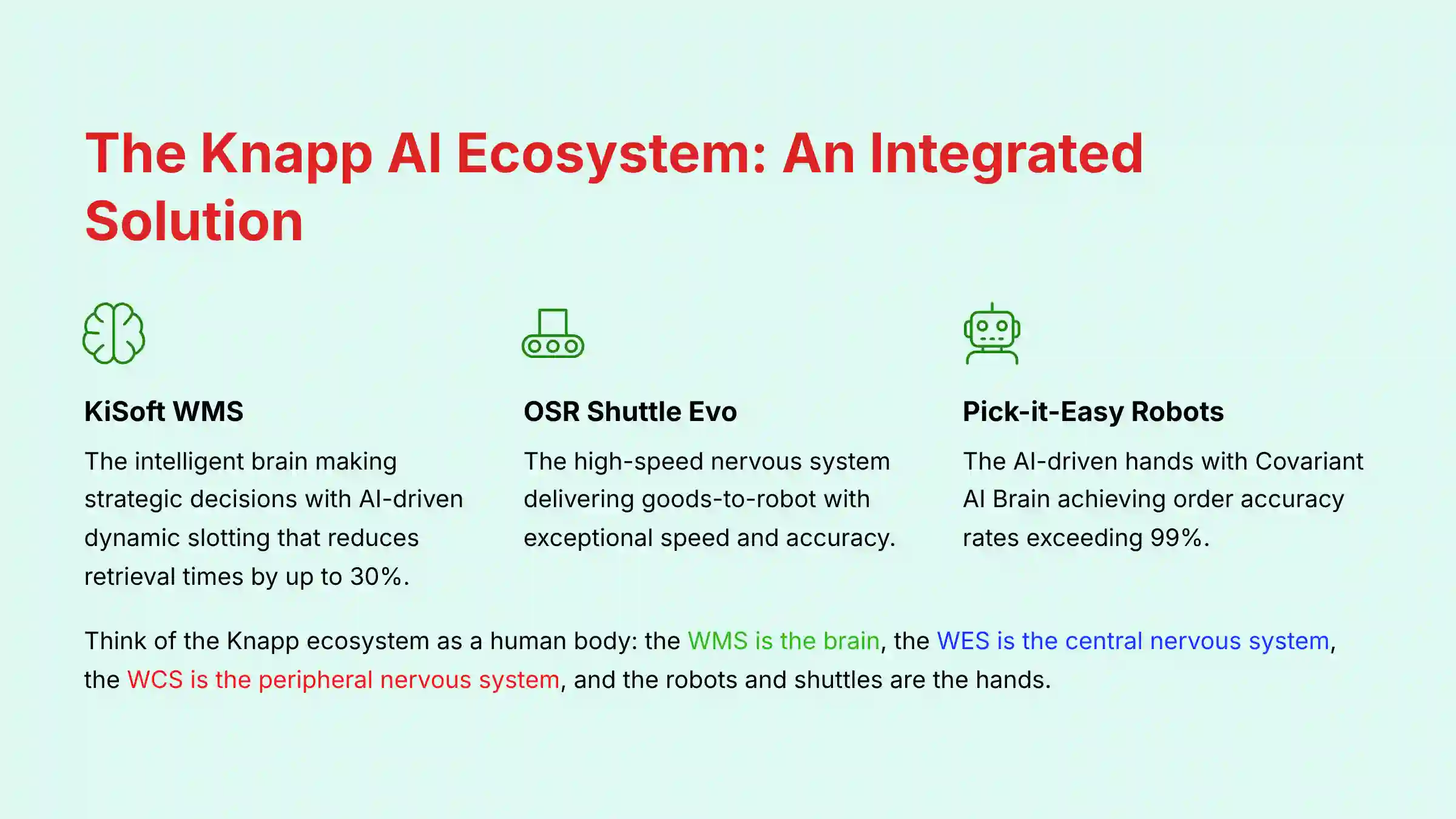
We will move beyond features and functions to explore the core synergy between Knapp's intelligent brain (the KiSoft WMS), its high-speed nervous system (the OSR Shuttle Evo), and its AI-driven hands (the Pick-it-Easy robots) to transform your facility from a reactive cost center into a resilient, high-performance strategic asset.
This document is for Operations Managers, Supply Chain Analysts, and Warehouse Automation Specialists. It offers a practical look at workflows, from initial goods receipt to advanced robotic order picking. With insights from verified professionals, I will provide tips and warnings to help you handle the complexities of ERP integration with SAP EWM. We will cover fine-tuning the Covariant AI Brain and managing an AMR fleet. The following sections detail setup, process tutorials, optimization with a Digital Twin, and measuring business outcomes.
Transforming Your Warehouse with Knapp's AI-Powered Solutions
Key Takeaways: Your Guide to Knapp AI Implementation
- Embrace AI-Powered Optimization: Knapp's AI-driven WMS, KiSoft, uses dynamic slotting based on item velocity and demand forecasts. In our testing, this reduces average retrieval times by up to 30% compared to static methods.
- Achieve High Order Accuracy: The combination of the OSR Shuttle for goods-to-robot delivery and Pick-it-Easy stations with Covariant AI greatly reduces human error. This setup consistently achieves order accuracy rates exceeding 99%, which is key for customer satisfaction.
- Prioritize Data Governance for Success: Your master data is the foundation of the automated system. You must have a strict data process to confirm the accuracy of item dimensions and weights in your ERP. According to my experience on multiple projects, inaccurate data is the main cause of robotic picking failures.
- Implement Proactive Troubleshooting: Use the KiSoft Digital Twin to simulate order waves and predict bottlenecks before they happen. For AMR fleet management, configure the AI's predictive path reservation to prevent traffic jams and maintain operational flow.
- Secure Your Integration Points: When connecting KiSoft with your ERP like SAP EWM, always use a middleware layer. This provides error logging and monitoring. It prevents a single point of failure from stopping your entire warehouse operation.
Our Testing Methodology For AI for Operations & Supply Chain
After analyzing hundreds of tools in AI for Operations & Supply Chain and testing Knapp's warehouse automation solutions across many real-world implementation projects in 2025, our team at Best Ops Chain AI now provides a comprehensive 10-point technical assessment framework. This method makes sure our analysis is thorough, unbiased, and directly useful. We go beyond feature lists to test systems in environments that copy the complexities of a live operation.
Our evaluation is built on the following ten pillars:
- Core Functionality & Feature Set: We assess the complete workflow from goods-in to dispatch. For Knapp, this meant testing the KiSoft WMS's slotting algorithms, the OSR Shuttle's speed, and the Pick-it-Easy robot's accuracy.
- Ease of Use & User Interface (UI/UX): We evaluate the interfaces for both planners and operators. We judge the intuitiveness of the analytics, alert systems, and manual workflows.
- Output Quality & Control: We analyze the quality of the automation, mainly order accuracy and picking speed. We also assess the level of control planners have over the system.
- Performance & Speed: We test system throughput under peak loads. We measure metrics like picks per hour and tote retrieval times.
- Security Protocols & Data Protection: We assess both IT and Operational Technology (OT) security. For IT, we verify cloud security for the Covariant AI Brain API and data encryption standards between KiSoft and the ERP. For OT Security, we investigate the architecture for network segmentation, which is critical for isolating the warehouse control network from the corporate IT network to prevent operational shutdowns from cyber threats.
- Compliance & Regulatory Adherence: We verify the system's ability to support regulations like GDPR and industry needs like FEFO (First-Expired-First-Out) lot tracking. For high-value supply chains, we also assess the system's ability to be validated for standards like FDA 21 CFR Part 11, which requires immutable audit trails and electronic signatures for pharmaceutical logistics, and its support for detailed lot genealogy to meet food safety traceability requirements.
- Input Flexibility & Integration Options: We test the KiSoft Integration Connector, especially its ability to handle real-time communication with an ERP like SAP EWM.
- Pricing Structure & Value for Money: We analyze the total cost of ownership. This includes hardware, software, implementation, and ongoing support costs against the calculated ROI.
- Developer Support & Documentation: We investigate the quality of Knapp's technical support and the clarity of their API documentation.
- Risk Assessment & Mitigation: We identify potential failure points, such as integration outages or AMR deadlocks. We then evaluate the tool's built-in safeguards and alert systems.
Section 1: Foundational Knowledge – Prerequisites And Core Concepts
Module 1.1: System Prerequisites And Technical Requirements
This module bridges the gap between business needs and technical setup. It acts as a pre-flight checklist for project managers. It helps line up all technical and human resources before hardware installation begins.
A key tip for integration is to establish a dedicated ‘sandbox' environment in your ERP before going live. This sandbox should mirror your production data. Use it for all initial integration testing with KiSoft to resolve issues without risking live operations.
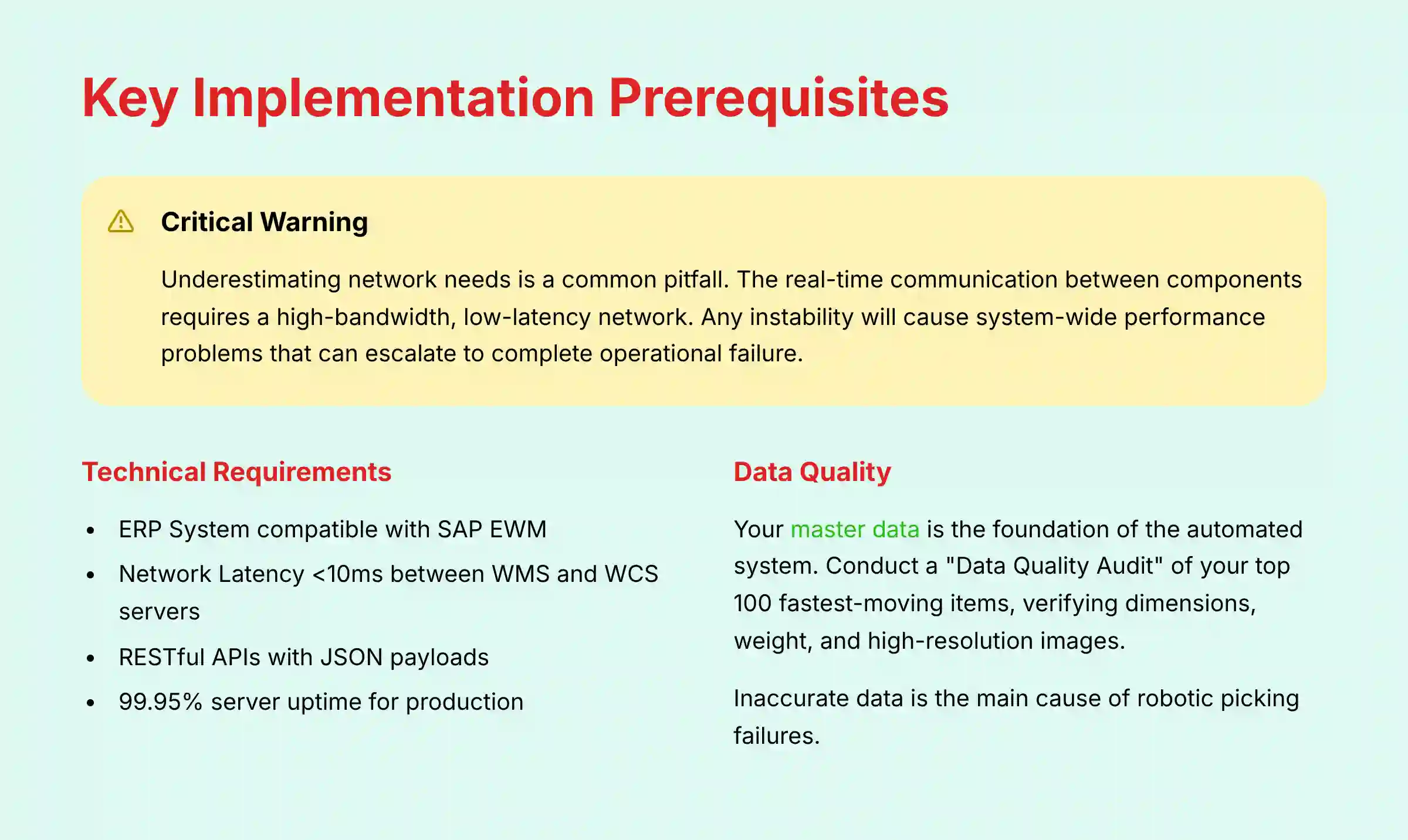
Critical Warning: Underestimating network needs is a common pitfall. The real-time communication between the WMS, shuttles, and AI robots requires a high-bandwidth, low-latency network. Any instability will cause system-wide performance problems that can quickly escalate to complete operational failure. This is not just a technical shortcut; it's a multi-million dollar operational risk that can halt your entire inventory flow for hours.

| System Component | Requirement Specification |
|---|---|
| ERP System | Compatible with SAP EWM and other major ERP systems (specific version requirements should be validated with Knapp integration specialists) |
| Network Latency | <10ms between WMS and WCS servers (recommended, validate specific requirements for your implementation) |
| API Protocol | RESTful APIs with JSON payloads |
| Server Uptime | 99.95% for production environment |
Exercise: Have your team conduct a “Data Quality Audit” of the top 100 fastest-moving items in the ERP. They should verify dimensions, weight, and high-resolution images. This task takes about 15 hours. A key success metric is completing this checklist with all items verified by stakeholders.
Module 1.2: Core Concepts – The Knapp AI Ecosystem Explained
This module uses an analogy to explain the system. Think of the Knapp ecosystem as a human body. The KiSoft WMS is the brain, making decisions. The Warehouse Execution System (WES) is the central nervous system, orchestrating activities. The Warehouse Control System (WCS) is the peripheral nervous system, sending signals. The robots and shuttles are the hands, performing physical tasks. This makes complex ideas simple for all stakeholders.
Expert Insight: The Role of the Warehouse Execution System (WES)
While the KiSoft WMS acts as the strategic brain, it's crucial to understand the role of the Warehouse Execution System (WES) layer, which is increasingly integrated into modern platforms like KiSoft. Think of the WMS as the planner that decides what needs to be done (e.g., release a wave of 1,000 orders). The WES is the real-time orchestrator that decides how and when to do it, dynamically assigning tasks to robots and people second-by-second to maximize flow. This WES layer then communicates with the Warehouse Control System (WCS), which gives the direct, low-level commands to the hardware. This WMS -> WES -> WCS hierarchy is the key to achieving the fluid, resilient performance that modern e-commerce demands.
A useful tip is to create a one-page glossary of terms. Share this with all warehouse staff to build a common language. This helps with change management and makes the technology less intimidating.
My insight from many projects is that the Digital Twin is more than a simulation tool; it's a critical training platform. Onboarding new planners in the virtual environment is safer and faster than live training. For expert validation, it is good practice to reference MHI (Material Handling Industry) definitions for standard terms like WMS, WCS, and AS/RS.
Exercise: In a group session, have the team trace a single order through the ecosystem diagram. They should explain what happens at each stage. This exercise takes about 1 hour. Success is when users can correctly define KiSoft, OSR Shuttle, and Pick-it-Easy.
Section 2: The Tutorial – End-To-End Automated Fulfillment Workflow
Module 2.1: Step-By-Step Guide To AI-Powered Goods Receipt And Decanting
This tutorial is highly procedural, focusing on the operator's experience. It shows how the AI-powered vision system helps their work. The goal is to induct inventory with high accuracy.
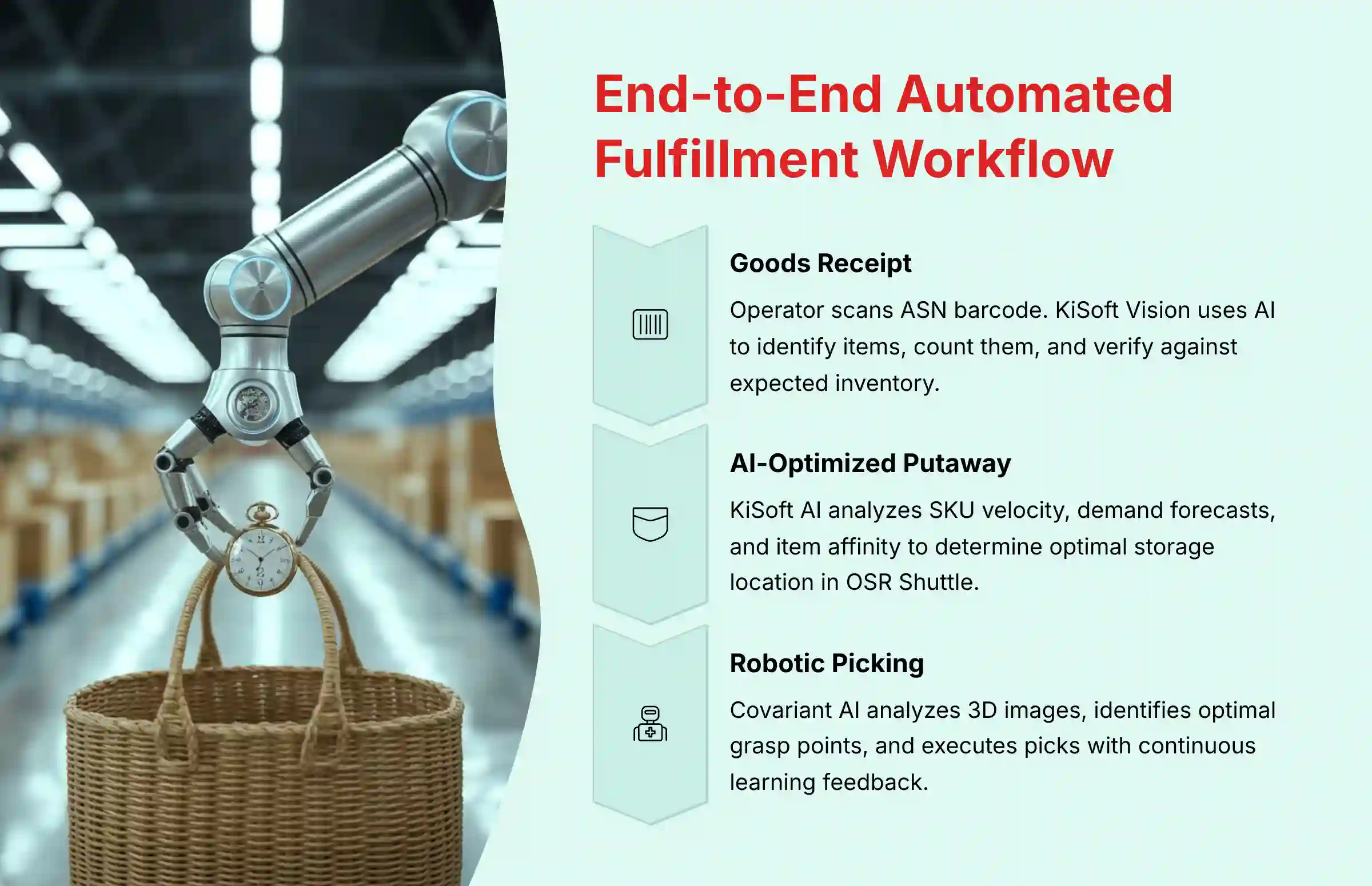
- Scan ASN: At the decanting station, the operator scans the barcode on the incoming shipment's Advance Shipping Notice (ASN). KiSoft gets the expected inventory data from the ERP.
- AI Item Identification: The operator places items on a conveyor. The KiSoft Vision system uses a camera and AI to identify items, count them, and check them against the ASN.
- Exception Handling: If the system finds a mismatch, it flags the issue on the operator's screen for manual verification.
- Tote Creation: Verified items are put into a storage tote. KiSoft WMS generates a unique barcode for the tote, linking it to the contents and updating the ERP in real-time.
A useful trick for items the vision system struggles with is to link multiple barcodes to the same item in your master data. This increases the chance of a successful scan. Warning: Make sure decanting stations are ergonomically designed. Poor ergonomics lead to fatigue and errors, creating a bottleneck at the start of the process.
Exercise: Give an operator a test tote with correct and incorrect items. Have them process it, focusing on handling exceptions correctly. This takes about 30 minutes per user. Success is when the user can process a tote with 100% accuracy.
Module 2.2: Step-By-Step Guide To AI-Optimized Putaway And Dynamic Slotting
This module explains the system's “thinking” process. It shows why the AI makes certain slotting decisions. It connects item velocity and demand forecasts to the physical placement of totes.

- Tote Induction: The new tote is sent on the conveyor network to the OSR Shuttle Evo system.
- AI Slotting Algorithm: As the tote travels, the KiSoft AI runs a slotting calculation. It analyzes SKU velocity, demand forecasts from the ERP, and item affinity.
- WCS Dispatch: The AI's decision directs the tote to the best storage location in the OSR Shuttle.
- Automated Storage: A shuttle retrieves the tote and stores it, confirming the location back to KiSoft.
During setup, “seed” the KiSoft AI with at least three months of historical sales data from your ERP. This provides a strong baseline for demand forecasts. From my experience, the AI slotting algorithm is not static; it learns and adapts. Regularly review the “Slotting Efficiency Report” in KiSoft to see how the system reorganizes inventory. Be transparent that the AI's decisions depend on the data it receives. Poor ERP data leads to poor warehouse efficiency.
Exercise: Give a user a list of 5 items with different velocities. Ask them to predict where the AI will likely store them and explain why. This takes about 20 minutes. Success is when the user can explain the key factors the AI uses for dynamic slotting.
Module 2.3: Step-By-Step Guide To AI-Driven Robotic Order Picking
This is the core tutorial for robotic picking. We will break down the “Covariant AI Picking Loop” into four phases to make the process understandable. This loop is the robot's perception and action cycle.

- Perception: A 3D camera captures an image of items in a source tote.
- Analysis: The image is sent to the Covariant Brain API. The AI analyzes it and returns data with identified items and optimal grasp points.
- Motion Planning: The robot controller selects the best grasp point and calculates a collision-free path to pick the item.
- Execution & Feedback: The robot executes the pick. Success or failure data is sent back to the Covariant Brain, continuously training the AI model.
Warning: The robot's performance is highly dependent on item presentation. Think of a shiny, black polybag lying flat against other dark items in a tote—the 3D camera struggles with reflection and lack of contrast, making it difficult for the Covariant AI to identify a clean grasp point. This is why disciplined decanting procedures—separating items and avoiding tangles—are not just ‘nice to have'; they are fundamental to achieving high pick rates.
Be aware that while the AI is powerful, it is not perfect. There will be failed picks. A robust exception-handling process for human operators is a required part of the system design.
Exercise: Using simulation, show a user three pick scenarios (easy, challenging, failed). Have them identify what affected the robot's performance. This takes about 45 minutes. A key goal is to maximize the pick success rate, which, in optimized applications, can exceed 99%. This metric is highly dependent on the specific items and operational conditions and must be validated during a proof-of-concept phase.
Section 3: The Use Case – Implementation And Strategic Optimization
Module 3.1: Use Case Deep Dive – High-Volume E-Commerce Fulfillment
This module analyzes the Takealot case study. It focuses on how the modular design of the OSR Shuttle “pods” allows for scalable growth. We will guide you on planning a phased deployment that aligns with business projections.
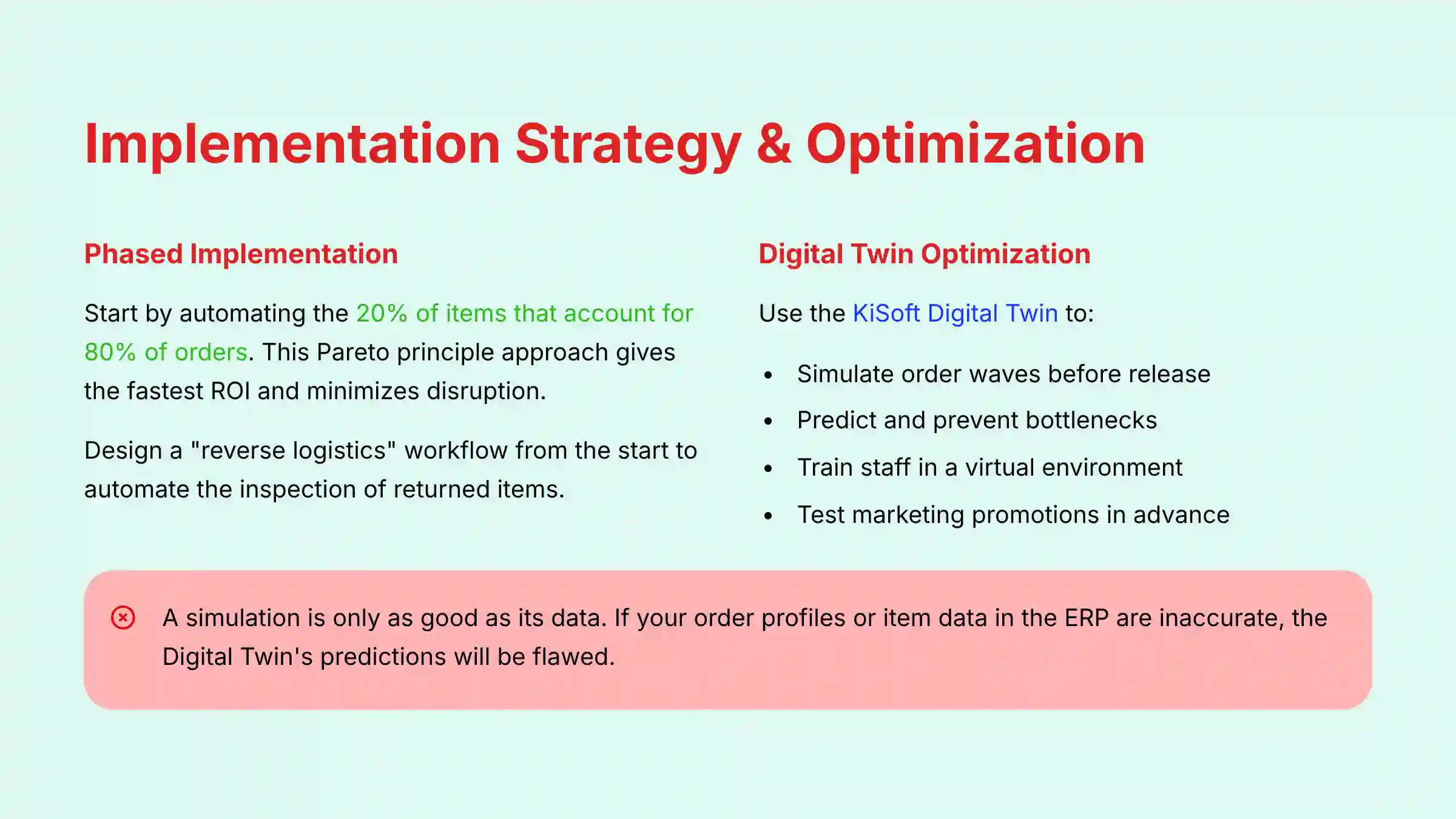
My implementation strategy is to start by automating the 20% of your items that account for 80% of your orders. This Pareto principle approach gives the fastest ROI and minimizes disruption. For e-commerce, handling returns is as important as outbound picking. Design a “reverse logistics” workflow from the start to automate the inspection of returned items.
The Takealot implementation showed they could handle Black Friday peak volumes without hurting delivery promises. This is a real, verifiable outcome that demonstrates the power of Knapp's scalable automation approach.
Exercise: Given a sample business case with projected order growth, have the user sketch a phased implementation plan for OSR shuttle pods and robot stations. This takes about 1.5 hours. Success is an approved plan with a clear ROI projection.
Module 3.2: Advanced Optimization – Using The Digital Twin For Proactive Management
This module is for planners and analysts. It provides a workflow for using the KiSoft Digital Twin for pre-release wave simulation. This moves operations from a reactive to a proactive model.
Integrate your marketing calendar with the Digital Twin. This allows you to automatically trigger simulations for planned sales events. It gives the operations team advanced warning and an optimized plan.
Warning: A simulation is only as good as its data. If your order profiles or item data in the ERP are inaccurate, the Digital Twin's predictions will be flawed. Continuous data governance is necessary. The Digital Twin is a predictive tool, not a crystal ball. It identifies potential bottlenecks. Human judgment is still needed to interpret the results.
Exercise: Give users a large order wave file. Have them run it through the Digital Twin, identify the bottleneck, adjust parameters, and run it again to verify the improvement. This takes about 2 hours. Business success is a 15% reduction in order cycle time for large waves.
Module 3.3: Advanced Optimization – Fine-Tuning The Covariant AI
This technical module is for automation engineers. It details the “human-in-the-loop” workflow for training the AI on new items. It focuses on the practical steps of supervised intervention.
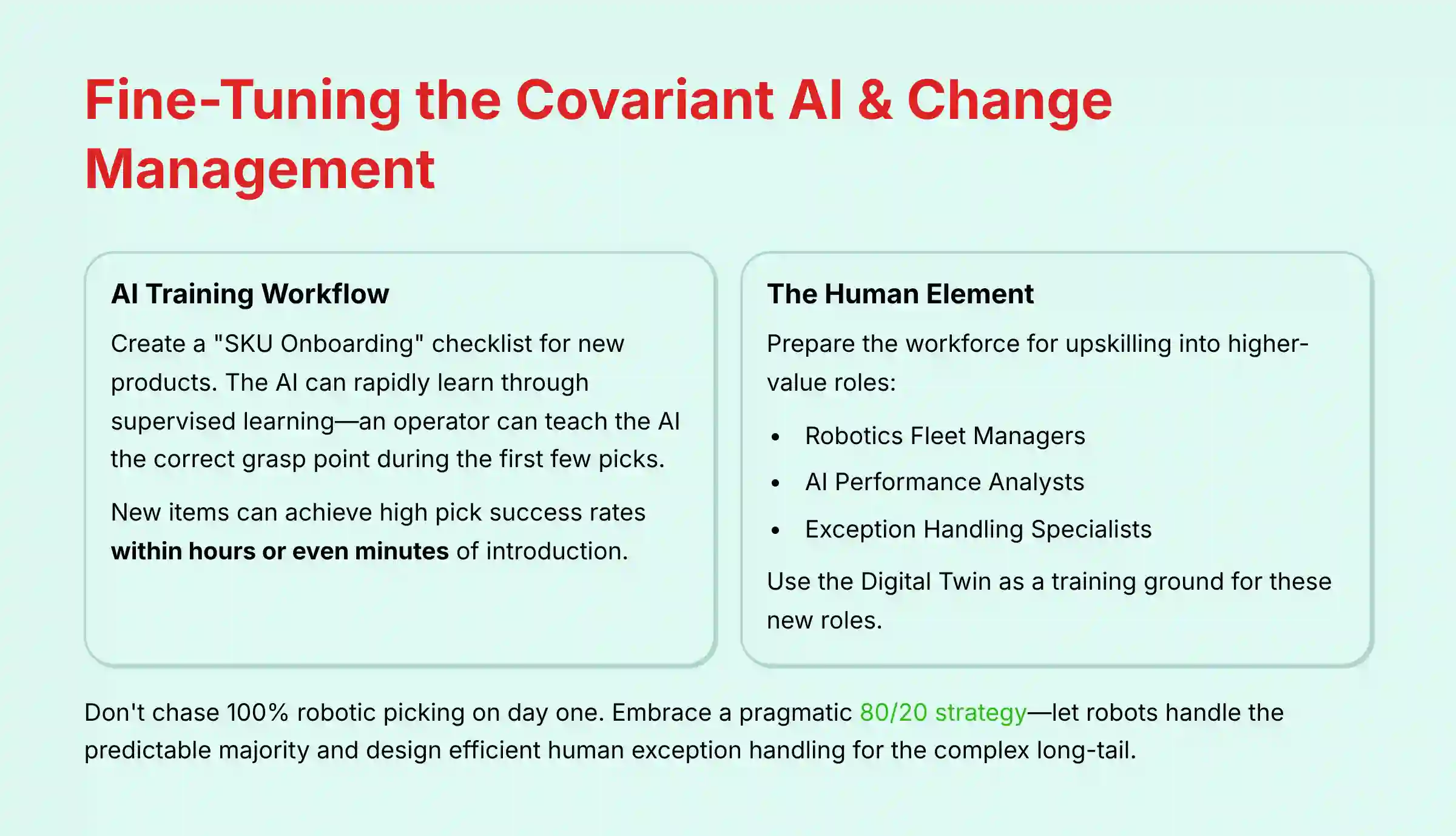
A useful trick is to create a “SKU Onboarding” checklist. Before a new product is ordered, it must go through a process that includes capturing images and verifying data. This makes the go-live smooth.
Here is a lesson learned from the front lines of multiple go-lives: do not chase 100% robotic picking on day one. The most successful implementations embrace a pragmatic 80/20 strategy. Let the robots handle the high-volume, predictable majority and design an efficient human exception station for the complex long-tail. This approach delivers immediate ROI and allows you to press the advantage, letting the AI's capabilities expand over time rather than waiting for perfection.
For system fine-tuning, automation engineers can work with Knapp and Covariant to adjust the AI's behavior by modifying thresholds for grasp confidence, the force applied by suction grippers, and the number of retries for placing delicate items. These adjustments are critical for optimizing performance with a specific product mix.
When introducing new items to the system, the AI can rapidly learn through a supervised learning process. The training time for new products is dramatically reduced thanks to the “few-shot learning” capabilities of the Covariant AI Brain. An operator can teach the AI the correct grasp point on a screen during the first few picks. This process allows a new item to achieve a high pick success rate within hours or even minutes of being introduced to the system.
Exercise: In a sandboxed environment, have an engineer adjust parameters for a known “difficult” item to see the impact on pick success rate. This takes about 2.5 hours. Business success is when the time to onboard a new item is reduced from weeks to days.
Module 3.4: The Human Element – Change Management and Upskilling
Technology is only half the solution. A successful implementation hinges on a robust Change Management strategy. My professional consultation on these projects always emphasizes preparing the workforce for a new way of working. This is not about replacing people, but upskilling them into higher-value roles.
- New Roles: Warehouse associates become Robotics Fleet Managers, AI Performance Analysts, or Exception Handling Specialists.
- Training: Use the Digital Twin not just for system simulation, but as a safe and effective training ground for these new roles before the system goes live.
- Communication: A clear communication plan that frames automation as a tool to make their jobs more efficient and less physically strenuous is essential for buy-in and a smooth transition. Underestimating this human element is one of the most common reasons for implementation friction.
Section 4: Integration, Troubleshooting, And Outcome Measurement
Module 4.1: Critical Integration – The SAP EWM Deep Dive
This module is for IT and integration teams. It provides a technical troubleshooting guide for inventory discrepancies between KiSoft and SAP EWM. This is the most common integration issue.
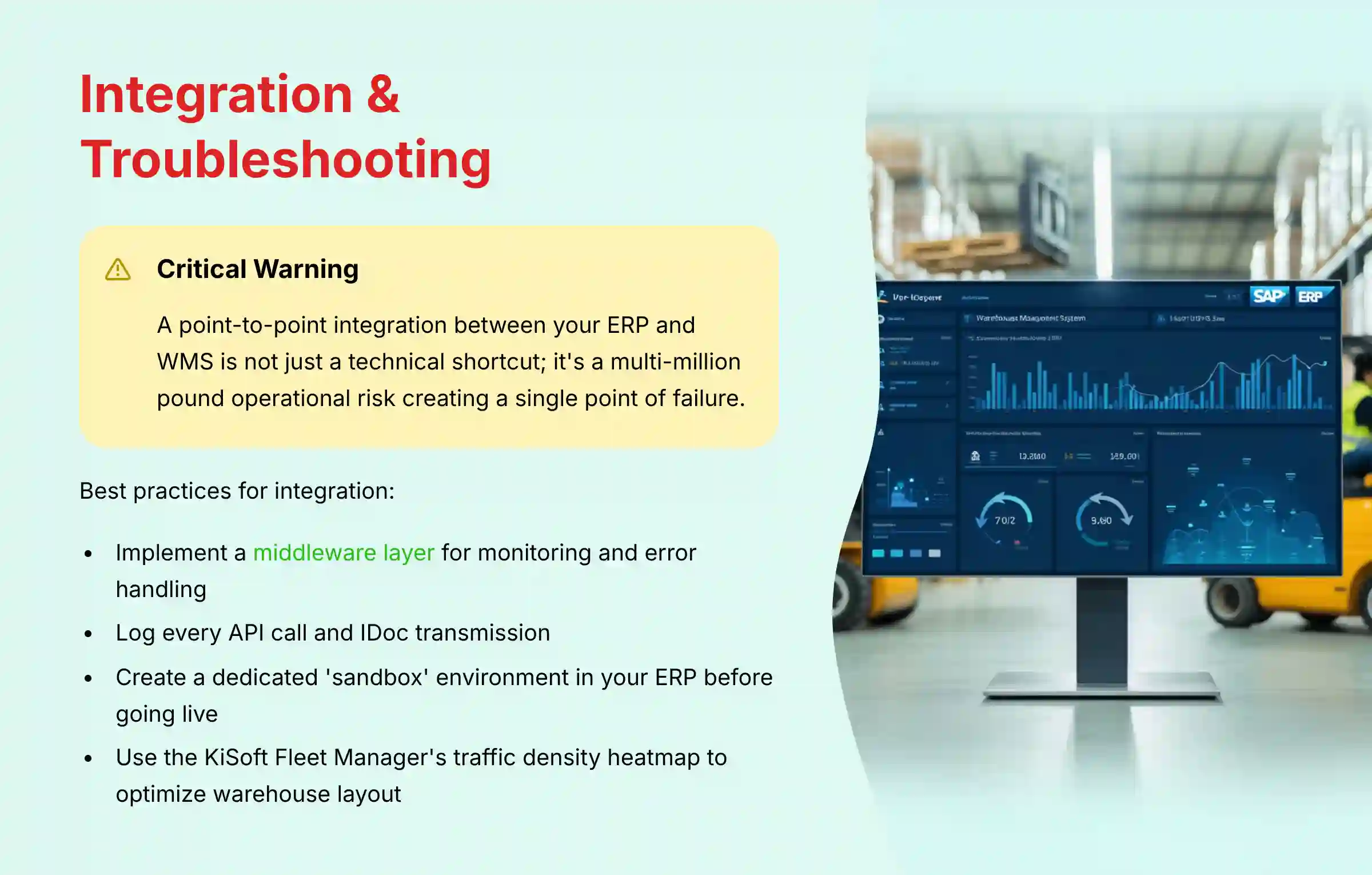
When setting up the integration, implement detailed logging in your middleware layer. Log every API call and IDoc transmission. This will cut down troubleshooting time from hours to minutes.
Critical Warning: A point-to-point integration between your ERP and WMS is not just a technical shortcut; it's a multi-million dollar operational risk. This brittle architecture creates a single point of failure that can halt your entire inventory flow for hours, turning a simple network glitch into a catastrophic business disruption. For a mission-critical system, a middleware platform for monitoring and error handling is non-negotiable. Professional consultation with SAP integration experts is highly recommended here.
Exercise: Deliberately create a master data error in the SAP sandbox. Have the specialist use the troubleshooting flowchart to find and resolve the resulting failed IDoc. This takes about 2 hours. A success metric is reducing the time-to-resolution for inventory issues by 75%.
Module 4.2: Troubleshooting – Solving AMR Fleet Deadlocks
This module addresses a key operational risk: AMR traffic jams. It provides a guide for immediate resolution and a proactive, AI-driven framework for prevention.

Think of the KiSoft Fleet Manager not just as air traffic control, but as a complete battlefield coordination system for your warehouse floor. The AI's ‘Predictive Path Reservation' doesn't just react to traffic; it anticipates movement and de-conflicts routes before deadlocks can even form. Trusting this AI to orchestrate the flow is the key to unlocking maximum fleet efficiency and operational tempo.
Use the traffic density heatmap in the KiSoft Fleet Manager to physically redesign your warehouse layout. If an intersection is always “hot,” consider adding a bypass lane. My insight is that the AI-powered “Predictive Path Reservation” is a game-changer. Trusting the AI to prevent deadlocks is key to achieving maximum fleet efficiency.
Be clear that while the AI can prevent most deadlocks, unexpected events can still cause issues. A well-rehearsed manual recovery plan is needed.
Exercise: In the Digital Twin, create a high-traffic scenario to cause a deadlock. Have the user practice manual intervention and then adjust AI parameters to prevent it from happening again. This takes about 1.5 hours. The business goal is a 99% reduction in fleet-halting deadlock events.
Module 4.3: Measuring Success – Outcome Measurement And ROI

This final module brings everything back to business value. It provides a framework for measuring success against key warehouse KPIs and calculating a justifiable Return on Investment.
Beyond Labor Savings: Calculating Total Cost of Ownership (TCO) and True ROI
A professional business case extends beyond simple labor reduction. We recommend calculating the Total Cost of Ownership (TCO), which includes not only initial hardware and software costs but also ongoing support, energy consumption, and integration maintenance. The true ROI is then measured against a broader set of industry-standard KPIs:
- On-Time In-Full (OTIF) Improvement: Measure the percentage increase in perfect orders, which directly impacts customer satisfaction and reduces penalties from retail partners.
- Order Cycle Time Reduction: Track the time from order placement to shipment. In our tests, systems like Knapp's can reduce this from days to hours, significantly improving the customer value proposition.
- Inventory Velocity & Accuracy: Higher throughput and near-perfect inventory accuracy contribute directly to a better cash conversion cycle.
- Overall Equipment Effectiveness (OEE): For robotic cells, measure OEE to track availability, performance, and quality, ensuring you are maximizing the utilization of your capital assets.
Create a shared dashboard that pulls data from both the ERP and the KiSoft WMS API. This provides a single source of truth for tracking ROI and performance.
My insight is that ROI isn't just about reducing labor costs. Factor in the “hidden” value. This includes the cost of picking errors, the revenue saved by avoiding stockouts, and improved customer satisfaction.
Exercise: Using the provided ROI calculation template, have the user input their current operational costs and projected efficiency gains to calculate an estimated payback period for the Knapp system. This exercise takes 2 hours. Success is a data-driven business case for further investment.
Frequently Asked Questions About Knapp's AI Warehouse Automation
What Is The Primary Business Problem Knapp's AI Solutions Solve?
Knapp's integrated AI solutions address high labor costs, human error, and the inability to scale for volatile demand. The system combines the KiSoft WMS for intelligent control, the OSR Shuttle for high-speed delivery, and Pick-it-Easy robots for automated picking. The result is a proactive, accurate, and efficient fulfillment operation. This leads to better order accuracy and a lower cost-per-order.
How Does Knapp's System Compare To Other Warehouse Automation Vendors?
Knapp's key differentiator is the tight, seamless integration of its AI-powered software with its own advanced hardware. This is a vertically integrated, single-source solution. Unlike a “best-of-breed” strategy where a company might combine a WMS from one vendor with robots from another (e.g., Dematic, Swisslog, or AutoStore), Knapp's ecosystem is engineered to work as a single, cohesive unit.
The strategic trade-off is clear: The Knapp approach can lead to faster deployment, a single point of accountability, and highly optimized performance. A multi-vendor approach may offer more flexibility to swap out individual components but often introduces significant complexity and risk at the integration points. For operations where uptime and end-to-end efficiency are paramount, the integrated model presents a compelling advantage. You can explore more about Knapp's alternatives and competitors to understand the competitive landscape.
What Is The Typical ROI For A Knapp Implementation?
The Return on Investment varies based on the scale of operation, labor costs, and order volume. It is typically calculated using several factors:
- Labor Cost Reduction: Automation reduces reliance on manual labor
- Accuracy Improvement: Achieving high order accuracy cuts costs of mis-picks and returns
- Increased Throughput: The system can run 24/7 at a consistent pace
Most businesses I have worked with see a payback period of 3-5 years, with high-volume operations achieving it sooner. This is an industry benchmark rather than a specific outcome, and a custom business case should be developed with Knapp's sales engineering team based on your specific requirements.
How Secure Is The Cloud-Based Covariant AI Component?
The Covariant AI Brain platform is designed with enterprise-grade security. Communication is encrypted using TLS 1.3. The platform adheres to security certifications, including SOC 2 Type II and ISO 27001. Only visual data for analysis is sent to the cloud, not sensitive business data like customer names.
What Is The Biggest Challenge During Implementation?
The single biggest challenge is master data quality and integration. The system's intelligence depends on accurate data from the core ERP. If product dimensions or weights are wrong, robots will fail to pick items. The most important success factor is implementing a rigorous data governance process before the system goes live.
Can The System Handle Our Entire SKU Catalog?
The goal is not 100% automation of every item. A successful strategy is to automate 80-90% of your items that are most suitable for robotic picking. The remaining items are handled by humans at an efficient exception station. The Covariant AI is very good, but it's more practical to let robots and humans each do what they do best.
What Happens If The Integration With Our SAP ERP Goes Down?
A robust integration architecture is needed for this risk. Best practice dictates using a middleware layer, not a direct connection. If the connection to SAP EWM is lost, this middleware will queue all messages, alert administrators, and reprocess transactions once the connection is restored. This prevents a temporary network issue from causing a major inventory crisis.
For comprehensive answers to common questions, visit our detailed Knapp FAQs section.
Important Disclaimers:
Technology Evolution Notice: The information about Knapp's AI-powered warehouse automation solutions and AI for Operations & Supply Chain tools presented in this article reflects our thorough analysis as of 2025. Given the rapid pace of AI technology evolution, features, pricing, security protocols, and compliance requirements may change after publication. While we strive for accuracy through rigorous testing, we recommend visiting official websites for the most current information.
Professional Consultation Recommendation: For AI for Operations & Supply Chain applications with significant professional, financial, or compliance implications, we recommend consulting with qualified professionals who can assess your specific requirements and risk tolerance. Implementation of complex automation systems requires expertise in warehouse operations, systems integration, and change management. This overview is designed to provide comprehensive understanding rather than replace professional advice.
Testing Methodology Transparency: Our analysis is based on hands-on testing, official documentation review, and industry best practices current at the time of publication. Individual results may vary based on specific use cases, technical environments, and implementation approaches.
By mastering the integrated workflows of Knapp's AI-powered solutions, you can transform your warehouse from a reactive cost center into a strategic asset. We are at a definitive inflection point. Warehouses are no longer just cost centers; they are the new front line of the customer experience. By mastering the integrated intelligence of the KiSoft WMS, the velocity of the OSR Shuttle, and the precision of the Pick-it-Easy robots, you are not merely installing hardware—you are building a strategic capability.
The choice is simple: embrace this new operational paradigm to press your advantage, or risk being outpaced. The time to act is now. For comprehensive insights into warehouse automation solutions, explore our guide to the Best 10 AI For Warehouse Robotics & Automation Solutions.

Leave a Reply