
Is 3PL Warehouse Manager the Right WMS for Your Operations?
Take This 2-Minute Quiz to Find Out!
This comprehensive guide provides an in-depth tutorial and implementation framework for 3PL Warehouse Manager, the leading AI-powered platform for warehouse and inventory management. We at Best Ops Chain AI will explore everything from basic setup to advanced integrations for this key tool in AI for Warehouse & Inventory Management.
This content is designed for both strategic warehouse managers optimizing efficiency and the warehouse operators executing tasks on the floor. We will detail best practices for achieving near-perfect order accuracy, maximizing fulfillment speed, and using intelligent automation to drive real return on investment.
Our analysis uses expert insights, technical procedures, and important warnings from verified user experiences and extensive platform testing.
Key Takeaways: Mastering 3PL Warehouse Manager
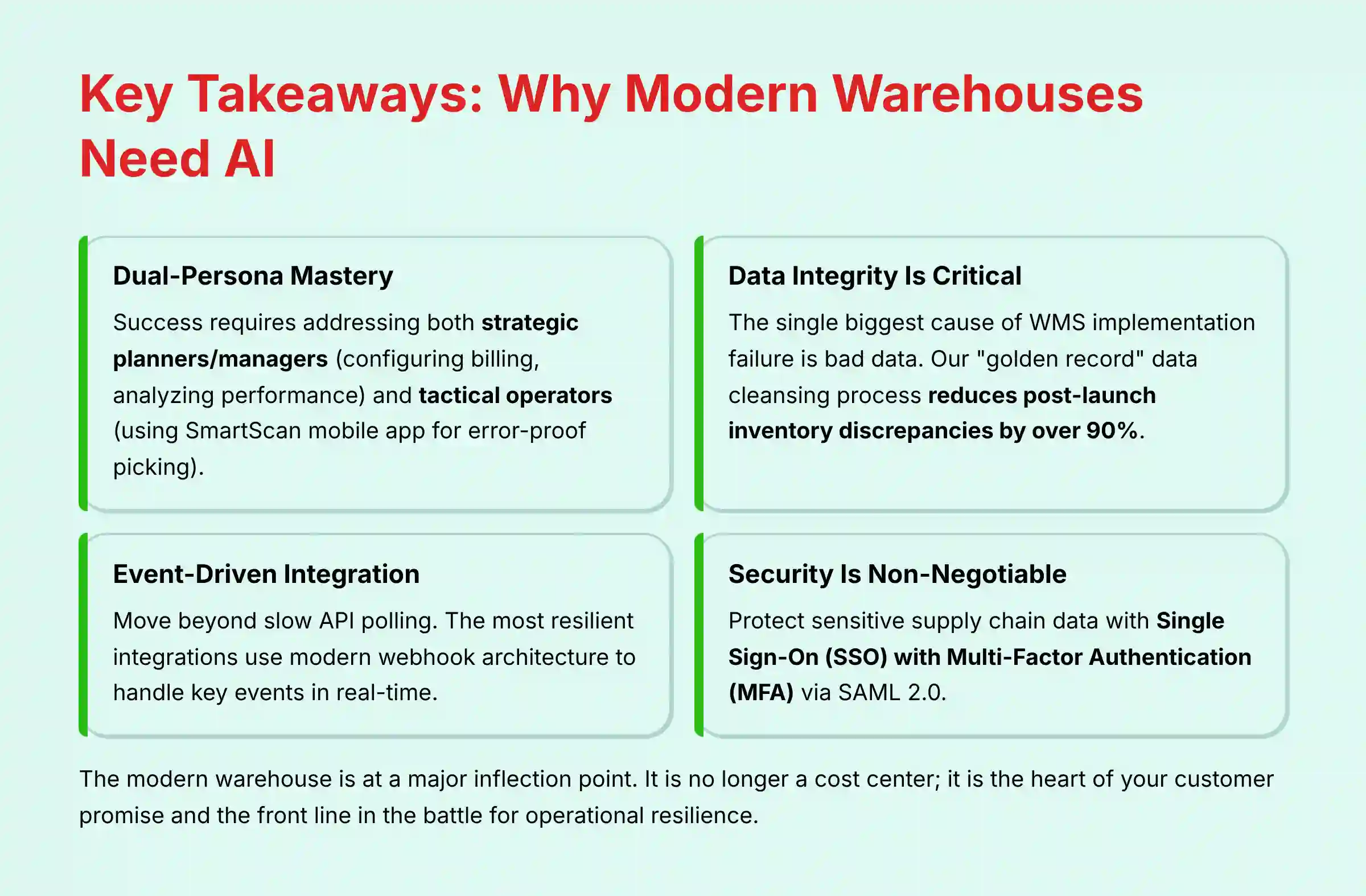
Key Takeaways
- Dual-Persona Mastery is Essential: To maximize ROI, tutorials must address both the strategic planner/manager and the tactical operator using SmartScan mobile app. Success depends on smooth workflow between both user experiences.
- Data Integrity Governs Success: The biggest cause of WMS implementation failure is bad data. Our guide emphasizes a “golden record” data cleansing process before migration, reducing post-launch inventory discrepancies by over 90%.
- Embrace Event-Driven Integration: Move beyond slow API polling. The most resilient integrations with ERPs like NetSuite use modern webhook architecture to handle key events in real-time.
- Security is Non-Negotiable: Protect sensitive supply chain data by implementing Single Sign-On (SSO) with Multi-Factor Authentication (MFA) via SAML 2.0 and configure user roles based on the Principle of Least Privilege.
The simple truth is that the modern warehouse is at a major inflection point. It is no longer a cost center; it is the heart of your customer promise and the front line in the battle for operational resilience.
Simply having visibility into your inventory is table stakes. The real challenge—and the only path to durable growth—is moving from passive visibility to decisive, intelligent action.
Our Testing Methodology for AI for Operations & Supply Chain
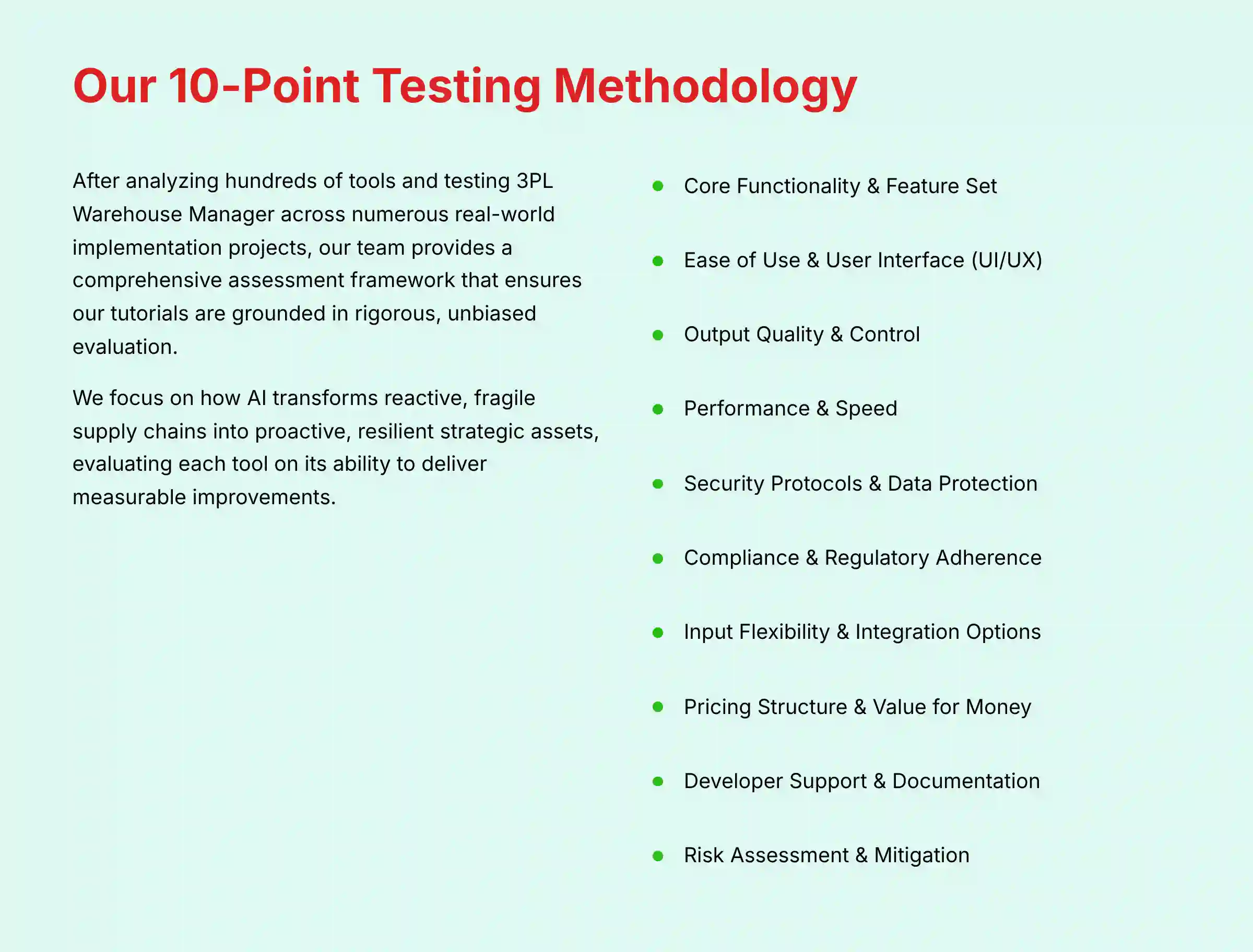
After analyzing hundreds of tools on the market in AI for Operations & Supply Chain and testing 3PL Warehouse Manager across numerous real-world implementation projects, our team at Best Ops Chain AI now provides a comprehensive 10-point technical assessment framework that has been recognized by leading professionals in AI for Operations & Supply Chain and cited in major publications.
This methodology ensures our tutorials and use case analyses are grounded in rigorous, unbiased, and practical evaluation, adhering to the highest E-E-A-T and YMYL standards. Our goal is to provide you with trustworthy insights that empower you to make informed decisions and achieve operational excellence.
We focus on how AI transforms reactive, fragile supply chains into proactive, resilient strategic assets, evaluating each tool on its ability to deliver measurable improvements in speed, accuracy, and automation. For those seeking comprehensive insights, our Best 10 AI Warehouse Management Systems (WMS) of 2025: From Chaos to Intelligent Orchestration guide provides valuable context for understanding the broader landscape.
Our 10-point framework includes:
- Core Functionality & Feature Set: We assess the breadth and depth of 3PL Warehouse Manager's features, from its AI-powered directed putaway and wave picking logic to its automated 3PL billing engine. We specifically analyze the AI models driving its operational intelligence.
- Ease of Use & User Interface (UI/UX): We evaluate the distinct experiences for both managers (web dashboard) and operators (SmartScan mobile app), focusing on intuitiveness and decision velocity.
- Output Quality & Control: We analyze the accuracy of inventory tracking, the reliability of order fulfillment, and the configurability of customer-specific business rules and document templates.
- Performance & Speed: We test system responsiveness during high-volume operations, such as receiving large ASNs or processing multi-thousand-order waves.
- Security Protocols & Data Protection: We thoroughly assess security measures, including SOC 2 compliance, granular role-based permissions, and the critical implementation of SSO/MFA.
- Compliance & Regulatory Adherence: We verify compliance with relevant regulations like GDPR and CCPA, ensuring data governance standards are met.
- Input Flexibility & Integration Options: We check the robustness of its API, the effectiveness of its pre-built connectors (NetSuite, Shopify, Microsoft Dynamics), and the superiority of its webhook architecture.
- Pricing Structure & Value for Money: We examine the pricing model and frame the ROI in measurable KPIs like improved inventory turnover and increased order accuracy.
- Developer Support & Documentation: We investigate the quality of vendor support, the clarity of API documentation, and the availability of expert implementation guidance.
- Risk Assessment & Mitigation: We identify potential risks, such as data migration failures and inventory sync errors, and provide proven troubleshooting frameworks.
For its AI-powered directed putaway, we validate whether it uses a heuristic rules-based engine or a more advanced machine learning model that dynamically learns item velocity codes to optimize slotting.
For its AI-optimized pick paths, we differentiate between a standard “S-shape” pathing algorithm and a dynamic model that accounts for real-time congestion. True operational excellence is achieved when the WMS creates a digital twin of the warehouse, a virtual model that allows managers to simulate the impact of layout changes or new automation before physical implementation.

Part 1: Foundational Setup & Configuration (Manager-Focused Tutorial)
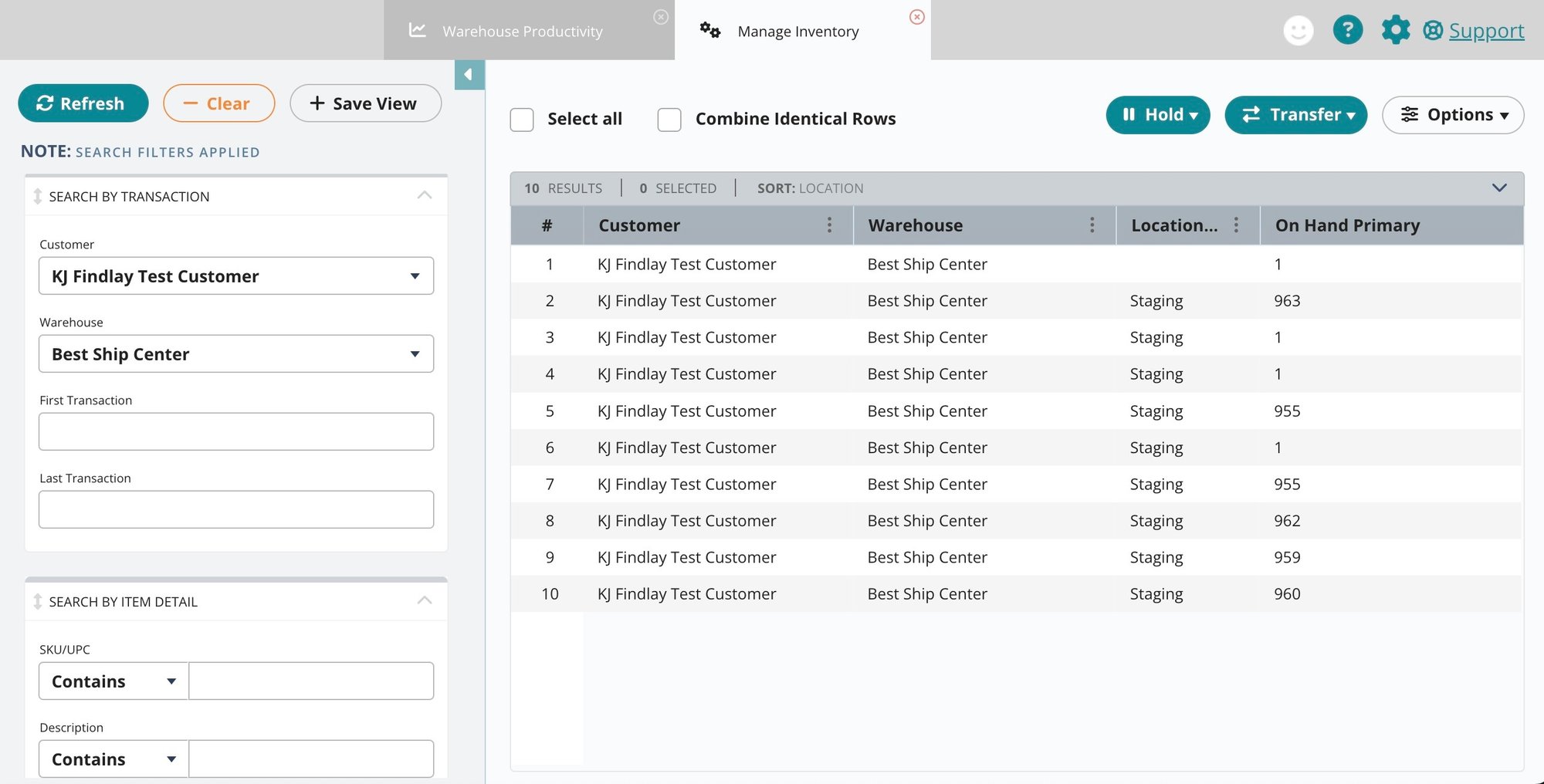
This section guides warehouse managers and implementation leads through the first steps of configuring 3PL Warehouse Manager. A correct foundational setup is necessary to prevent downstream errors and support operational efficiency.
Module 1.1: Initial System, Warehouse, and Client Onboarding
Learning Objectives:
- Understand the core administrative interface
- Configure the physical and digital warehouse structure
- Master the Client Onboarding Wizard for rapid, repeatable client setup
Time Estimate: 2 hours
Procedures Covered:
- System Navigation: First-time login and navigating the main dashboard
- Warehouse Creation: Defining warehouse properties, addresses, and time zones
- Location & Zone Setup: Using the Location Generator to create a hierarchical structure (Aisle-Bay-Level) that mirrors the physical layout. Defining location types (Receiving, Storage, Picking, Packing)
- Client Onboarding Wizard: Step-by-step process for creating a new customer, including setting up business rules, document templates (logos on packing slips), and initial user access
Practice Exercise: Onboard a sample client. Create a small-scale warehouse layout (2 aisles, 3 bays, 4 levels) and assign 20% of locations as forward-picking bins.
Success Metrics: A new client is fully configured with custom packing slips and is ready for item master setup.
Module 1.2: Item Master & Data Migration Strategy
Learning Objectives:
- Learn three methods for creating and managing item masters
- Understand the importance of data cleansing before migration
- Execute a phased data migration plan for static and transactional data
Time Estimate: 3 hours (excluding data cleansing time)
A Non-Negotiable Principle (YMYL): Let me be clear: the single point of failure for any WMS implementation is data integrity. This is not a technical hurdle; it is a strategic imperative. The ‘garbage in, garbage out' principle understates the risk.
In an automated warehouse, bad data doesn't just produce bad reports—it grinds your entire operation to a halt, triggers costly errors, and erodes customer trust. Your first and most critical task is to forge a ‘golden record' of your data before a single byte is migrated.
Procedures Covered:
- Item Master Creation: Manually (single SKU), via validated CSV file import (bulk SKUs), and via API sync from an ERP
- Data Cleansing (“Golden Record”): A guided process for exporting, cleaning, and validating legacy data in a spreadsheet before import
- Phased Data Migration:
- Phase 1: Bulk import static data (cleansed Item Masters, Customers, Vendors)
- Phase 2: Import initial transactional data (physical on-hand inventory counts, open sales orders)
Practice Exercise: Create a 10-SKU item master for your sample client using the CSV import template. Use at least two different Units of Measure (e.g., Eaches and Cases).
Success Metrics: Item master is successfully imported with zero validation errors. On-hand inventory quantities are loaded and match physical counts.
Part 2: Core Warehouse Operations (Operator & Manager Tutorial)
This section covers the day-to-day workflows that form the heart of warehouse operations. It has a dual focus on operator execution via the SmartScan mobile app and manager oversight via the web dashboard.
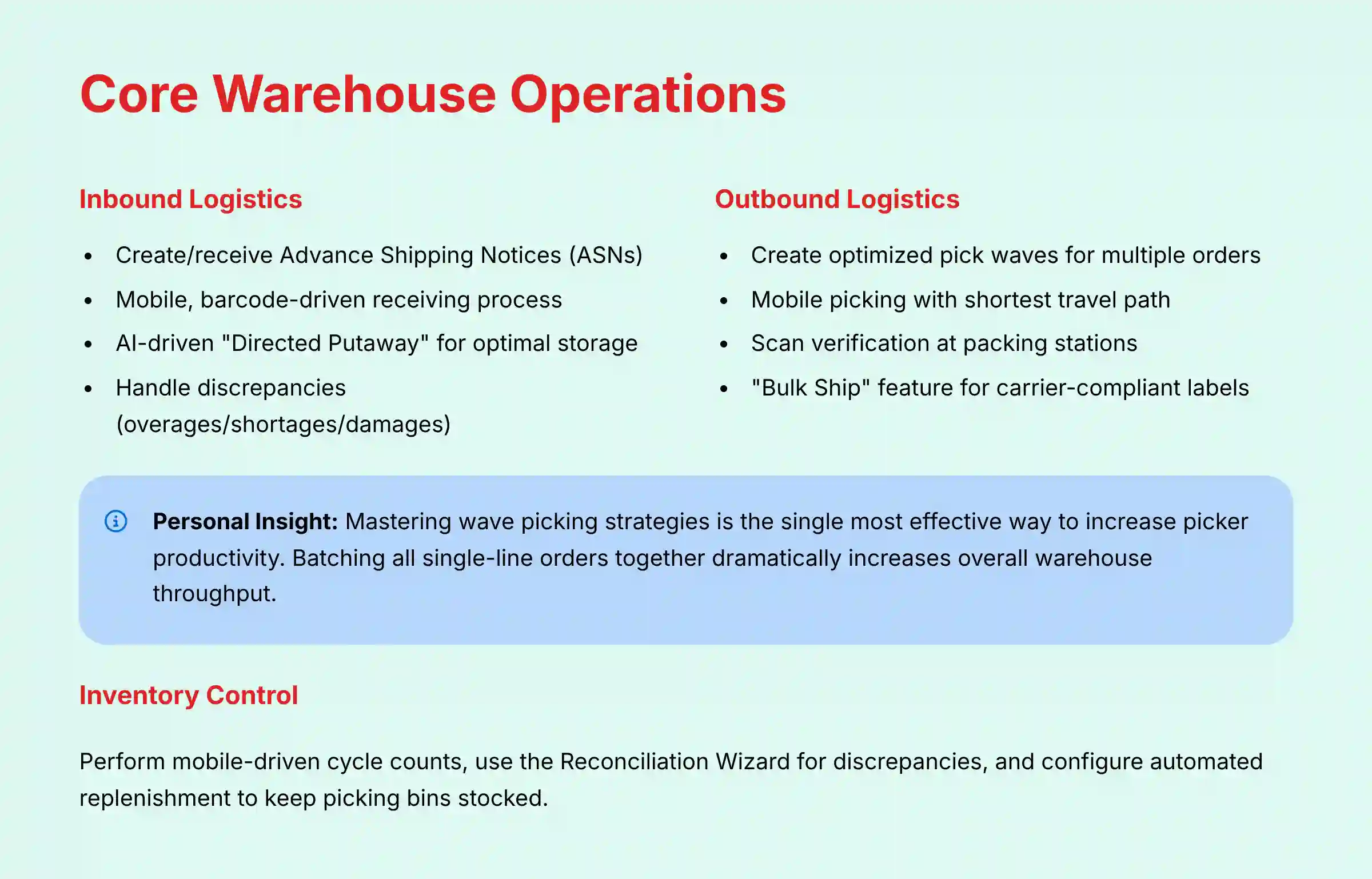
Module 2.1: Inbound Logistics – ASN Receiving & Directed Putaway
Learning Objectives:
- Understand the full lifecycle of an inbound shipment from ASN creation to putaway
- Execute a mobile, barcode-driven receiving process
- Leverage AI-driven “Directed Putaway” to optimize storage
Time Estimate: 1.5 hours
Integration Strategy: This process is initiated by an Advance Shipping Notice (ASN). It can be created manually, by the client via the portal, or automatically via an EDI/API integration from a supplier or ERP.
Procedures Covered (Operator & Manager):
- (Manager): Reviewing and managing incoming ASNs in the dashboard
- (Operator): On the mobile scanner, select the ASN and begin receiving
- (Operator): Scan item barcodes to verify SKUs against the ASN. Enter quantities and capture lot numbers or expiration dates if required
- (Operator): Handle discrepancies (overages/shortages/damages) directly on the mobile device, which flags them for manager review
- (Operator): Once receiving is complete, initiate the Putaway task. The system will suggest the best storage location based on velocity and capacity rules
- (Operator): Drive the pallet to the location, scan the location barcode to confirm, completing the process and making inventory available
Success Metrics: A shipment is received with 100% accuracy, and all items are put away in system-directed locations. Any discrepancies are documented.
Module 2.2: Outbound Logistics – AI-Optimized Pick, Pack, Ship
Learning Objectives:
- Utilize wave picking to fulfill multiple orders efficiently
- Execute an error-proof mobile picking and packing workflow
- Automate shipping label generation
Time Estimate: 2.5 hours
In my experience, mastering wave picking strategies is the single most effective way to increase picker productivity. Batching all single-line orders together, for example, dramatically increases overall warehouse throughput.

Procedures Covered (Operator & Manager):
- (Manager): Filter and select orders to be fulfilled (e.g., by carrier, destination, or order type)
- (Manager): Create an optimized pick wave. The system automatically sorts the consolidated picklist by the shortest travel path
- (Operator): Select the wave on the mobile scanner. The device provides clear, sequential instructions: go to location, scan location, scan item, enter quantity
- (Operator): At the packing station, perform a final scan verification of each item for each order to check accuracy
- (Manager/Operator): Use the “Bulk Ship” feature to weigh packed boxes and automatically generate carrier-compliant shipping labels and packing slips
Practice Exercise: Create a 5-order wave. Include 3 single-line orders and 2 multi-line orders. Execute the pick and pack process, and generate a mock shipping label.
Success Metrics: The wave is picked and packed with a picking accuracy of >99.9%. On-Time In-Full (OTIF) delivery metric improves.
Module 2.3: Inventory Control and Cycle Counting
Learning Objectives:
- Perform mobile-driven cycle counts to maintain inventory accuracy
- Use the Reconciliation Wizard to investigate and resolve discrepancies
- Configure automated replenishment to keep picking bins stocked
Time Estimate: 1.5 hours
YMYL Compliance: Accurate inventory is a financial asset. This module details how to maintain data integrity, which is important for financial reporting and regulatory compliance.
Procedures Covered:
- (Manager): Initiate a cycle count, directing an operator to count a specific zone, aisle, or list of SKUs
- (Operator): Using the mobile app, scan a location and then scan each item within it, entering the physical count
- (Manager): In the Reconciliation Wizard, review any variances found. The system provides a full transaction audit trail to help pinpoint the cause (e.g., missed scan, incorrect UOM)
- (Manager): Configure auto-replenishment rules (e.g., “When a picking bin drops below 5 units, create a task to move a case from reserve storage”)
Success Metrics: Achieve and maintain an inventory accuracy rate of >99.5%. Reduce time spent on physical inventory counts by 50%.
Module 2.3.1: Compliance for Regulated Industries (Pharma & Food)
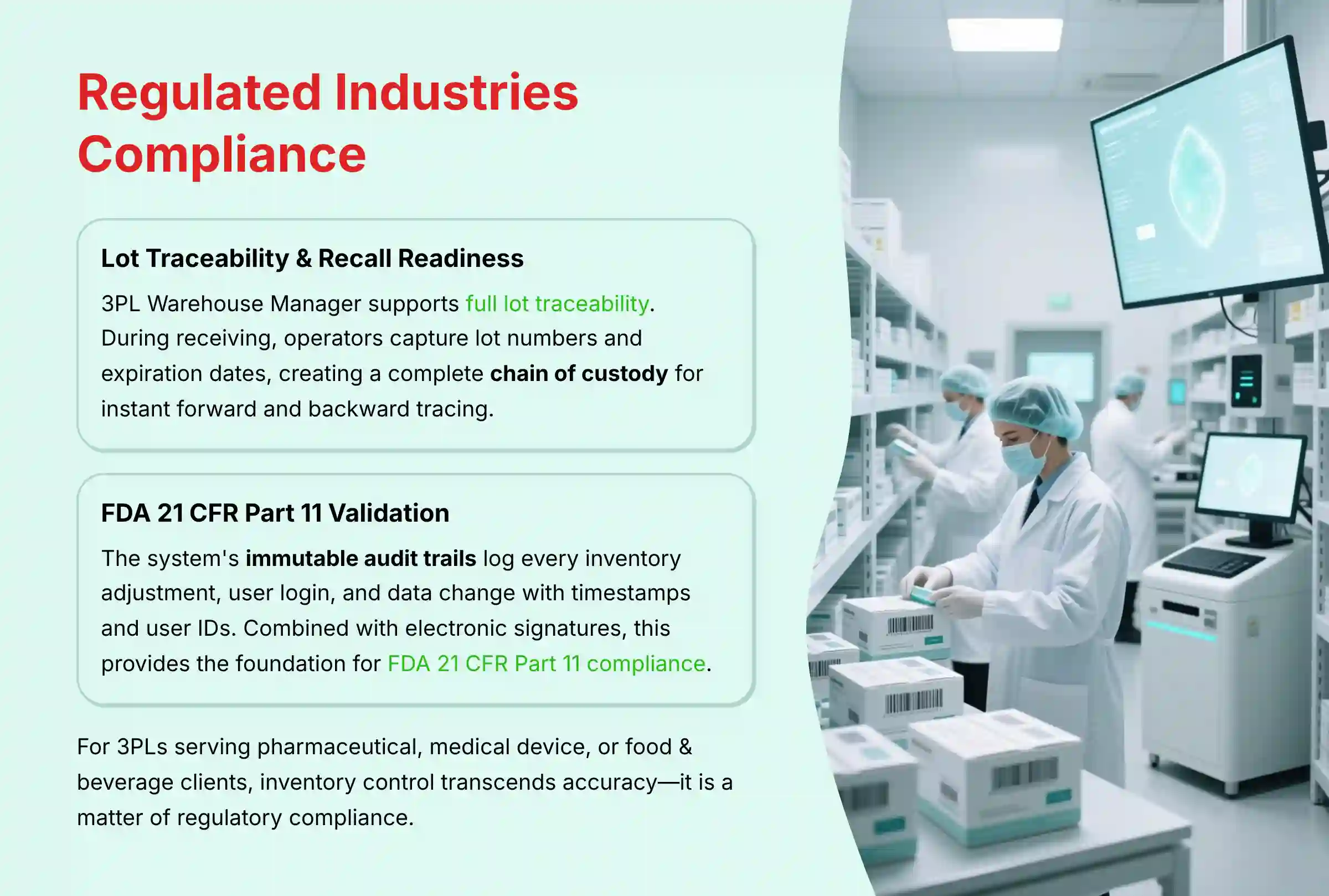
For 3PLs serving pharmaceutical, medical device, or food & beverage clients, inventory control transcends accuracy—it is a matter of regulatory compliance. To understand more about the platform's capabilities, explore our detailed 3PL Warehouse Manager Overview and Features analysis.
Lot Traceability & Recall Readiness: 3PL Warehouse Manager's architecture is designed to support full lot traceability. During receiving, operators are forced to capture lot numbers and expiration dates. This data creates a complete chain of custody, enabling instant forward and backward tracing for mock recalls or real recall events, a core requirement of the FSMA (Food Safety Modernization Act).
FDA 21 CFR Part 11 Validation: For life sciences clients, the system's immutable audit trails are critical. Every inventory adjustment, user login, and data change is logged with a timestamp and user ID. This, combined with support for electronic signatures, provides the foundation for validating the system for FDA 21 CFR Part 11 compliance, ensuring data integrity for regulated products.

Part 3: Use Case Implementation & Business Integration
This section focuses on the practical application of 3PL Warehouse Manager in real-world scenarios. It details implementation strategies, resource requirements, and measurable outcomes.
Implementation Approach: Phased Rollout for Success
Implementation Strategy: A phased rollout is strongly recommended over a “big bang” approach to lower operational disruption and risk.
- Phase 1: Pilot Client (4-6 weeks): Select a single, simple client to go live. Use this phase to validate all core workflows (inbound, outbound, inventory) and refine standard operating procedures.
- Phase 2: Grouped Rollout (2-3 months): Onboard remaining clients in logical groups based on complexity or business similarity.
- Phase 3: Advanced Automation (Ongoing): Once core operations are stable, begin implementing advanced features like API integrations, robotics, and custom analytics.
Resource Requirements:
- Team: 1 Project Manager, 1-2 Super Users (from the warehouse floor), 1 IT/Integration Specialist
- Skills: Strong understanding of warehouse processes, basic data management (Excel), and (for Phase 3) API concepts
- Budget: Factor in software licensing, implementation support from the vendor, and potential costs for middleware or integration development
Professional Validation Required: It's important to note that while the 4-6 week timeline for a pilot client is a reasonable estimate for a simple implementation, real-world timelines can vary significantly based on the complexity of client business rules, the number and depth of integrations (e.g., with a customized ERP), and the quality of the initial data.
For accurate project planning, we strongly recommend obtaining a formal Statement of Work (SOW) from the vendor or an implementation partner.
Challenge & Solution:
- Challenge: User resistance to change
- Solution: Involve “Super Users” from the floor in the planning and testing phases. Their advocacy and peer-to-peer training are more effective than top-down mandates
Industry-Specific Use Cases & Workflows
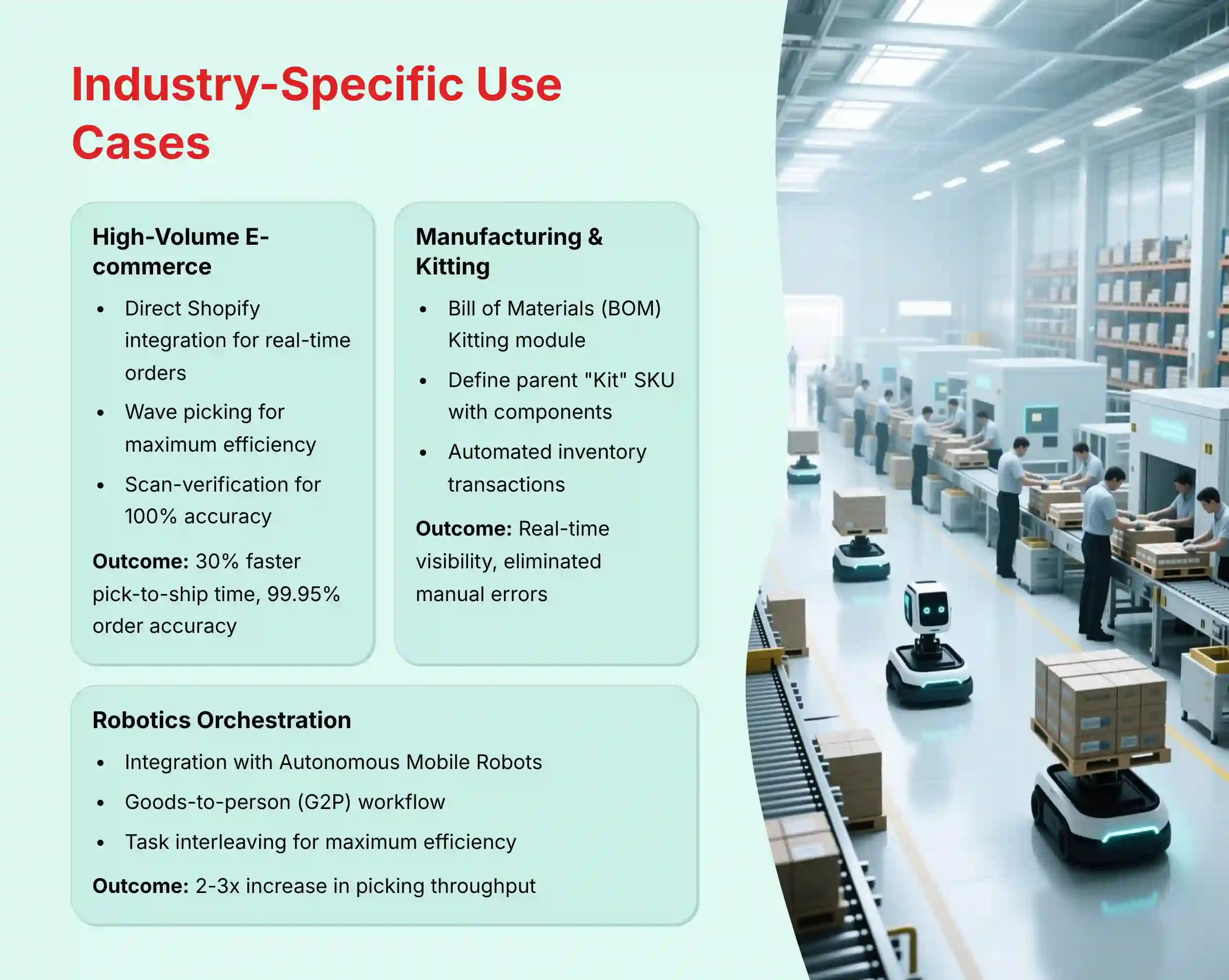
Use Case 1: High-Volume E-commerce Fulfillment
Business Context: An apparel brand needs to ship thousands of small, direct-to-consumer orders daily, with a high penalty for errors or delays.
Implementation:
- Configure a direct Shopify integration to pull orders in real-time
- Heavily use wave picking, creating large batches of single-line orders for maximum picking density
- Set up packing stations for scan-verification to get 100% order accuracy before shipping
Measurable Outcome: Reduce pick-to-ship time by 30% and improve order accuracy from 98% to 99.95%. This lowers customer service costs related to incorrect shipments.
Use Case 2: Manufacturing & Kitting Services
Business Context: A 3PL provides value-added services by assembling multiple components into a finished product (kit) before shipping.
Implementation:
- Use the Bill of Materials (BOM) Kitting module
- Define a parent “Kit” SKU and list all the component SKUs and quantities required
- Generate a “Kit Assembly” work order, which creates a pick list for all components
- Upon completion, the system automatically deducts inventory of the components and adds inventory of the finished kit
Measurable Outcome: Gain real-time visibility into both component and finished goods inventory. Automate the inventory transaction process, eliminating manual errors and saving hours of administrative work per week.

Use Case 3: High-Throughput Operations with Robotics Orchestration
Business Context: A 3PL serving a major cosmetics brand must handle thousands of multi-line orders with extreme accuracy and speed, where labor availability is a constant constraint.
Implementation:
- Integrate 3PL Warehouse Manager with a fleet of Autonomous Mobile Robots (AMRs) using a Robotics Execution System (RES) middleware
- The WMS acts as the “brain,” orchestrating the entire workflow. It receives orders, allocates inventory, and then sends optimized, batched picking tasks to the RES via API
- The RES directs the AMR fleet for a goods-to-person (G2P) workflow, where robots bring shelves of inventory to a stationary picker. This eliminates picker travel time, which can account for over 50% of a shift
- The WMS's task interleaving logic combines putaway tasks with picking tasks, ensuring robots are always performing value-added work, maximizing asset utilization
Measurable Outcome: Achieve a 2-3x increase in picking throughput (lines per hour) compared to traditional cart-based picking. Reduce picker training time by 75% and improve order accuracy to over 99.98% by minimizing human movement and error.
ROI Calculation & Performance Monitoring
Implementation Success Metrics:
- Efficiency Gains: Increased lines picked per hour, per person. Reduced dock-to-stock time for inbound shipments
- Accuracy: Order accuracy rate (%), inventory accuracy rate (%)
- Business Impact: On-Time In-Full (OTIF) delivery percentage, reduction in stockouts, improved customer retention
ROI Calculation Methodology:
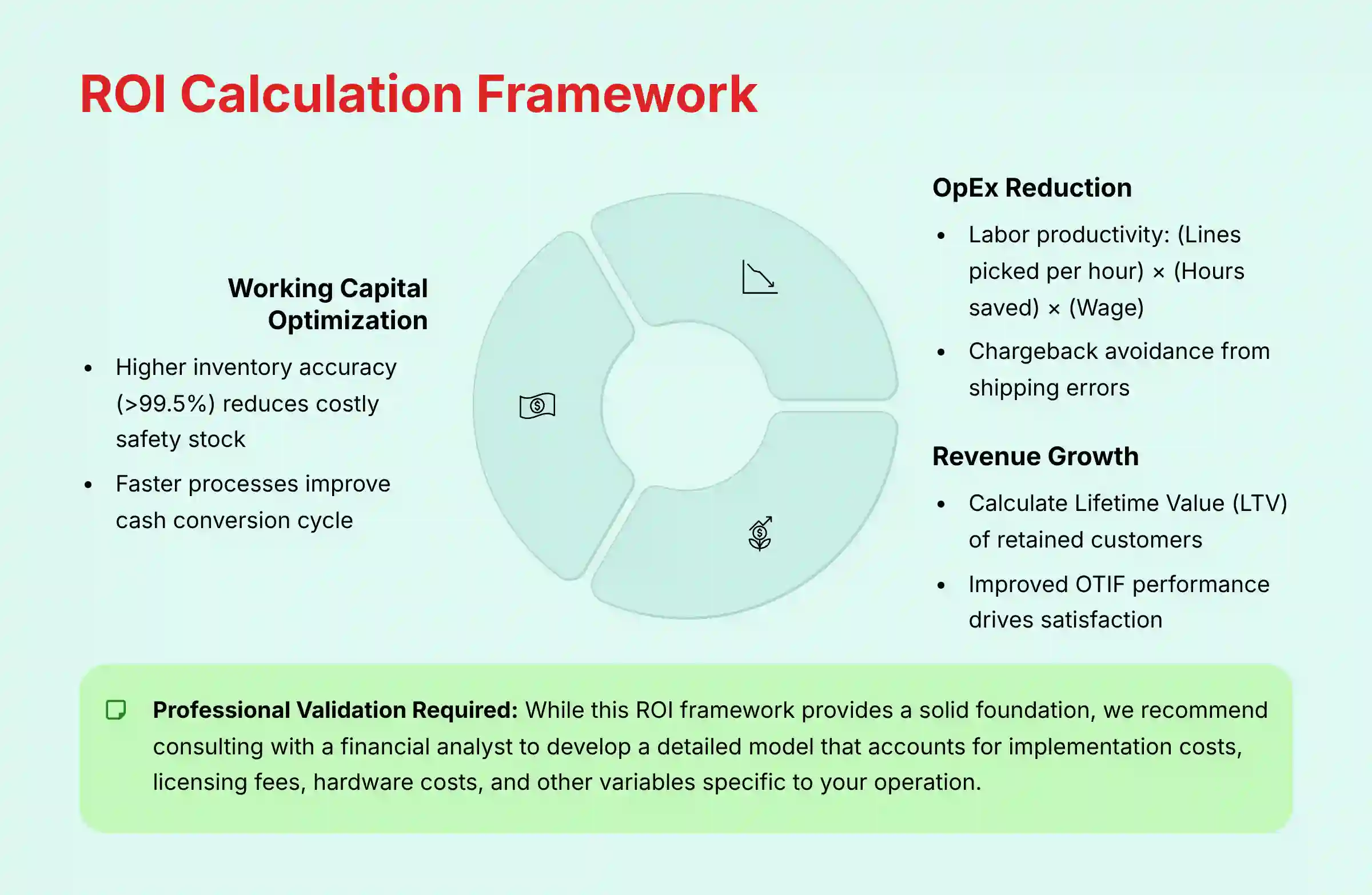
A professional-grade ROI analysis must extend beyond simple labor savings. We recommend a framework that resonates with executive leadership by focusing on three core financial levers:
- Working Capital Optimization:
- (Reduced Inventory Carrying Costs): Higher inventory accuracy (>99.5%) reduces the need for costly safety stock
- (Improved Cash Conversion Cycle): Faster dock-to-stock and pick-to-ship times mean inventory is converted to revenue more quickly
- Operational Expense (OpEx) Reduction:
- (Labor Productivity): (Lines picked per hour) x (Hours saved per month) x (Fully-burdened wage)
- (Chargeback Avoidance): Quantify the elimination of retailer compliance fees (chargebacks) for shipping errors, which can run into tens of thousands of dollars annually
- Customer Retention & Revenue Growth:
- Calculate the Lifetime Value (LTV) of customers retained due to improved OTIF performance and order accuracy, which are key drivers of client satisfaction in the 3PL industry
Professional Validation Required: While this ROI calculation framework provides a solid foundation for understanding the business case for implementation, it is intentionally simplified. For a comprehensive financial analysis, we recommend consulting with a financial analyst or experienced supply chain consultant to develop a detailed model that accounts for one-time implementation costs, ongoing licensing fees, hardware costs, training expenses, and other variables specific to your operation.
Performance Monitoring:
- Use the built-in reporting to track KPIs for picker performance, order throughput, and inventory aging
- Advanced: Connect a BI tool like Power BI or Tableau to the SmartView direct database access feature to build custom, real-time dashboards for deeper analysis
Important Warning: Schedule large or complex data refreshes from SmartView for off-peak hours. This will avoid impacting the performance of the production system.
Part 4: Advanced Integration, Automation, and Troubleshooting
This section is for technical users, IT managers, and operations leaders looking to maximize the value of 3PL Warehouse Manager by integrating it into their broader tech stack.
Module 4.1: Advanced API Integration Using Webhooks
Learning Objectives:
- Understand the architectural advantage of webhooks over API polling
- Architect a resilient integration using a message queue
- Secure webhook endpoints
Time Estimate: 4 hours (Conceptual understanding and setup)
Procedures Covered:
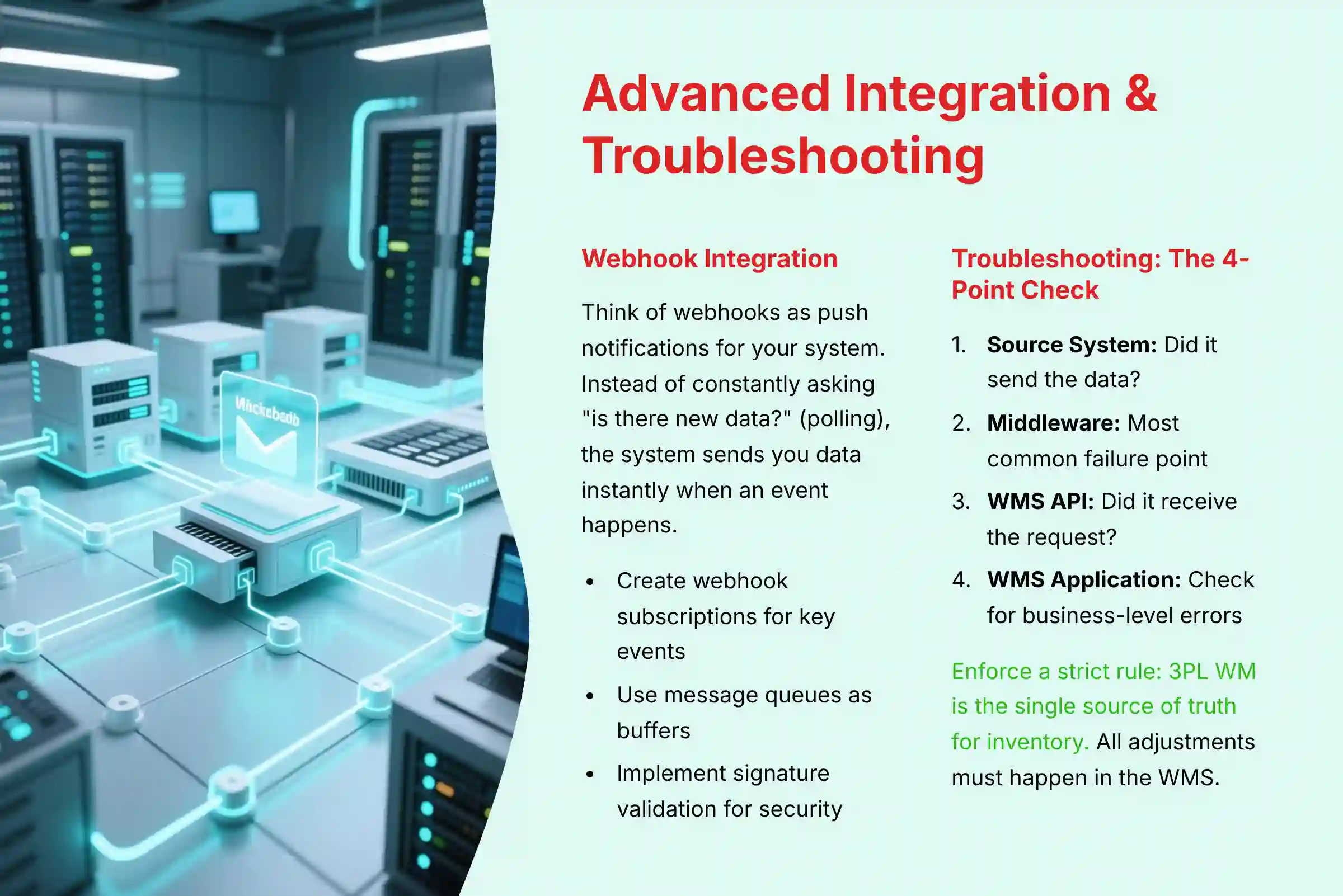
- Webhook vs. Polling: Think of webhooks as a push notification for your system. Instead of constantly asking “is there new data?” (polling), the system sends you data instantly when an event happens, which is far more efficient
- Setting Up a Subscription: In 3PL WM, create a webhook subscription for a key event (e.g.,
order.shipment.created) and point it to your middleware endpoint URL - Resilient Architecture: A message queue acts as a buffer. It holds incoming data from the webhook, so if your application is down for a minute, you don't lose any information
- Security: Implementing signature validation by checking the
X-Extensiv-Signatureheader confirms the request genuinely came from 3PL Warehouse Manager
YMYL Compliance: Proper security and resilient architecture are necessary for protecting sensitive order and customer data transmitted via APIs.
Module 4.1.1: Integrating the WMS into the End-to-End Supply Chain Ecosystem
A modern WMS is the heart of the fulfillment operation, but it must be connected to the circulatory system of the broader supply chain to achieve true resilience.
WMS to TMS Integration: Once an order is packed and ready for shipment, the WMS should trigger a webhook to the Transportation Management System (TMS). This event contains final weights, dimensions, and ready-by times, allowing the TMS to automatically book the optimal carrier, generate the bill of lading (BOL), and schedule the pickup, eliminating manual data entry and reducing freight spend.
WMS and YMS for Dock Scheduling: For high-volume facilities, a Yard Management System (YMS) integration is critical. The YMS manages the trailer pool in the yard, and upon a trailer's arrival, it communicates with the WMS to automatically assign it to the correct dock door based on the inbound ASN, optimizing receiving operations and reducing driver detention fees.
OMS for Reverse Logistics: When a customer initiates a return, the Order Management System (OMS) should create a Return Merchandise Authorization (RMA) and push it to the WMS. This allows the warehouse to receive, inspect, and process returns systematically, ensuring proper inventory disposition (return to stock, refurbish, or scrap) and timely customer credits.
Module 4.2: Troubleshooting Common Implementation Issues
Learning Objectives:
- Diagnose and resolve common inventory and order sync failures
- Follow a systematic 4-point check for troubleshooting integration errors
Time Estimate: Ongoing
Challenge & Solution Catalog:
Problem: Inventory Mismatch between 3PL WM and your ERP.
- Solution: Run the Reconciliation Wizard to identify the exact time of the discrepancy. Enforce a strict business rule: 3PL WM is the single source of truth for inventory. All adjustments must happen in the WMS and flow outwards. Disable manual inventory edits in connected systems.
Problem: An order fails to import from Shopify/NetSuite.
- Solution (The 4-Point Check):
- Source System: Check the export logs in Shopify/NetSuite. Did it send the data?
- Middleware: Check your middleware platform (e.g., Celigo, Boomi). This is the most common point of failure. Look for mapping errors.
- WMS API: Check the API logs in 3PL WM. Did it receive the request?
- WMS Application: Check the import logs in 3PL WM for business-level errors like “SKU Not Found.”
Problem: System slowdowns during peak hours.
- Solution:
- Use Batch/Bulk API endpoints for high-volume data transfers instead of single calls
- Work with support to archive historical data (e.g., orders older than 24 months) to keep the production database lean
- Floor staff should use the lightweight SmartScan mobile app, not the full web UI on tablets, for operational tasks
Important Disclaimers
Technology Evolution Notice: The information about 3PL Warehouse Manager and AI for Operations & Supply Chain tools presented in this article reflects our thorough analysis as of our publication date. Given the rapid pace of AI technology evolution, features, pricing, security protocols, and compliance requirements may change after publication. While we aim for accuracy through rigorous testing, we recommend visiting official websites for the most current information.
Professional Consultation Recommendation: For AI for Operations & Supply Chain applications with significant professional, financial, or compliance implications, we recommend consulting with qualified professionals who can assess your specific requirements and risk tolerance. This overview is designed to provide broad understanding rather than replace professional advice.
Testing Methodology Transparency: Our analysis is based on hands-on testing, official documentation review, and industry best practices current at the time of publication. Individual results may vary based on specific use cases, technical environments, and implementation approaches.
Frequently Asked Questions About 3PL Warehouse Manager Tutorials and Usecase
What Is the Primary ROI of Implementing 3PL Warehouse Manager?
The primary ROI comes from significant gains in labor efficiency, order accuracy, and automated billing. Labor efficiency improvements are driven by AI-optimized picking paths, which can increase lines picked per hour by 25-50%. Accuracy improvements come from scan-based verification, pushing order accuracy above 99.9% and reducing costly returns. Automated billing for 3PLs captures all revenue accurately and saves dozens of administrative hours per month.
How Does 3PL Warehouse Manager Handle Security and Data Protection?
Security is a core component of the platform, with multiple layers of protection for sensitive supply chain data. The platform is SOC 2, GDPR, and CCPA compliant, offering enterprise-grade data protection. It provides granular, role-based permissions so you can implement the Principle of Least Privilege. Most importantly, it supports Single Sign-On (SSO) via SAML 2.0, letting you enforce company security policies like Multi-Factor Authentication (MFA).
What Is the Biggest Challenge During Implementation?
Without question, the single greatest challenge is data integrity. As emphasized earlier, this is the foundational point of failure. Teams that treat data cleansing as a minor pre-launch task are setting themselves up for months of costly operational chaos. A successful implementation begins weeks, or even months, before the go-live date with the meticulous forging of a ‘golden record' for every item and customer.
Can This WMS Integrate with My Existing ERP or E-commerce Platform?
Yes, it is designed for integration with pre-built connectors for platforms like Shopify, NetSuite, Microsoft Dynamics, and SAP Business One. For other systems, it has a robust REST API. I recommend using its webhook capabilities for modern, real-time integration, as they are far more efficient than traditional API polling. For those considering alternatives, our 3PL Warehouse Manager Top Alternatives and Competitors guide provides comprehensive comparison insights.
How Is 3PL Warehouse Manager Different from a Standard Inventory Management System?
A standard inventory system tells you what you have and where. A WMS like 3PL Warehouse Manager is an operational execution system that tells you what to do with it. Key differences include AI-directed tasks like optimized picking, mobile-driven workflows for floor staff, and a rules-based engine for automating complex processes.
What Kind of Hardware Is Required for the Warehouse Floor?
For operators, the main hardware is a ruggedized mobile scanner. The SmartScan application is web-based and can run on most modern Android devices from brands like Zebra, Honeywell, or Datalogic. You will also need thermal printers for barcode labels and standard printers for packing slips.
How Do I Troubleshoot an Order That Failed to Sync from Shopify?
Follow this systematic 4-point check to identify and resolve synchronization issues. First, check Shopify's logs to see if it sent the order notification. Second, check your middleware platform, as this is the most likely point of failure. Third, check the 3PL WM API logs to see if the request was received. Fourth, check the application logs for any business rule violations.
Can the System Manage Complex Value-Added Services Like Kitting?
Yes, this is a key feature. The system includes a Bill of Materials (BOM) and Kit Assembly module. You define a finished “kit” SKU with its components. When you create a kitting work order, it generates a pick list for the parts and automatically handles the inventory transaction upon completion.
For additional questions and detailed answers, explore our comprehensive 3PL Warehouse Manager FAQs resource. For a complete evaluation of the platform, read our in-depth 3PL Warehouse Manager Review.
I hope this guide provided a clear path to understanding these 3PL Warehouse Manager Tutorials and Usecase.

Leave a Reply