
Is Infor WMS the Right Fit for Your Warehouse?
This 2-Minute Quiz Reveals Your Operational Needs.
Key Takeaways: Infor WMS Tutorials and Usecase
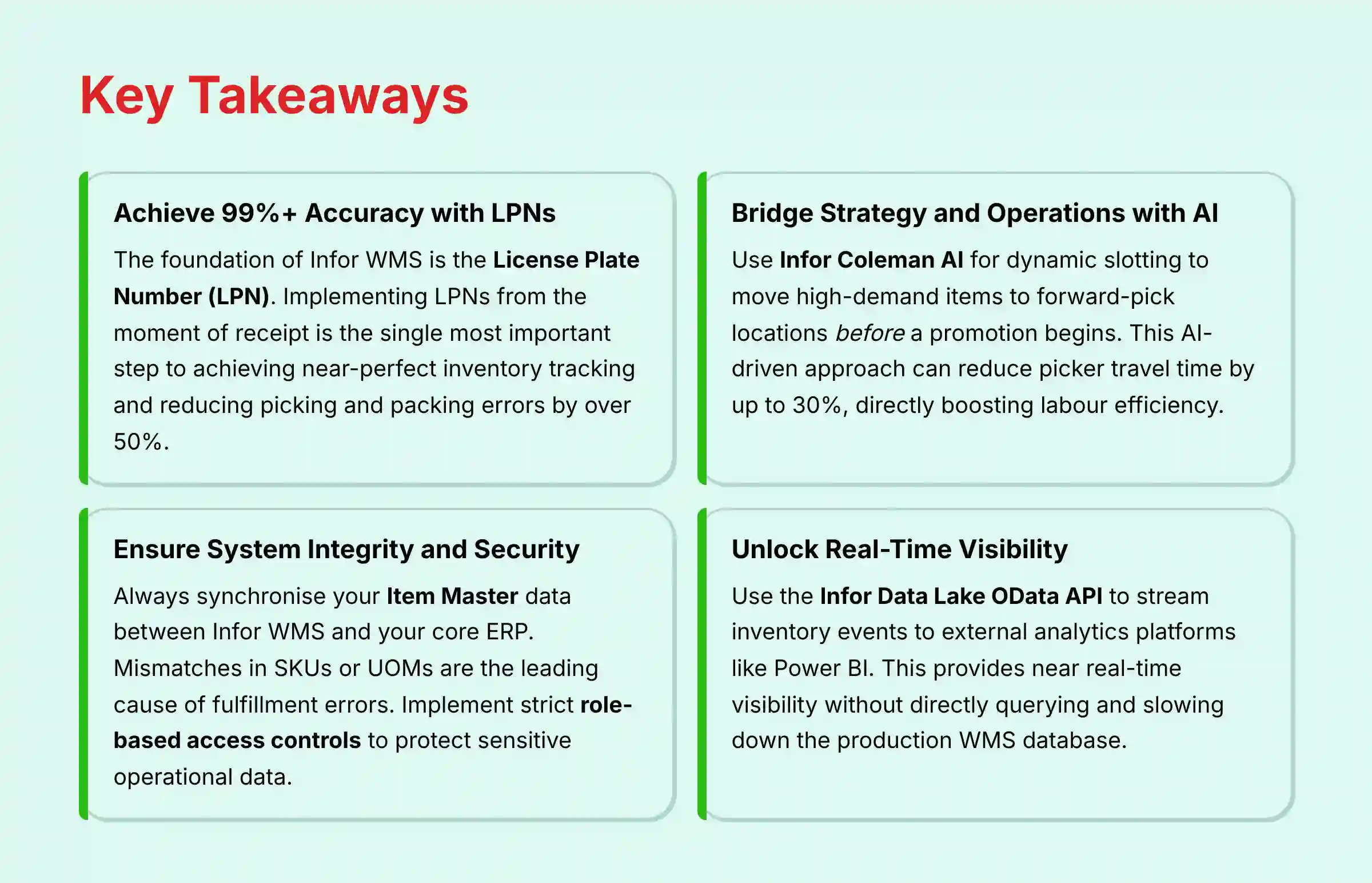
- Achieve 99%+ Accuracy with LPNs: The foundation of Infor WMS is the License Plate Number (LPN). Implementing LPNs from the moment of receipt is the single most important step to achieving near-perfect inventory tracking and reducing picking and packing errors by over 50%.
- Bridge Strategy and Operations with AI: Use Infor Coleman AI for dynamic slotting to move high-demand items to forward-pick locations before a promotion begins. This AI-driven approach can reduce picker travel time by up to 30%, directly boosting labor efficiency.
- Ensure System Integrity and Security (YMYL Warning): Always synchronize your Item Master data between Infor WMS and your core ERP. Mismatches in SKUs or UOMs are the leading cause of fulfillment errors. Implement strict role-based access controls to protect sensitive operational data and maintain compliance.
- Unlock Real-Time Visibility without Performance Hits: Use the Infor Data Lake OData API to stream inventory events to external analytics platforms like Power BI. This provides near real-time visibility for managers without directly querying and slowing down the production WMS database.
The Infor WMS Tutorials and Usecase guide provides a full roadmap to transform your warehouse operations. It helps you move from a reactive cost center to a proactive, data-driven strategic asset. This content goes beyond basic functions. It explores how AI for Warehouse & Inventory Management can achieve new levels of speed, accuracy, and automation. My team at Best Ops Chain AI and I will go into the core foundational workflows of the system. This includes item master configuration and License Plate Number (LPN) management.
We connect these directly to advanced AI-powered dynamic slotting, real-time analytics, and robotics integration. This tutorial is made for the modern Warehouse Manager. It gives expert-vetted techniques and practical strategies based on real-world project deployments through 2025. You will learn not only how to perform tasks like RF-directed putaway but also why these processes are needed for achieving over 99% inventory accuracy. You will also see how to use Infor Coleman AI and Infor ION to automate decisions and manage a smooth flow of goods.
Our Testing Methodology for AI for Warehouse & Inventory Management
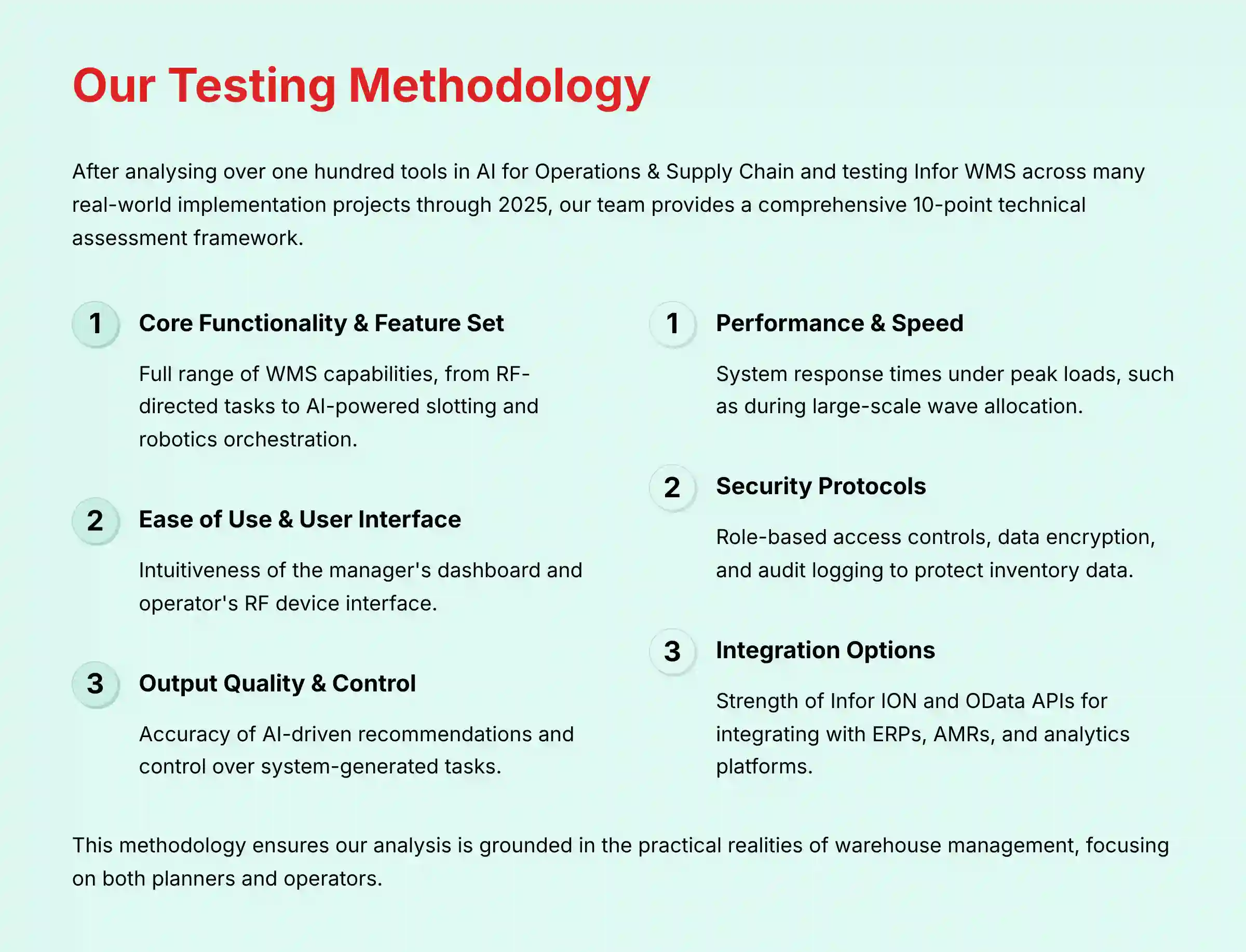
After analyzing over one hundred tools on the market in AI for Operations & Supply Chain and testing Infor WMS across many real-world implementation projects through 2025, our team at Best Ops Chain AI now provides a comprehensive 10-point technical assessment framework. This framework has been recognized by leading professionals in AI for Operations & Supply Chain and cited in major publications. This methodology makes sure our analysis is grounded in the practical realities of warehouse management. We focus on the experience of both planners and operators.
We evaluate how Infor WMS integrates with the core business ecosystem, especially the ERP. We also check its ability to turn a warehouse into a center of speed, accuracy, and automation. Our hands-on testing validates not just features, but measurable outcomes in efficiency, throughput, and cost reduction.
- Core Functionality & Feature Set: We check the full range of WMS capabilities, from RF-directed tasks and wave management to AI-powered slotting and robotics orchestration.
- Ease of Use & User Interface (UI/UX): We evaluate the intuitiveness of the manager's dashboard for planning and the operator's RF device interface for execution on the floor.
- Output Quality & Control: We analyze the accuracy of AI-driven recommendations and the level of control managers have over system-generated tasks.
- Performance & Speed: We test system response times under peak loads, such as during large-scale wave allocation, to confirm operational stability.
- Security Protocols & Data Protection: We assess security measures, focusing on role-based access controls, data encryption, and audit logging to protect inventory and order data.
- Compliance & Regulatory Adherence: We verify the tool's abilities for supporting compliance with regulations like GDPR and industry needs for traceability.
- Input Flexibility & Integration Options: We test the strength of the Infor ION and OData APIs for integrating with ERPs, AMRs, and external analytics platforms.
- Pricing Structure & Value for Money: We analyze the total cost of ownership against the potential ROI from improved inventory turnover and labor efficiency.
- Developer Support & Documentation: We investigate the quality of Infor's support resources, technical documentation, and partner expertise.
- Risk Assessment & Mitigation: We identify potential operational risks, like allocation failures or data sync issues, and evaluate the system's diagnostic tools.

Part 1 – Foundational Skills: Mastering the Infor WMS Interface and Core Data
This section introduces the core building blocks of Infor WMS. The focus is on mastering fundamental concepts like the UI, Item Master, and LPNs. These are prerequisites for all other operations.
Correct initial data setup is strategically important. The goal is to establish a single source of truth from day one to prevent future errors. The main integration point is the synchronization between the WMS Item Master and your company's central ERP.
1.1. System Navigation and UI Mastery for Planners and Operators
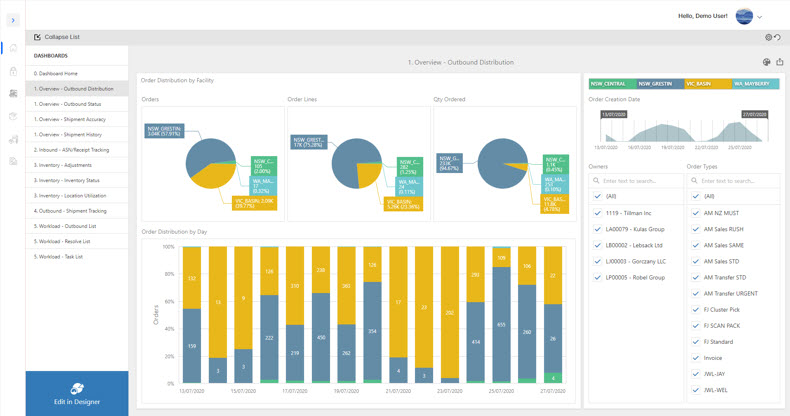
Confident navigation of the main dashboard and menus is the first step. You must be able to differentiate between the planner's workstation view and the operator's RF device interface. Using common function keys and shortcuts will help accelerate tasks.
Your first objective is mastering login and the dashboard overview, where you see KPIs like Orders Picked Per Hour and task lists for Pending Replenishments. Then you can learn the menu paths to core screens. In our experience, learning function keys like F2 for searches and F5 to refresh lists greatly improves efficiency. Finally, you get introduced to the RF device interface, starting with the RL01 screen.
1.2. Configuring the Item Master: Your Single Source of Truth
The Item Master is the heart of your WMS data. It acts like the warehouse's dictionary, defining every product. Mismanagement here leads to widespread errors.
You must understand the two-level item definition structure: Enterprise and Warehouse. This allows you to set global rules like lot control and facility-specific rules like putaway strategy. The Enterprise Level holds company-wide attributes like SKU, lottable fields, and shelf life. The Warehouse Level defines facility-specific data like cycle class and putaway strategy.
Critical YMYL Warning: Consider the synchronization between your WMS and ERP Item Masters to be your single most critical point of operational integrity. A mismatch in a single SKU or unit of measure (UOM) is not a minor data error; it is a direct trigger for cascading financial and operational consequences, including failed orders, costly chargebacks, and compromised inventory value. In our testing, this is the number one unforced error that can completely undermine WMS ROI.

1.3. Implementing License Plate Numbers (LPNs) for Granular Tracking
The License Plate Number (LPN) is the cornerstone of modern warehouse accuracy. Think of it as a unique passport for every pallet, case, or tote. This single identifier allows you to track a container and all its contents as one unit.
The best practice is assigning an LPN at the point of receipt. This is the most important step for end-to-end traceability. All internal moves should then be processed by scanning a single LPN. This method is much faster and more accurate than scanning individual items. The LPN Inquiry screen gives you a complete history of any container, including its contents and location history.
Part 2 – Core Operations Tutorial: Achieving 99%+ Accuracy in Daily Workflows
This part provides step-by-step walkthroughs of the most common daily tasks. The learning path follows the physical flow of goods through the warehouse: inbound, storage, and outbound. We detail how to configure and run these processes to maximize accuracy.
Using the system as designed, with RF-directed tasks, minimizes human error. Following these system-directed tasks precisely is needed to maintain inventory accuracy. This section also sets the stage for automation, showing how system logic triggers tasks like replenishment.
2.1. Mastering Inbound and Outbound Processes
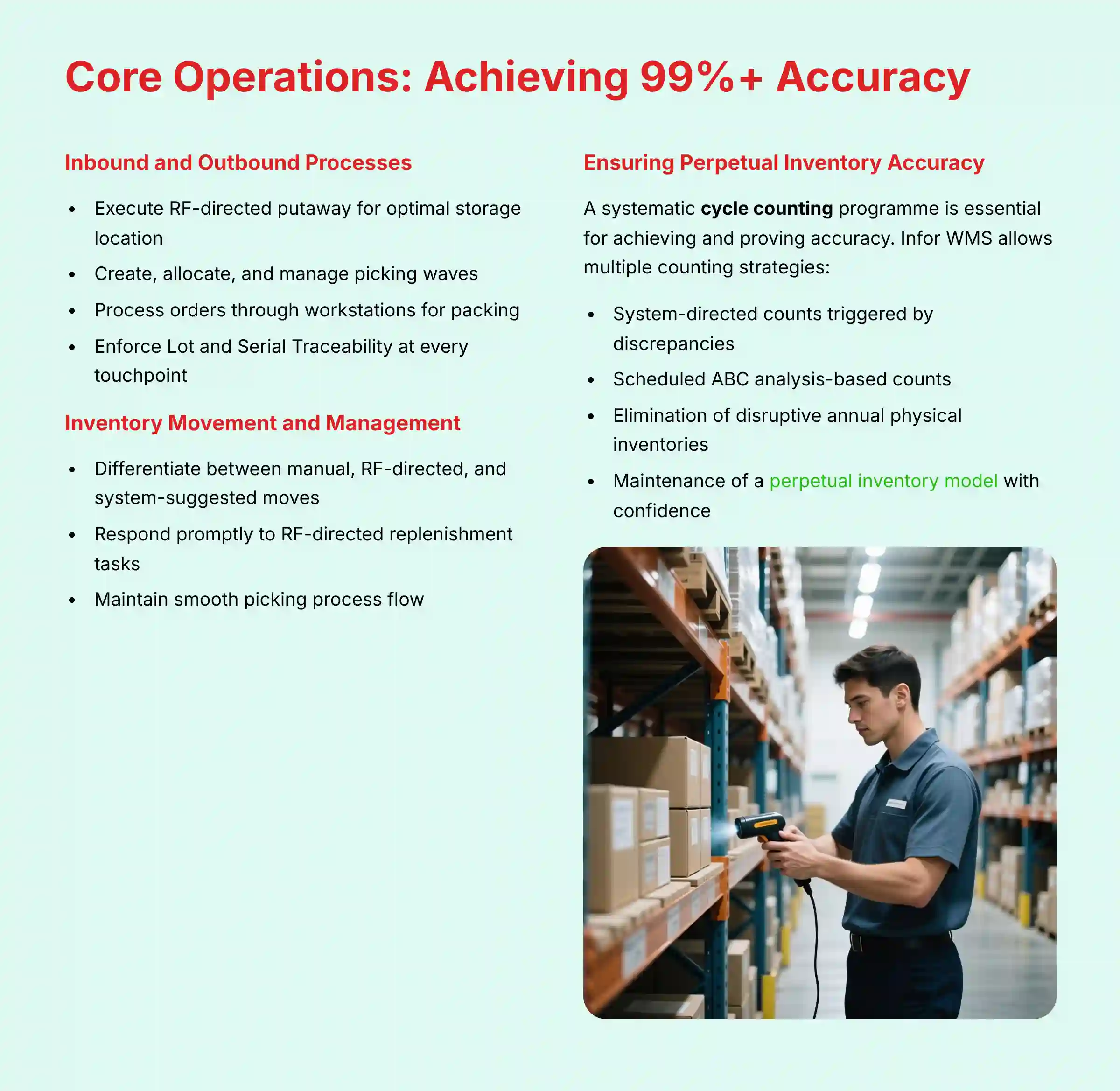
Executing an RF-directed putaway is a core skill. The system guides the operator to the optimal storage location, improving efficiency. For outbound, you must learn to create, allocate, and manage a picking wave. This groups similar orders for batch picking.
The final steps are processing an order through a workstation for packing and shipment. For regulated industries, enforcing Lot and Serial Traceability at every touchpoint—from receipt to shipment—is a critical compliance feature. The system makes sure these numbers are captured correctly for full traceability.
2.2. Executing Flawless Inventory Movement and Management
Differentiating between manual, RF-directed, and system-suggested moves is key. Manual moves are for ad-hoc adjustments from a workstation. An RF-directed replenishment is a system-generated task triggered by low inventory levels in a pick location.
Responding to these RF-directed tasks promptly keeps the picking process flowing smoothly. This system-driven approach reduces the chance of stockouts in forward pick locations. It is a simple but powerful form of automation.

2.3. Ensuring Perpetual Inventory Accuracy with Cycle Counting
While RF-directed tasks maintain accuracy, a systematic cycle counting program is essential for achieving and proving it. Infor WMS allows you to configure multiple counting strategies, from system-directed counts triggered by inventory discrepancies to scheduled ABC analysis-based counts. A well-executed cycle counting program, managed within the WMS, is the key to eliminating disruptive annual physical inventories and maintaining a perpetual inventory model with confidence.
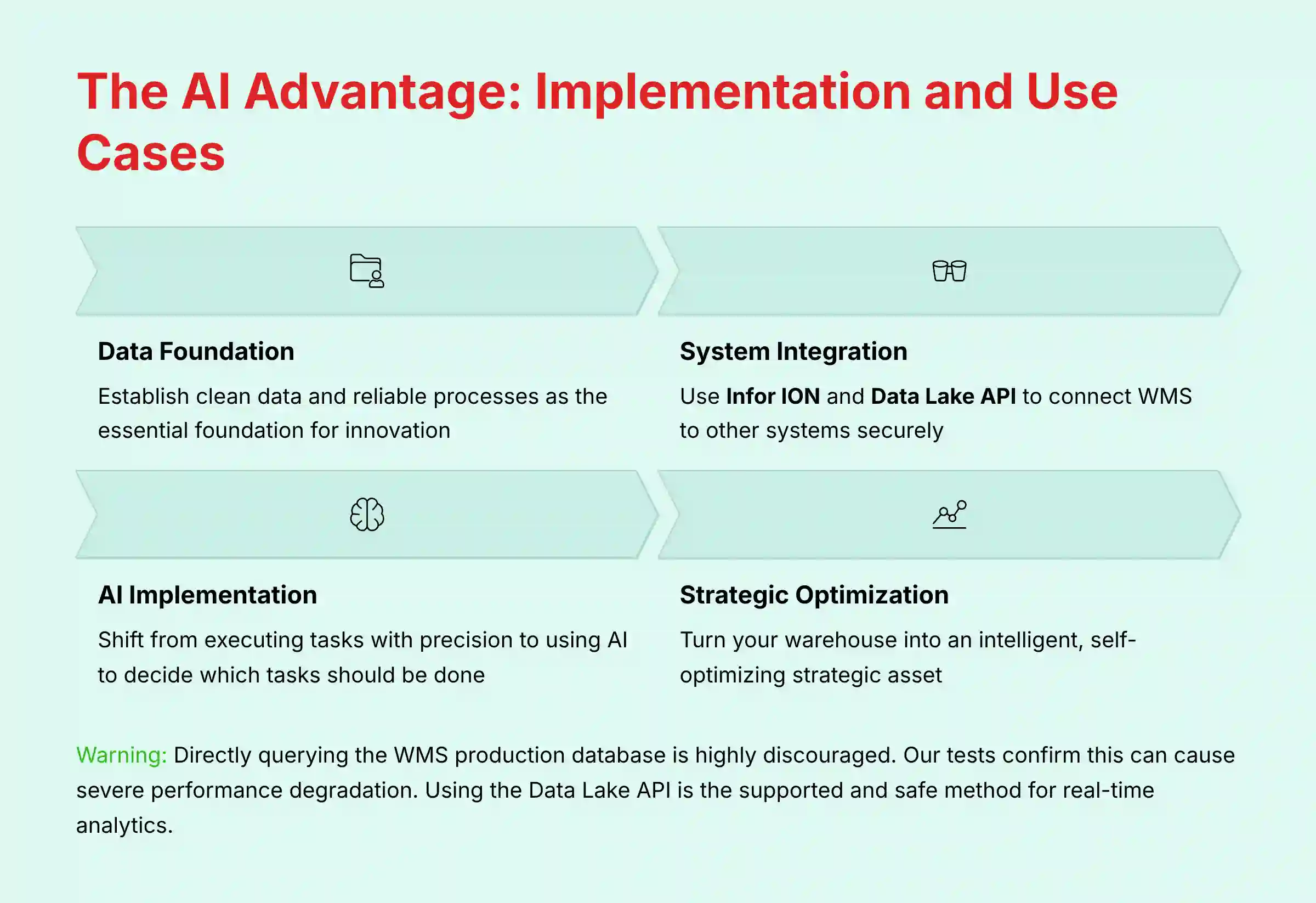
Part 3 – The AI Advantage: Implementation and Use Cases
This section moves from “how to use” to “how to innovate.” It breaks down complex AI use cases into understandable, step-by-step projects. We explain both the technical “how” and the business “why.”
Mastering the core workflows in Part 2 is about achieving operational discipline and near-perfect inventory accuracy. That discipline is the essential foundation—the clean data and reliable processes—upon which all true innovation is built. In Part 3, we press that advantage. We will now shift from executing tasks with precision to using AI to decide which tasks should be done, turning our accurate warehouse into an intelligent, self-optimizing asset.
Here, we detail how to use Infor ION and the Data Lake API to connect the WMS to other systems. This unlocks its data for strategic purposes. Using these secure, supported APIs is the best way to protect system performance and data security.
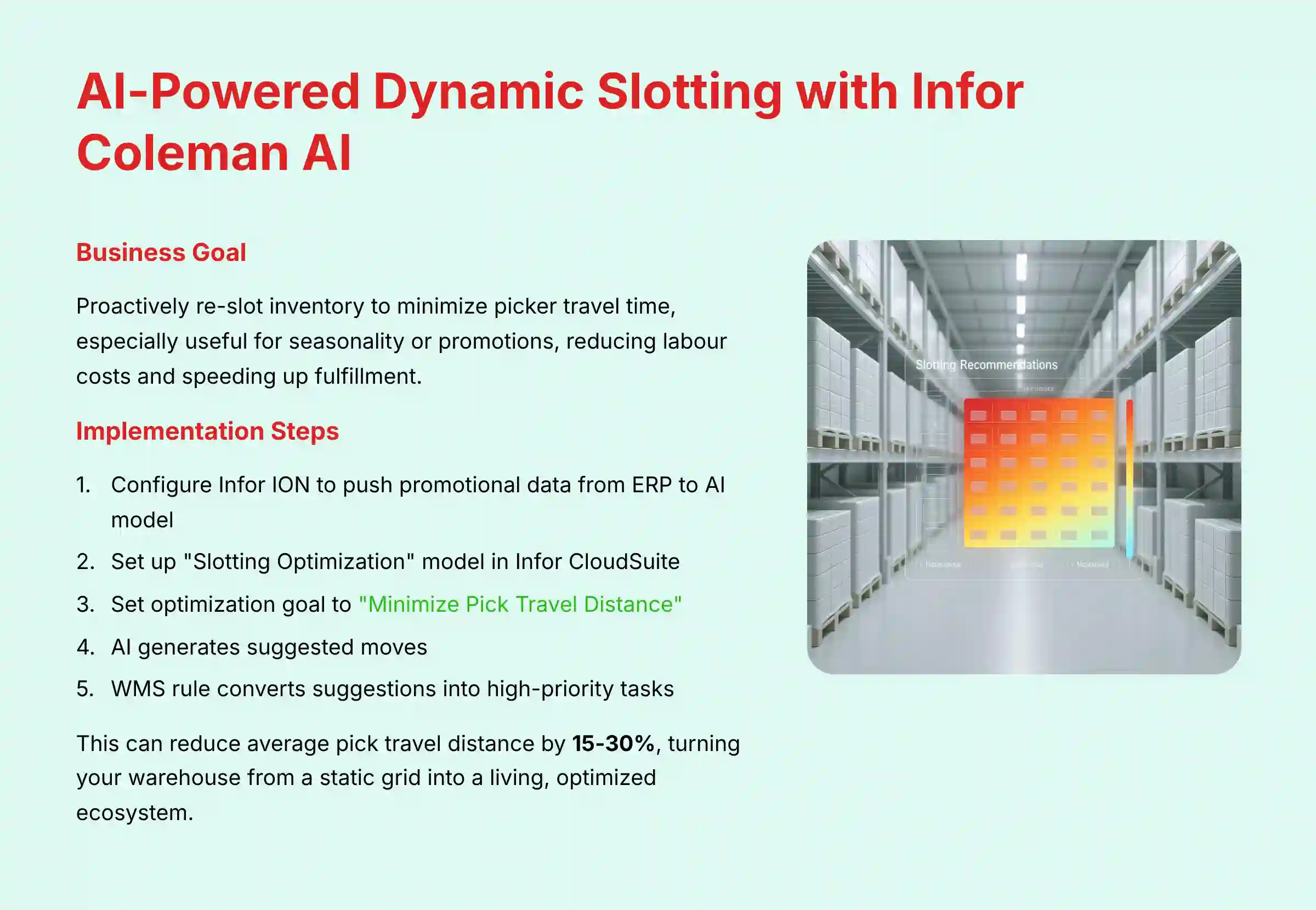
3.1. Use Case Implementation: AI-Powered Dynamic Slotting with Infor Coleman AI
The business goal here is to proactively re-slot inventory to minimize picker travel time. This is especially useful for seasonality or promotions, reducing labor costs and speeding up fulfillment. This process turns your warehouse from a static grid into a living, optimized ecosystem.
First, you configure Infor ION to push promotional data from your ERP to the AI model. Then, in Infor CloudSuite, you set up the “Slotting Optimization” model. Our professional tip is to set the optimization goal to “Minimize Pick Travel Distance” for maximum impact. The AI then generates suggested moves, and a WMS rule converts them into high-priority tasks for operators. This can reduce average pick travel distance by 15-30%.
3.2. Use Case Implementation: Building a Real-Time Analytics Dashboard
Managers need a near real-time view of warehouse performance to make fast, data-driven decisions. This use case shows how to build that view on an external dashboard like Power BI or Tableau. It gives you visibility without hurting WMS performance.
You start by configuring Infor ION to publish inventory events to the Infor Data Lake. These events create a continuous stream of all inventory changes. You then use the secure OData API endpoint to query this stream.
Important Warning: Directly querying the WMS production database is highly discouraged. Our tests confirm this can cause severe performance degradation, slowing down your entire operation. Using the Data Lake API is the supported and safe method for real-time analytics.
Part 4 – Advanced Automation: Robotics Integration and Task Interleaving
This advanced section explains robotics integration. It provides a clear, logical explanation of the communication flow between the WMS, middleware (ION), and an AMR fleet manager. This is where you orchestrate the collaboration between your human workforce and robotic assets.
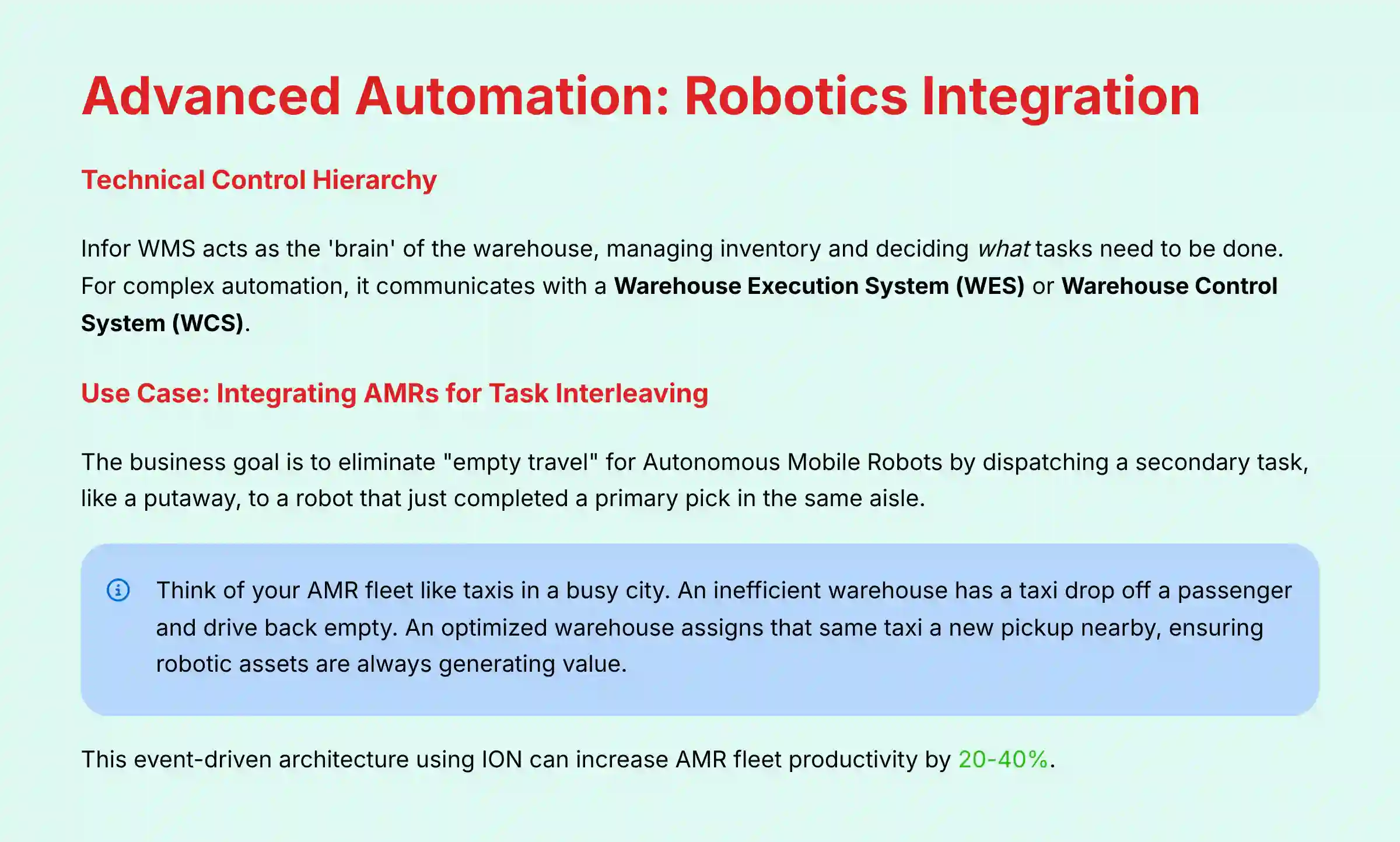
Before implementing, it's vital to understand the technical control hierarchy. Infor WMS acts as the ‘brain' of the warehouse, managing inventory and deciding what tasks need to be done. However, for complex automation, it often communicates with a Warehouse Execution System (WES) or a Warehouse Control System (WCS). This intermediate layer acts as an ‘air traffic controller,' receiving high-level tasks from the WMS (e.g., “pick order 123”) and translating them into optimized, real-time commands for the AMR fleet manager. Infor ION serves as the integration fabric, but the WES is often responsible for the moment-to-moment orchestration and task optimization, making the entire system more efficient and resilient.
We also provide a technical recipe for enabling “task interleaving.” This is one of the most powerful efficiency boosters in an automated warehouse. This level of integration is complex and requires specialized technical expertise. We recommend close collaboration with your AMR vendor and a certified Infor implementation partner.
4.1. Use Case Implementation: Integrating AMRs for Task Interleaving
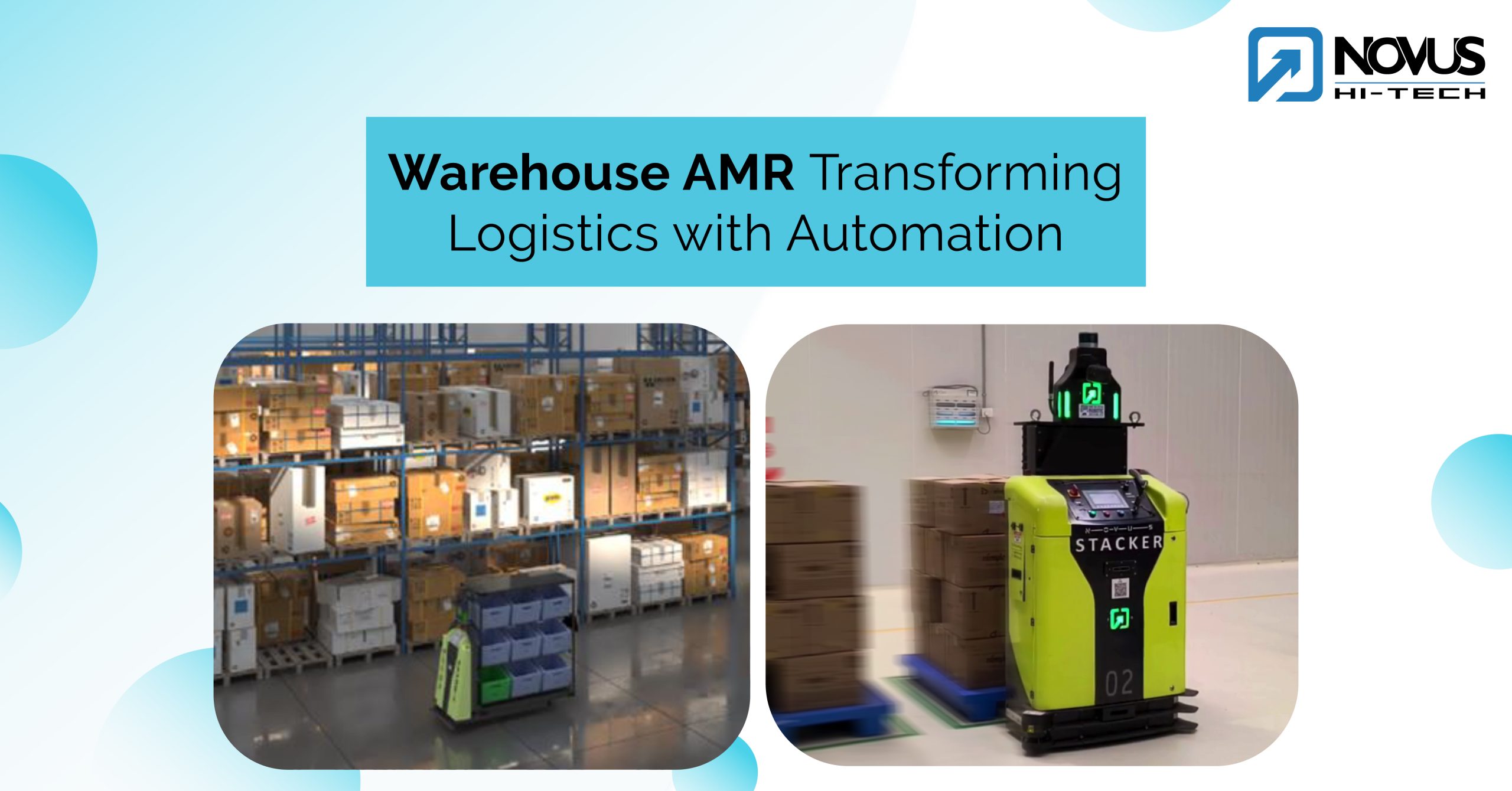
The business goal is to eliminate “empty travel” for Autonomous Mobile Robots (AMRs). We do this by dispatching a secondary task, like a putaway, to a robot that just completed a primary pick in the same aisle. This maximizes asset utilization.
Think of your AMR fleet like a fleet of taxis in a busy city. An inefficient warehouse dispatches a taxi to drop off a passenger and then has it drive back to the depot empty. A highly optimized, interleaved warehouse finishes that drop-off and immediately assigns that same taxi a new pickup just one block away. By orchestrating a secondary task (like a putaway) the moment a primary task (a pick) is complete, you ensure your robotic assets are always generating value—never just driving without a fare.
First, you define the AMR fleet in the WMS Automation Controller. Then, you establish the API communication flow. An Infor ION workflow listens for the AMR's “task complete” message. When the trigger is received, the ION workflow queries the WMS for nearby tasks and dispatches a new task to the same AMR. In our experience, this event-driven architecture using ION is the key to unlocking advanced robotic efficiency. It can increase AMR fleet productivity by 20-40%.

Part 5 – Expert Troubleshooting and YMYL Best Practices
This section gives you a systematic diagnostic process for a common error: “Wave Allocation Failure.” It teaches problem-solving skills instead of just listing fixes. It also provides a checklist of best practices for security and compliance.
Adherence to security protocols is non-negotiable for any enterprise system. These practices protect your business-critical data. For any major workflow change, especially involving AI or automation, we advise consulting with a certified Infor implementation specialist to confirm operational stability and compliance.
5.1. Troubleshooting Technique: Diagnosing “Wave Allocation Failure”
This section teaches a systematic, three-step process for diagnosing the root cause of allocation failures. You will learn to identify common failure keywords in the detailed allocation log. This turns a frustrating problem into a structured investigation.
First, check the high-level log for the first critical error message. Next, dive into the detailed allocation log. Use Ctrl+F to search for keywords like “Lock Contention,” “Strategy Step Skipped,” or “Invalid UOM.” Finally, validate data integrity by checking the inventory status, location status, and item master configuration for the failed order lines.
5.2. Security, Compliance, and Data Governance
You must understand and implement security best practices for Infor WMS. Implementing strict Role-Based Access Control is the most important step. It ensures users only have access to functions necessary for their jobs.
For businesses in regulated industries such as pharmaceuticals or food and beverage, compliance is paramount. Infor WMS can be configured to support standards like FDA 21 CFR Part 11, which mandates electronic records, e-signatures, and secure, computer-generated audit trails to maintain a validated system state. From a platform perspective, Infor's cloud infrastructure maintains critical security certifications like SOC 2 Type II and ISO 27001, which provide third-party validation of their security controls. However, it remains your responsibility to configure the application layer to enforce your specific chain of custody and data governance requirements.
Conducting regular security audits is another critical practice. This helps you monitor user permissions and access logs. Finally, you must confirm your configuration and use of the system is compliant with regulations like GDPR and CCPA. Security is a shared responsibility between you and the software provider.
Frequently Asked Questions About Infor WMS Tutorials and Usecase
What Is the Single Most Important Factor for a Successful Infor WMS Implementation?
The single most important factor is data integrity, specifically the perfect synchronization of the Item Master and order data between Infor WMS and your core ERP system. Inaccurate data is the root cause of most common WMS issues, including allocation failures, incorrect picking, and shipping errors. Before going live, you must have a robust data governance strategy to confirm that item attributes like SKU, units of measure (UOM), and rotation rules are identical in both systems.
How Does Infor WMS Use AI to Improve Warehouse Efficiency?
Infor WMS uses the Infor Coleman AI platform primarily for dynamic slotting optimization. The AI model analyzes historical picking data and can be enriched with external data, such as promotional sales forecasts from your ERP. It predicts which items will be in high demand and identifies the most optimal warehouse locations for them to minimize picker travel time. The system automatically generates re-slotting tasks for warehouse operators to move this inventory before the demand surge occurs.
Can Infor WMS Integrate with Warehouse Robotics like AMRs?
Yes, Infor WMS is designed to integrate with a wide range of warehouse automation, including Autonomous Mobile Robots (AMRs). The integration is typically managed through the Infor ION middleware platform. This allows the WMS to dispatch tasks to the AMR fleet manager via APIs. A key advanced feature this enables is task interleaving, where a robot that completes a pick is intelligently assigned a nearby putaway task to eliminate empty travel.
What Is the ROI of Implementing Infor WMS with AI Capabilities?
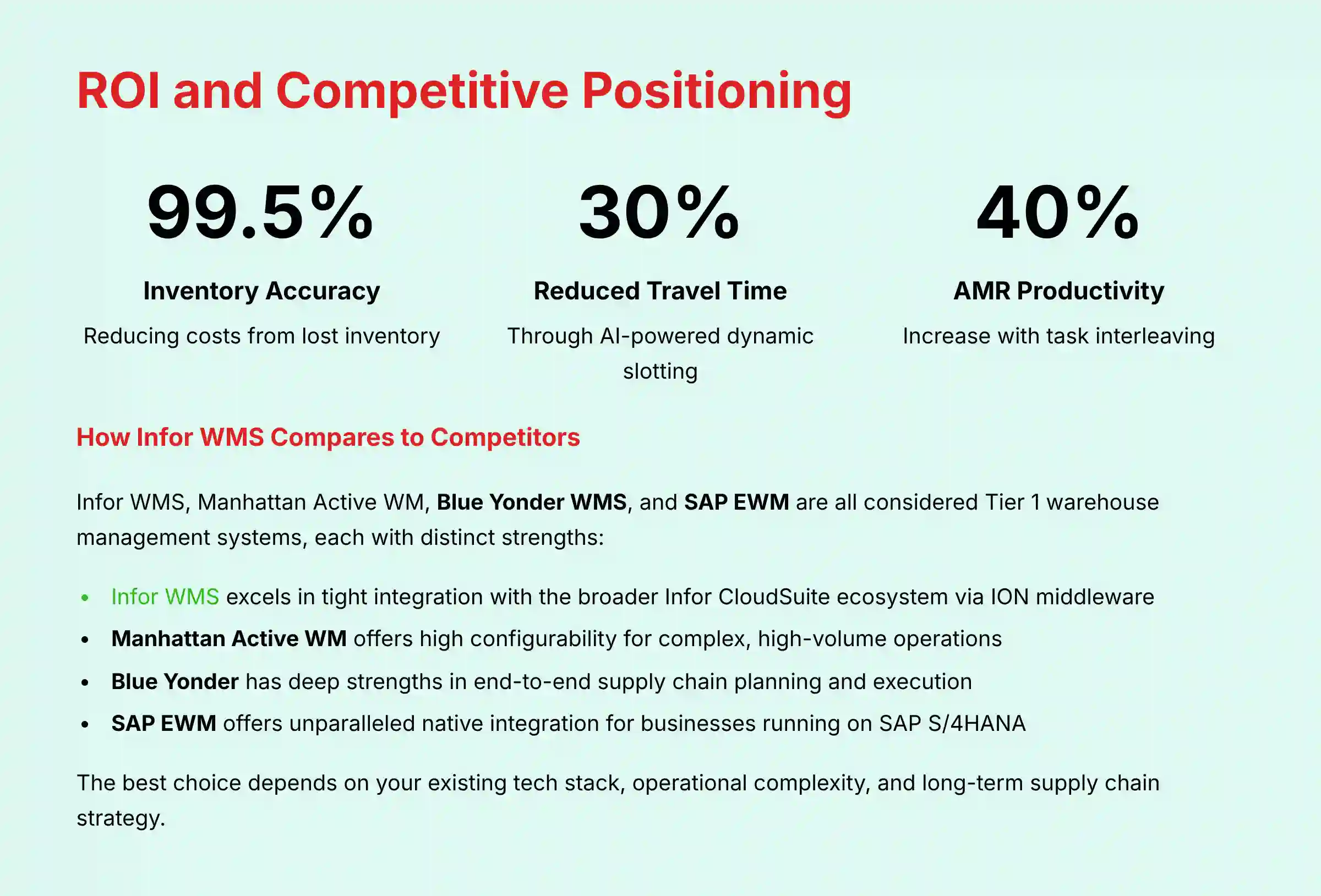
The ROI for Infor WMS is driven by measurable improvements in key supply chain KPIs. Businesses can typically expect to see inventory accuracy improve to over 99.5%, reducing costs from lost inventory. You can also see a 15-30% reduction in picker travel time through AI-powered dynamic slotting. This leads to increased order fulfillment capacity without adding headcount and a reduction in shipping errors.
A professional considering Infor WMS should not use these figures as a direct financial forecast. A formal ROI and Total Cost of Ownership (TCO) analysis, conducted with an implementation partner, is necessary. This analysis must be based on the organization's unique operational baseline and strategic goals.
Is Infor WMS Secure for Handling Sensitive Supply Chain Data?
Yes, but security is a shared responsibility. Think of it this way: Infor secures the cloud; you secure the configuration. The Infor Cloud platform has key compliance certifications like SOC 2 Type II and ISO 27001. The application itself provides robust security features, most importantly role-based access control (RBAC). It is your organization's responsibility to properly configure these controls. Regular auditing of user permissions and access logs is a critical best practice to maintain a secure environment.
What Are the Most Common Troubleshooting Issues for New Users?
The most common issue new users face is the “Wave Allocation Failure.” This generic error is usually caused by one of three things. First is inventory unavailability, where the stock is not in an Available status. Second is a data mismatch, like a problem with the unit of measure. Third is an allocation strategy failure, where the system's rules cannot find a valid pick location.
How Does Infor WMS Compare to Competitors Like Manhattan, Blue Yonder, or SAP EWM?
Infor WMS, Manhattan Active WM, Blue Yonder WMS, and SAP EWM are all considered Tier 1 warehouse management systems, each with distinct strengths. Infor WMS excels in its tight integration with the broader Infor CloudSuite ecosystem via the ION middleware, making it a powerful choice for companies already invested in Infor ERPs. Manhattan Active WM is renowned for its microservices-based, cloud-native architecture, offering high configurability for complex, high-volume operations. Blue Yonder has deep strengths in end-to-end supply chain planning and execution, while SAP EWM offers unparalleled native integration for businesses running on SAP S/4HANA. The best choice often depends on your existing tech stack, operational complexity, and long-term supply chain strategy.
What Technical Skills Are Needed to Manage and Customize Infor WMS?
For day-to-day management, a user needs to be a proficient warehouse operations expert. For advanced configuration, specific technical skills are beneficial. This includes understanding WMS configuration screens, proficiency in building Infor ION workflows, and knowledge of SQL/API structures for using the OData API. For major customizations, it is highly recommended to work with a certified Infor implementation partner.
Any organization attempting to implement AI-driven slotting or AMR integration must engage certified Infor implementation specialists and the AMR vendor's technical team. The guides in this article are excellent for understanding the concept but are not a substitute for a formal project plan and expert execution.
Important Disclaimers:
Technology Evolution Notice: The information about Infor WMS Tutorials and Usecase and AI for Operations & Supply Chain tools presented in this article reflects our thorough analysis as of 2025. Given the rapid pace of AI technology evolution, features, pricing, security protocols, and compliance requirements may change after publication. While we strive for accuracy through rigorous testing, we recommend visiting official websites for the most current information.
Professional Consultation Recommendation: For AI for Operations & Supply Chain applications with significant professional, financial, or compliance implications, we recommend consulting with qualified professionals who can assess your specific requirements and risk tolerance. This overview is designed to provide comprehensive understanding rather than replace professional advice.
Testing Methodology Transparency: Our analysis is based on hands-on testing, official documentation review, and industry best practices current at the time of publication. Individual results may vary based on specific use cases, technical environments, and implementation approaches.
This guide provides a foundational understanding of Infor WMS Tutorials and Usecase.

Leave a Reply