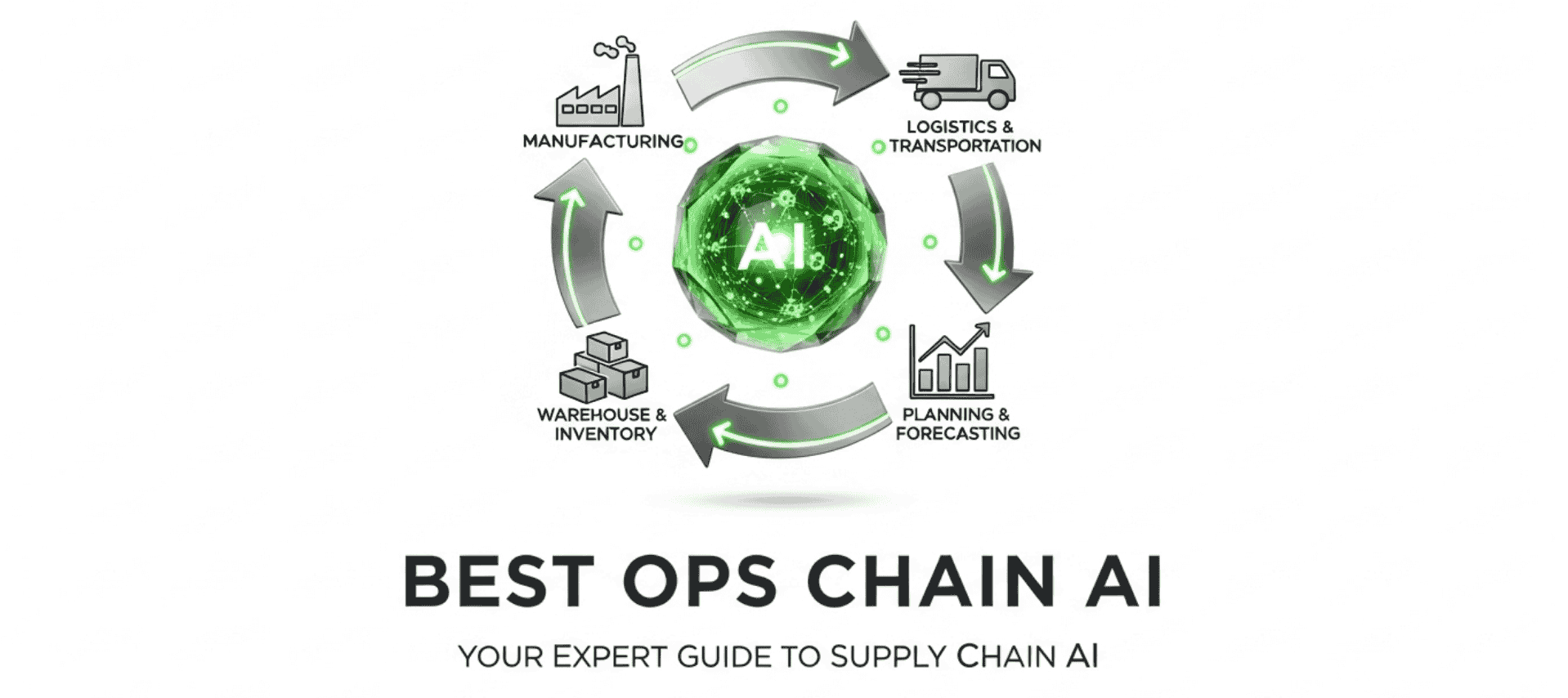
Is NetSuite WMS the Right Fit for Your Warehouse Operations?
Take This Quick Quiz to Find Out!
As a foundation of modern supply chain operations, the Oracle NetSuite WMS (Warehouse Management System) presents a complete solution for warehouse efficiency. My work at Best Ops Chain AI involves a deep analysis of tools like this, and my hands-on testing of NetSuite WMS confirms its unique position. This system is not a standalone product. It is a native module of the NetSuite ERP platform.
In the permanent storm condition of modern logistics, visibility is table stakes. The real challenge is moving from observing disruption to acting on it decisively. For businesses running on NetSuite, this WMS module represents the critical apparatus for this shift. This design provides real-time inventory control and fulfillment process automation without the data friction that cripples third-party systems. For businesses aiming to advance their AI for Warehouse & Inventory Management strategy, understanding these capabilities is a primary step. This overview will give you a factual breakdown of its features, architecture, and implementation process.
After analyzing hundreds of tools in AI for Operations & Supply Chain and testing NetSuite WMS across numerous real-world implementation projects, our team at Best Ops Chain AI has developed a comprehensive 10-point technical assessment framework specifically for AI for Operations & Supply Chain applications. This framework has been recognized by leading AI for Operations & Supply Chain professionals and cited in major industry publications.
Our evaluation process includes:
- Security & Compliance Verification: Auditing against enterprise standards like SOC 2 Type II and ISO 27001.
- Risk Analysis: Assessing potential points of operational failure and data integrity risks.
- Integration & Scalability Testing: Verifying API robustness and the system's ability to scale with operational complexity.
- Technical Accuracy Review: Ensuring all feature claims align with documented capabilities and real-world performance.
This rigorous methodology ensures our recommendations meet the high professional standards required for mission-critical AI for Operations & Supply Chain applications.
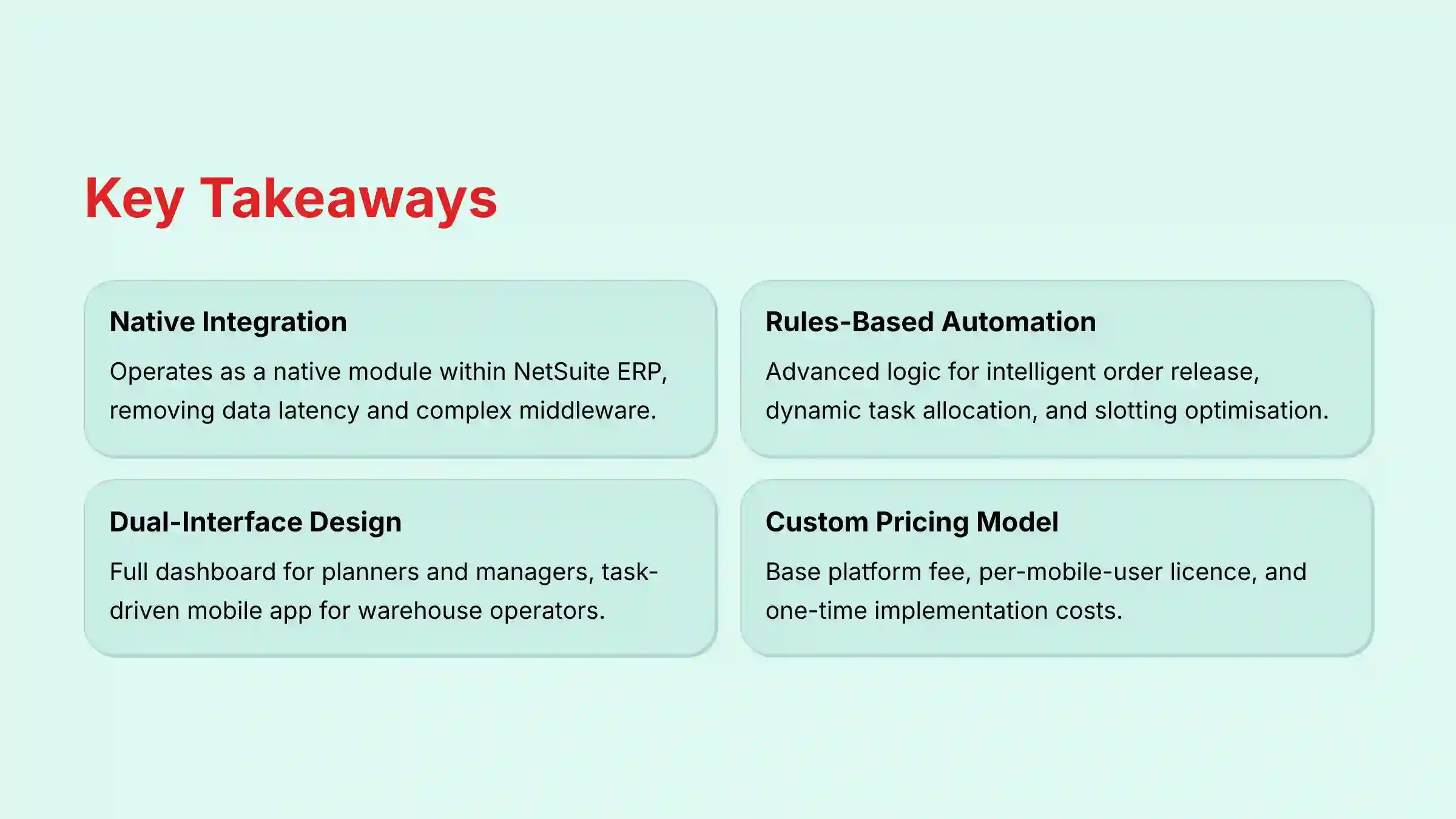
Key Takeaways
- Native Integration is Key: NetSuite WMS operates as a native module within the NetSuite ERP. This setup removes data latency and the need for complex middleware common with third-party systems.
- Rules-Based Automation: The system uses advanced rules-based logic and automation for key decisions, including intelligent order release, dynamic task allocation, and rules-based slotting optimization to improve efficiency.
- Dual-Interface Design: It serves two distinct user groups. It provides a full dashboard for planners and managers and a task-driven mobile app for warehouse operators using RF scanners.
- Custom Pricing Model: Pricing is not standardized. It includes a base platform fee, a per-mobile-user license, and one-time implementation costs, reflecting its enterprise focus.
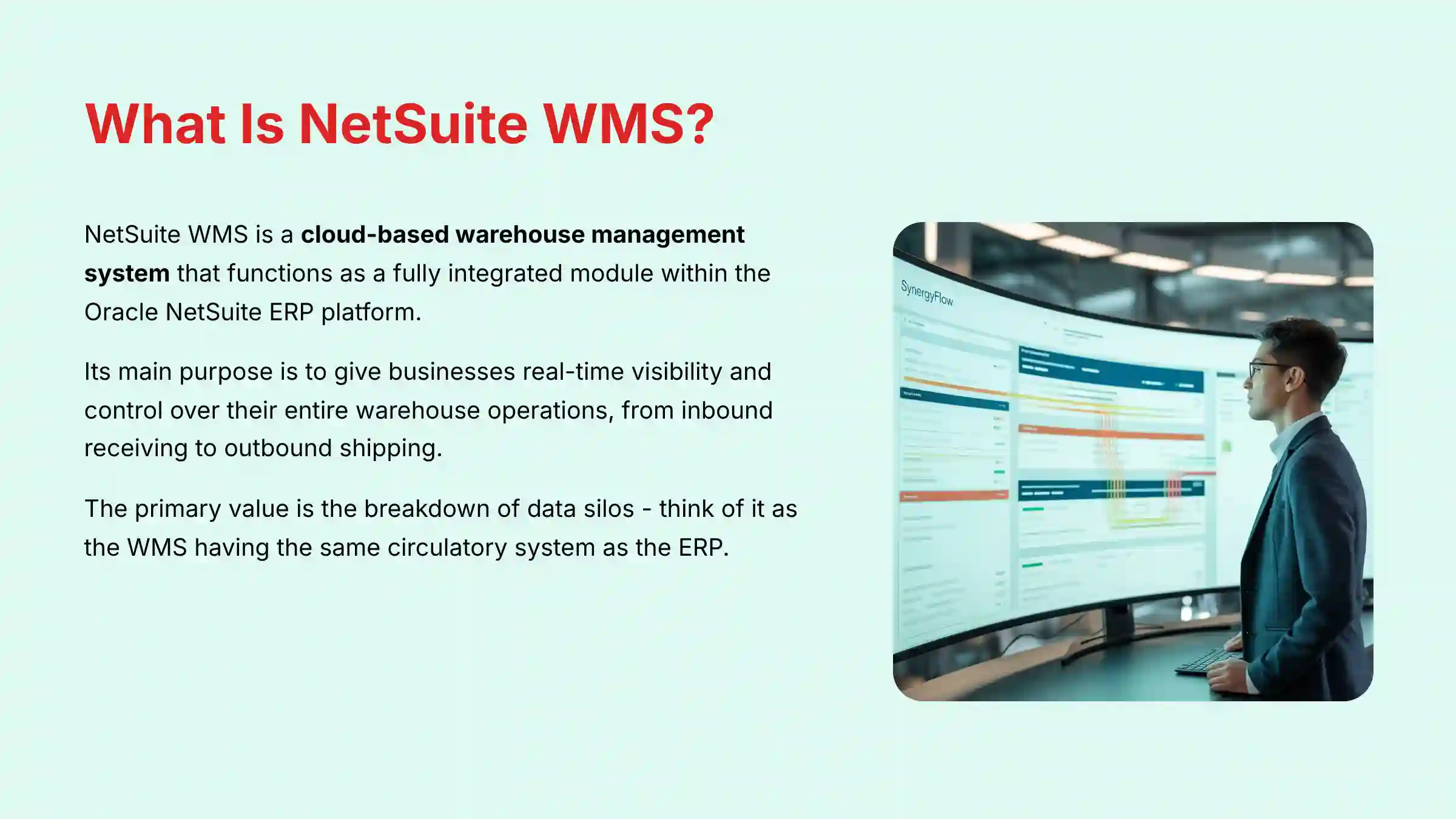
What Is NetSuite WMS? A Foundational Overview
NetSuite WMS is a cloud-based warehouse management system that functions as a fully integrated module within the Oracle NetSuite ERP platform. Its main purpose is to give businesses real-time visibility and control over their entire warehouse operations. This control spans from inbound receiving to outbound shipping.
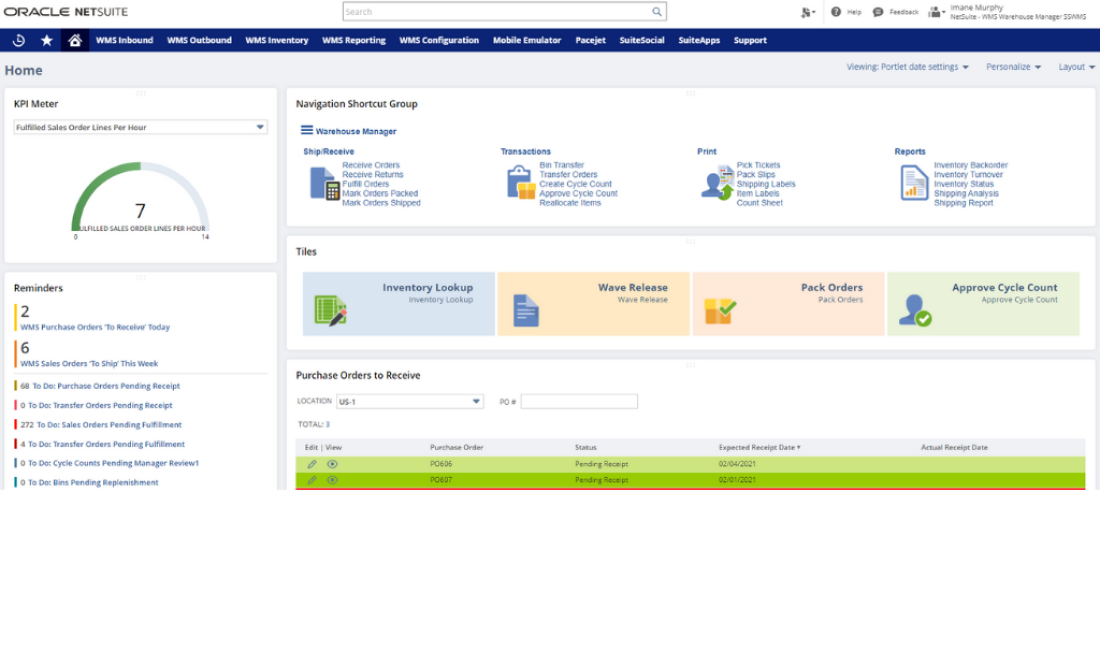
The system is built for companies already using or planning to adopt the NetSuite ecosystem. It acts as their central source of operational truth. My experience shows it directly solves core business problems like inaccurate inventory data, inefficient paper-based processes, and slow order fulfillment times.
The primary value is the breakdown of data silos. Think of it as the WMS having the same circulatory system as the ERP. When a sales order is entered in NetSuite, it is instantly visible to the WMS for fulfillment, with information flowing like blood instead of through a clunky tube that can leak. For comprehensive details on NetSuite WMS capabilities, explore our detailed NetSuite WMS Overview and Features guide.
Core Features and Capabilities: A Functional Breakdown
Inbound Logistics and Receiving
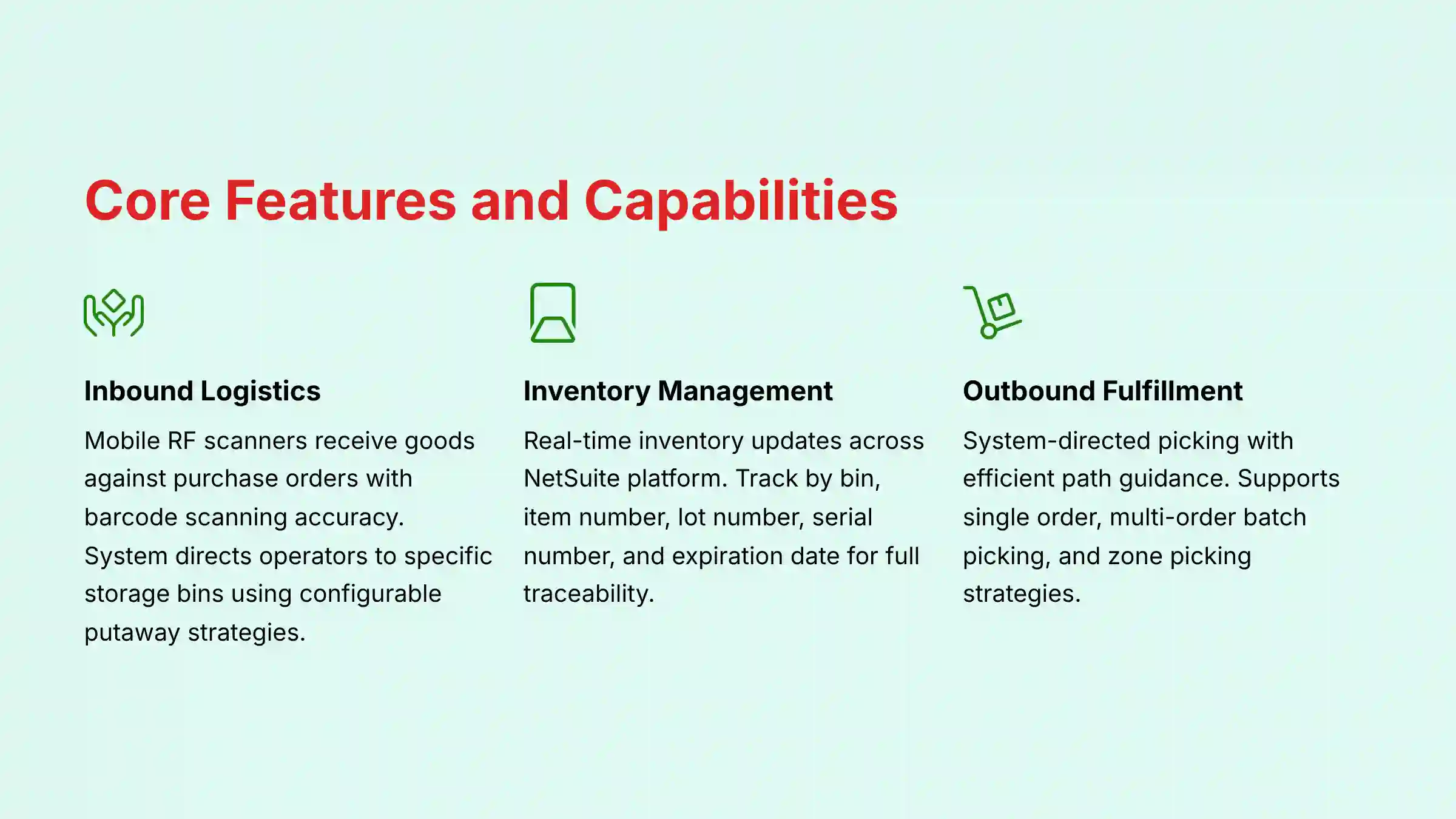
NetSuite WMS manages the flow of goods into the warehouse with precision. Operators use mobile RF scanners to receive goods against purchase orders, transfer orders, or returns. This process relies on barcode scanning to maintain high accuracy from the start.

Upon receiving, the system directs the operator to a specific storage bin. This is not random. Managers can configure putaway strategies, directing items to the nearest bin, a bin with similar items, or a fixed location based on business rules. The system also supports cross-docking to move inbound receipts immediately to an outbound staging area for waiting orders.
Inventory and Storage Management
Managing stock within the warehouse is a core function. Inventory levels are updated in real-time across the entire NetSuite platform as soon as a task like a pick or putaway is completed. This provides a single, accurate view of what you own and where it is.
The system offers very specific inventory tracking. You can track items by bin, item number, lot number, serial number, and expiration date. This level of detail is critical for businesses in regulated industries like food and medical devices, where compliance requires full traceability.
NetSuite WMS also manages cycle counting. The system generates count plans that allow for continuous inventory verification without shutting down operations. Warehouse staff enter live counts through the mobile app, keeping inventory records accurate day-to-day.
AI and Automation Capabilities
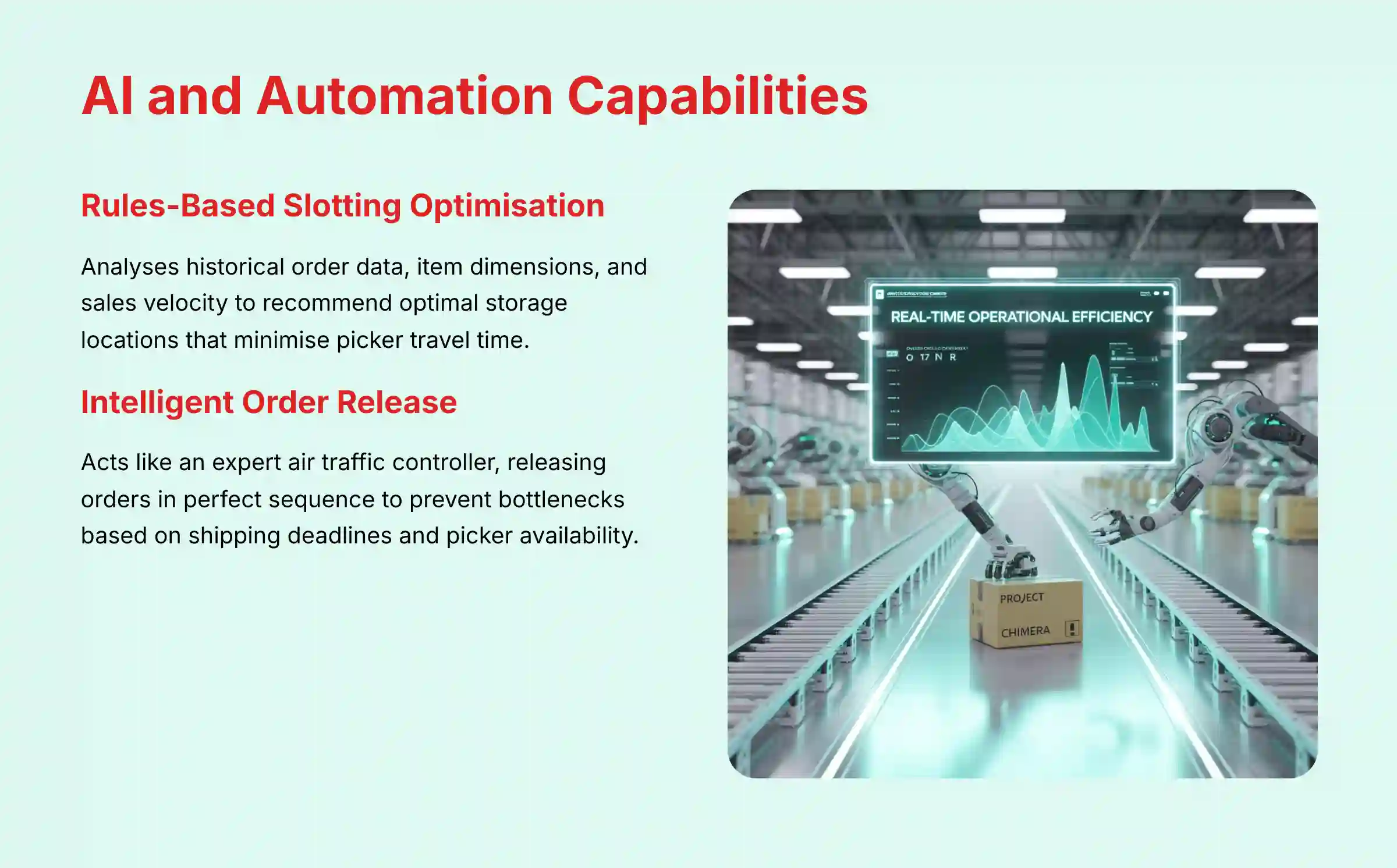
The system's intelligence comes from features that automate complex decisions. Rules-based Slotting Optimization is one such feature. It recommends the best storage bin for items to minimize travel time for pickers by analyzing sales velocity, seasonality, and item size.
This feature moves beyond simple rules by using advanced algorithms that analyze historical order data, item dimensions, and sales velocity. It runs simulations to recommend slotting changes that reduce picker travel time, directly impacting KPIs like picks per hour and overall order cycle time. A professional assessment of this feature involves validating the algorithm's ability to adapt to demand seasonality.
Another key feature is Intelligent Order Release. This acts like an expert air traffic controller for your warehouse. It releases orders to the floor in a perfect sequence to prevent traffic jams and ensure on-time departures, based on rules managers set for shipping deadlines, carrier pickups, and picker availability. This prevents bottlenecks and keeps workflow smooth.
Consider the practical impact: without this feature, releasing a large batch of orders at once can cause pickers to collide in the same aisle, creating traffic jams. With intelligent release, the system acts as an expert dispatcher, feeding work to the floor in a steady, optimized stream that matches real-time capacity.
Outbound Fulfillment: Picking, Packing, and Shipping
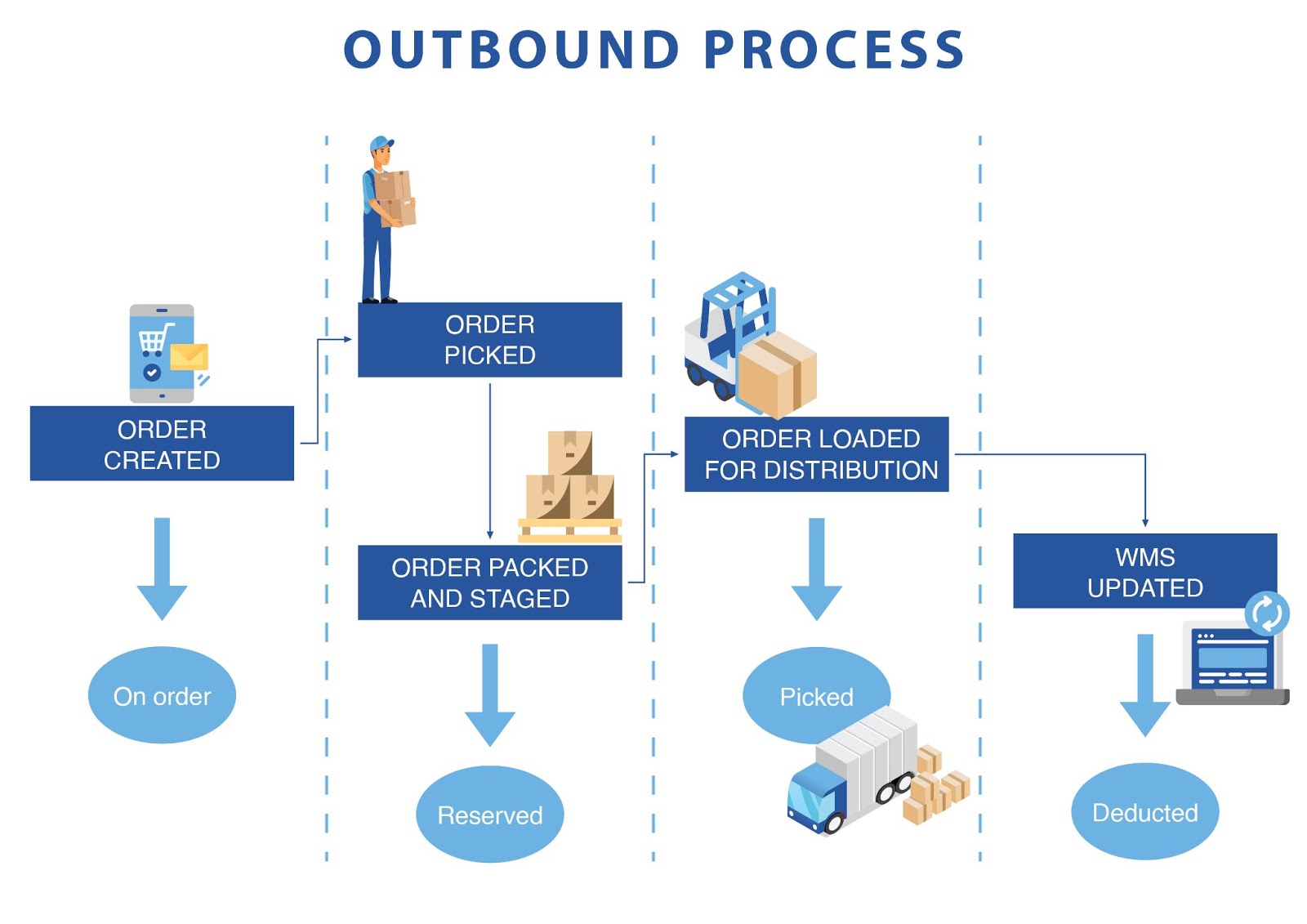
Getting orders out the door correctly is the final test. The mobile app provides system-directed picking, guiding operators along the most efficient path to pick items. This reduces wasted steps and increases the number of orders a single person can fulfill.

The system supports multiple picking strategies to fit different operational needs. These include single order picking, multi-order (batch) picking, and zone picking. Orders can also be grouped into “waves” and released based on specific criteria like carrier type or destination.
The Pack Station V2 feature guides the packing process, including item verification and suggesting the best carton size to reduce shipping costs. With the integrated NetSuite Ship Central module, workers can weigh packages, shop for carrier rates, and print shipping labels directly from their mobile device.
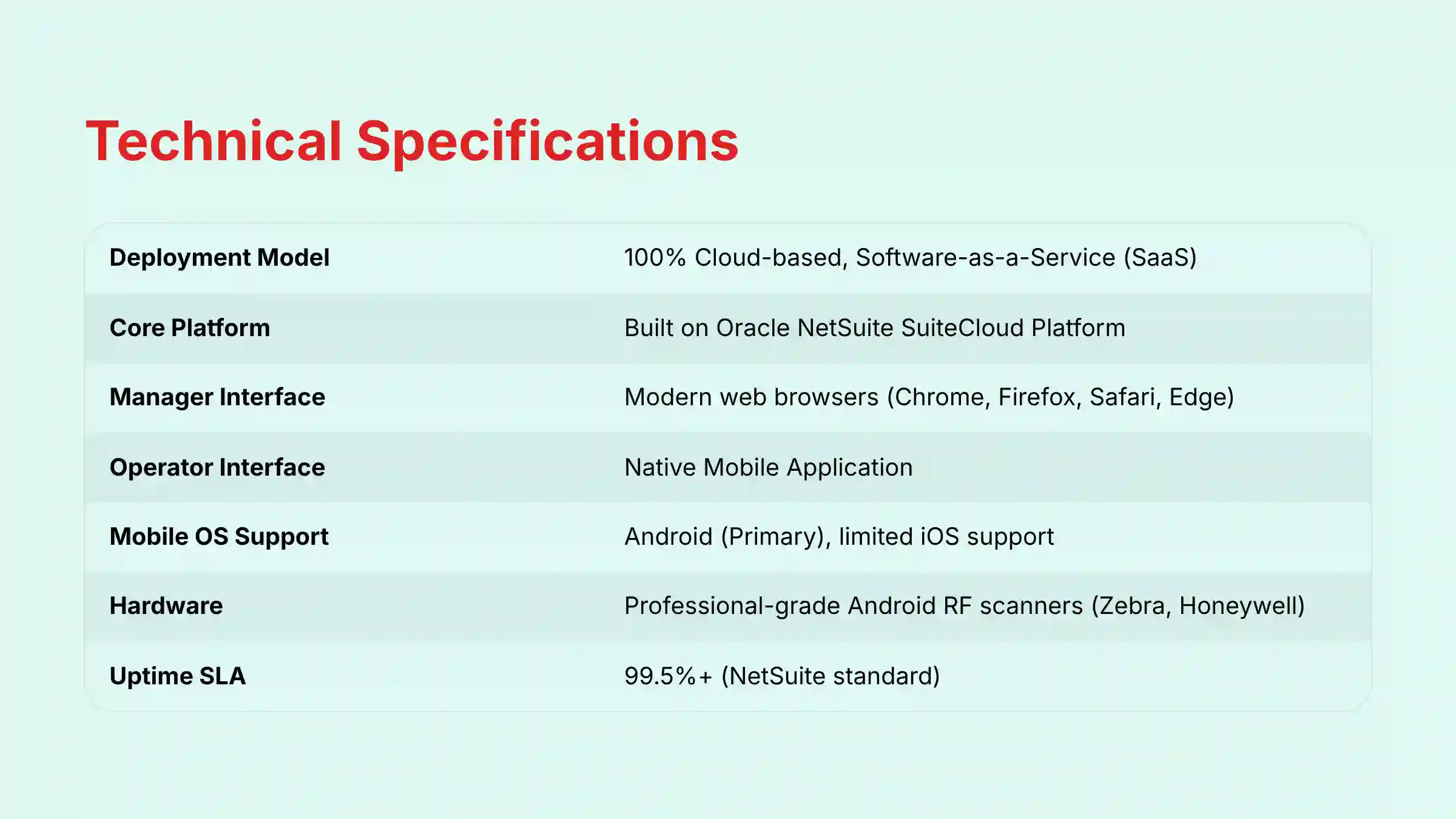
Technical Specifications and Architecture
This technical information is what IT directors and operations managers need for planning. My assessment confirms these specifications are current as of the latest release. The cloud-based model removes the need for on-premise server management.
| Specification | Details |
|---|---|
| Deployment Model | 100% Cloud-based, Software-as-a-Service (SaaS) |
| Core Platform | Built on the Oracle NetSuite SuiteCloud Platform |
| Manager Interface | Accessible via modern web browsers (Chrome, Firefox, Safari, Edge) |
| Operator Interface | Native Mobile Application |
| Supported Mobile OS | Android (Primary), with limited iOS support for manager functions |
| Recommended Hardware | Professional-grade Android RF scanners (e.g., Zebra, Honeywell) |
| Database | Oracle Database (Managed by Oracle NetSuite) |
| Uptime SLA | Governed by NetSuite's standard Service Level Agreement (typically 99.5%+) |
Integration Ecosystem: The Native ERP Advantage
The most important integration is its native connection to the NetSuite ERP. This provides a single source of truth for items, inventory, orders, and financials in real-time. This native bond eliminates the need to build and maintain fragile middleware, which significantly reduces the total cost of ownership and prevents critical data synchronization errors that lead to shipping the wrong product or promising stock you don't have.
Custom integrations are possible through the SuiteCloud platform's APIs. This allows NetSuite WMS to connect with other essential systems. Common integrations include:
- Shipping Carriers & TMS: Direct connections with major carriers and Transportation Management Systems.
- E-commerce Platforms: Pulls orders from platforms like Shopify or NetSuite's own ecommerce module.
- EDI & 3PL: Supports Electronic Data Interchange for communicating with retail partners and 3PL providers.
- Warehouse Automation: Connects to robotics and other equipment, usually through specialized partners.
Security, Compliance, and Reliability
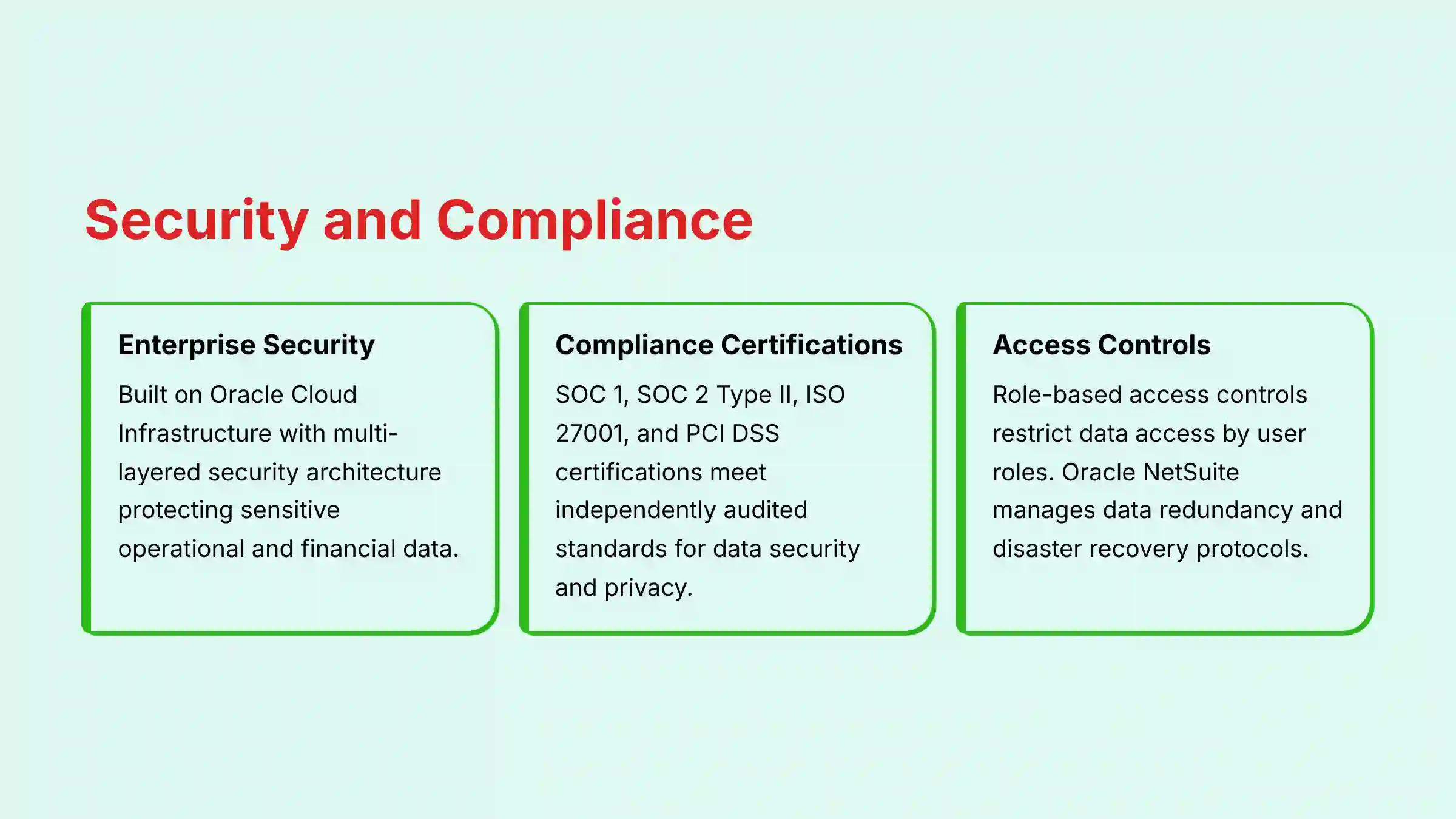
In an era of increasing cyber threats to supply chains, protecting sensitive operational and financial data is a board-level concern. NetSuite WMS addresses this through a multi-layered security architecture built on Oracle Cloud Infrastructure (OCI), which provides enterprise-grade physical and network security. This is a critical point for protecting sensitive supply chain data.
The platform holds key compliance certifications. These include SOC 1, SOC 2 Type II, ISO 27001, and PCI DSS. These certifications mean the system meets high, independently audited standards for data security, availability, and privacy.
Inside the system, role-based access controls let you restrict data access based on user roles. A picker on the floor cannot access sensitive financial data. As a cloud service, Oracle NetSuite also manages data redundancy and disaster recovery protocols to protect business continuity.
Strategic Consideration: Suite-Native vs. Best-of-Breed WMS
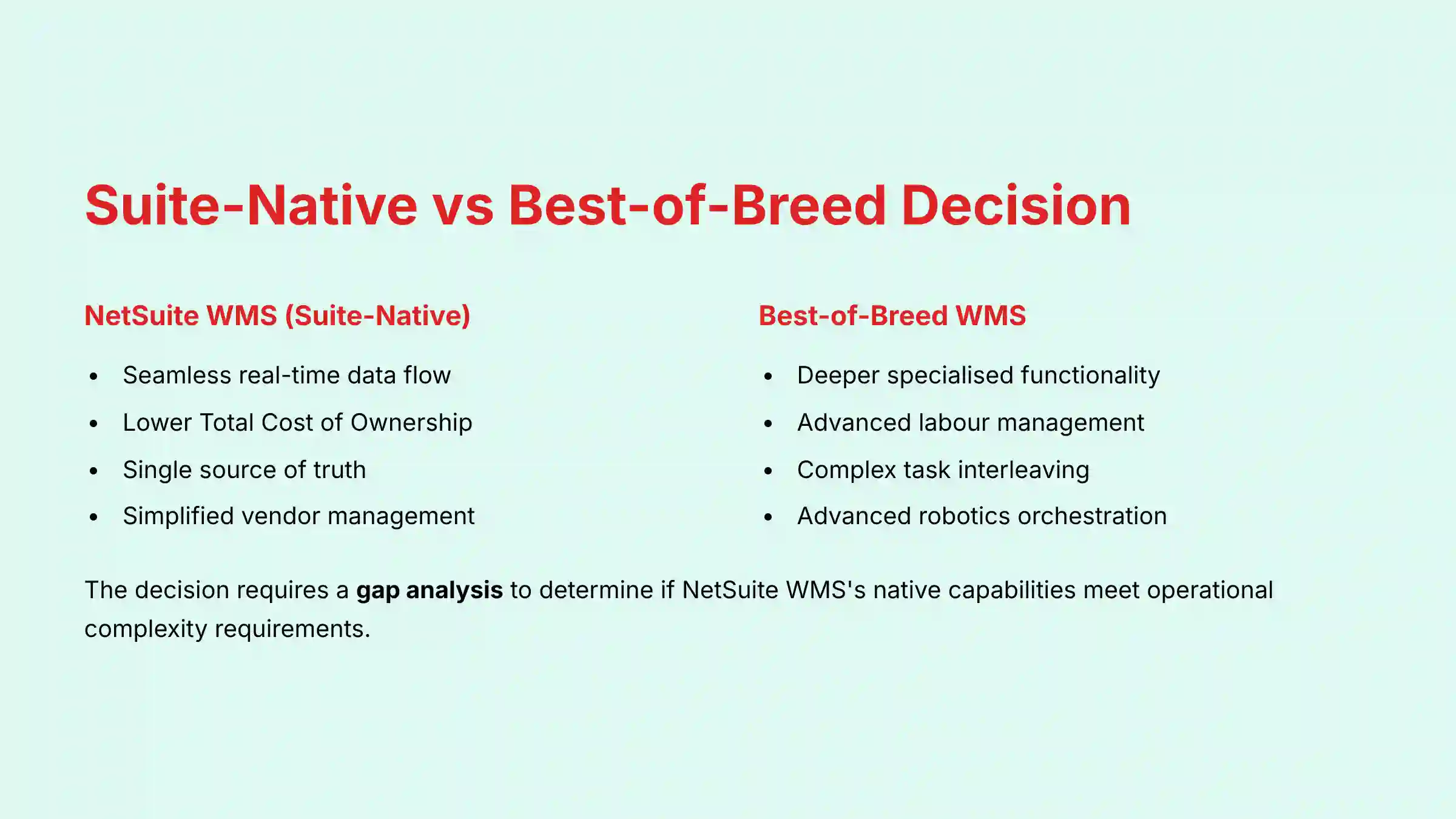
A critical decision for any organization on the NetSuite ERP is the choice between the native NetSuite WMS and a best-of-breed WMS (e.g., Manhattan Associates, Blue Yonder, HighJump). A professional evaluation hinges on this trade-off:
- NetSuite WMS (Suite-Native): The primary advantages, as discussed, are the seamless real-time data flow and a lower Total Cost of Ownership (TCO) due to the absence of complex middleware. It is ideal for companies prioritizing a single source of truth and simplified vendor management.
- Best-of-Breed WMS: These systems often offer deeper, more specialized functionality in areas like labor management, complex task interleaving, and advanced robotics orchestration. However, they require significant investment in integration, which can introduce data latency and maintenance overhead.
The decision requires a gap analysis to determine if NetSuite WMS's native capabilities meet the operational complexity requirements, or if the advanced features of a best-of-breed solution justify the integration costs and risks. For detailed comparisons with competing systems, check out our analysis of NetSuite WMS Top Alternatives and Competitors.
Use Cases and Ideal Customer Profile
The ideal user for this system is a mid-market to enterprise organization with complex distribution operations. The most important factor is that the company must be using or planning to use the NetSuite ERP. It is not for businesses looking for a standalone WMS.
Primary users include Supply Chain Directors, Warehouse Managers, and IT Directors. The system is most effective in industries with high inventory turnover and fulfillment demands. These industries are:
- Wholesale Distribution
- Retail & E-commerce
- Manufacturing
- Third-Party Logistics (3PL)
A typical implementation is for a distributor trying to automate a paper-based picking process. The goal is to reduce shipping errors and increase the number of orders they can process per day. To learn about similar warehouse management solutions, explore The Best 10 AI for Warehouse & Inventory Management (2025).
Advanced Operational Capabilities
Beyond the core functions, NetSuite WMS supports advanced processes critical for optimizing labor and efficiency:
- Task Interleaving: The system can intelligently combine tasks to reduce unproductive travel. For example, after a picker completes a pick in an aisle, the system can immediately assign them a putaway task in a nearby bin, minimizing “deadhead” travel.
- License Plating (LPN): Simplifies the handling of pallets or cases containing mixed SKUs. By assigning a single barcode (LPN) to an entire pallet, operators can move and track dozens of items with a single scan.
- Kitting and Value-Added Services (VAS): Supports light manufacturing and assembly within the warehouse. The mobile interface can guide operators through the process of building kits or applying special labeling as part of the fulfillment workflow.
Pricing Model and Implementation Process
NetSuite does not offer public pricing for its WMS module. The cost is provided on a custom-quote basis. From my experience with client projects, the pricing has several components.
First is the base NetSuite platform fee. Second is the WMS module fee. Third is a per-mobile-user fee, a monthly license for each active warehouse operator. Finally, there is a one-time implementation cost for professional services, which can be substantial.
Implementing NetSuite WMS is a strategic business project, not a simple software signup. A successful rollout requires dedicated internal resources and expert guidance, typically from a certified NetSuite Implementation Partner. The Statement of Work (SOW) will detail the full scope of the project. The typical process involves these steps:
- Discovery & Business Process Re-engineering: A detailed analysis of your current and future-state operational workflows.
- System Configuration & Setup: Configuring picking strategies, replenishment logic, and putaway rules.
- Hardware Procurement & Testing (RF scanners, mobile printers, network infrastructure).
- User Acceptance Testing (UAT): Where your team validates that the configured system meets business requirements.
- End-User Training & Go-Live: Followed by a critical hypercare period where the implementation partner provides intensive post-launch support.
A proper change management strategy is essential for ensuring user adoption on the warehouse floor.
Key Operational Questions About NetSuite WMS
To further clarify its operational role, here are answers to frequently asked questions about NetSuite WMS. For more comprehensive information, visit our NetSuite WMS FAQs section.
Frequently Asked Questions (FAQ)
Can I use NetSuite WMS as a standalone product?
No. NetSuite WMS is a native module that requires the core NetSuite ERP platform to function. Its primary value comes from its seamless, real-time integration with NetSuite's inventory, order, and financial management capabilities, which serve as its single source of truth.
What specific hardware is required for warehouse operators?
Optimal performance is achieved with professional-grade RF scanners. While the app runs on standard Android devices, these ruggedized devices from brands like Zebra or Honeywell include built-in, high-speed barcode scanners for efficiency and accuracy in a tough environment.
How does NetSuite WMS handle multiple warehouse locations?
NetSuite is designed for multi-location inventory management. Within the WMS module, you can configure unique layouts, bin structures, and operational rules for each individual warehouse. Inventory can be transferred between these locations with all data consolidated in real-time at the ERP level.
Is programming knowledge needed to configure NetSuite WMS?
Basic configuration is done through the user interface without code. However, implementing complex custom logic or workflows typically requires an expert familiar with NetSuite's SuiteScript platform. For this reason, professional consultation is highly recommended.
How is NetSuite WMS different from NetSuite Inventory Management?
NetSuite Inventory Management provides core ERP-level functionality for tracking quantity on hand. NetSuite WMS is an advanced add-on that directs the physical, task-based activities within the warehouse, such as guided picking and mobile receiving, using a mobile interface.
Does NetSuite WMS support wave picking?
Yes, NetSuite WMS supports multiple picking methodologies, including wave-based fulfillment. Managers can create and release work in “waves,” which are logical groupings of orders often based on criteria like shipping carrier or destination, to organize workflow on the warehouse floor.
What are the key features of the recent Ship Central update?
NetSuite Ship Central brings shipping execution directly to the mobile WMS or packing station interface. Its key features include the ability to weigh packages, shop for the best rates across multiple carriers, and print compliant shipping labels without leaving the NetSuite application.
How does the system help with inventory accuracy?
It improves inventory accuracy primarily through two functions. First, it enforces barcode scanning for all tasks, which validates transactions in real-time. Second, it facilitates systematic cycle counting via the mobile app, allowing for continuous verification of inventory.
Professional Validation Needed
When evaluating NetSuite WMS for your organization, several areas require expert consultation:
- Pricing and ROI: While we've outlined the general pricing structure, total cost of ownership (TCO) and potential ROI are highly specific to your business's scale, complexity, and implementation partner. Direct consultation with Oracle NetSuite or a certified implementation partner is essential for obtaining an accurate financial assessment.
- Implementation Timeline and Resources: The complexity, duration, and resource requirements for each implementation step can vary dramatically based on your specific warehouse operations. A formal Statement of Work (SOW) from an implementation partner is necessary to define the scope and timeline for your specific project.
- Customization Requirements: If your operation requires specific workflows or integrations, consult with a NetSuite developer or technical consultant to assess the feasibility, cost, and long-term maintenance implications before committing to the platform. Customizations can significantly impact future upgrade paths and overall TCO.
For practical implementation guidance and real-world examples, explore our collection of NetSuite WMS Tutorials and Usecase studies.
Conclusion: Moving from Reaction to Orchestration
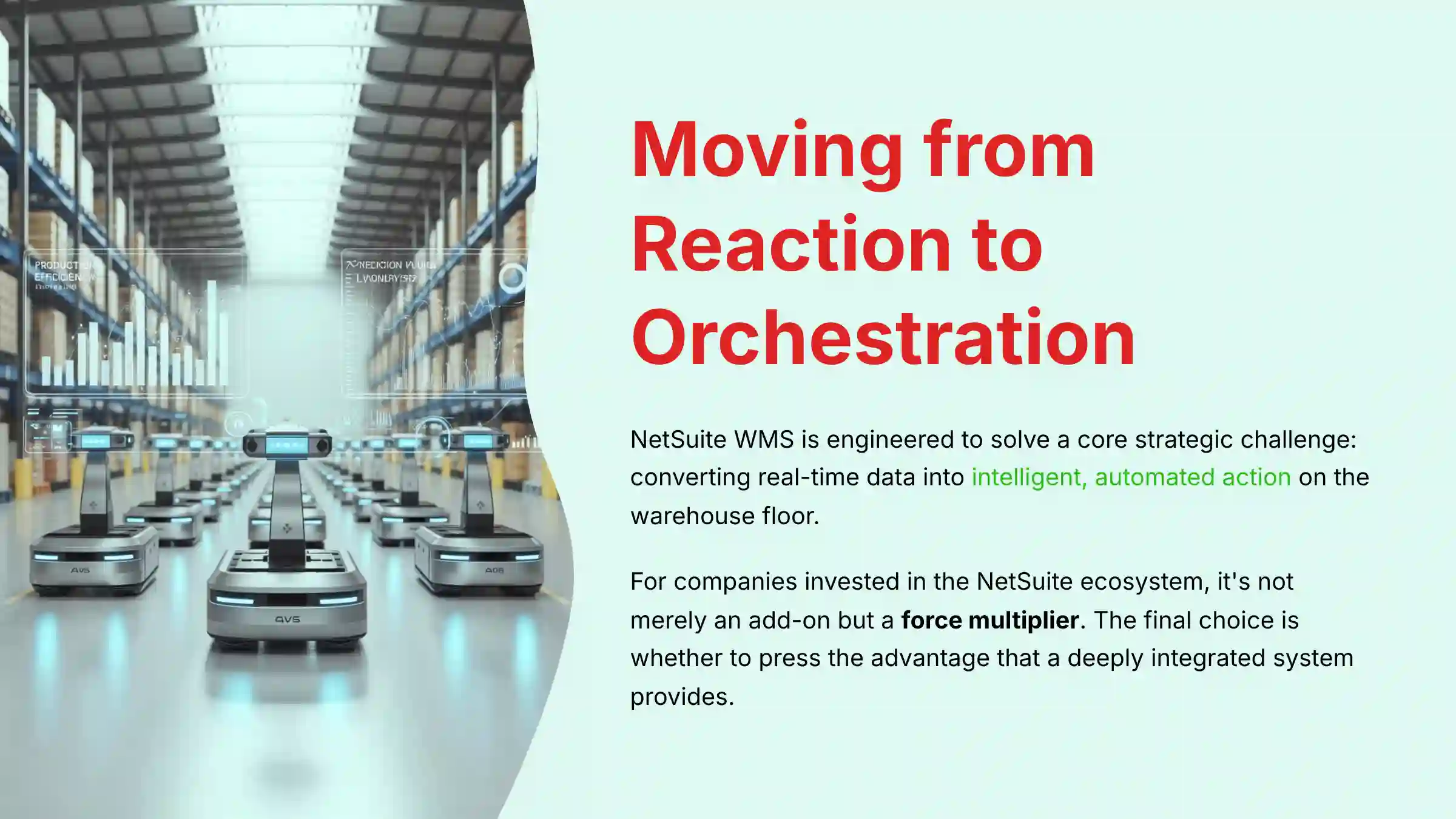
Ultimately, NetSuite WMS is engineered to solve a core strategic challenge: converting real-time data into intelligent, automated action on the warehouse floor. For companies already invested in the NetSuite ecosystem, it is not merely an add-on but a force multiplier. By eliminating data silos and embedding decision logic directly into fulfillment workflows, it provides the foundation to not only survive supply chain volatility but to build a more resilient and profitable operation. The final choice is not about which WMS to adopt, but whether to press the advantage that a deeply integrated system provides.
For a comprehensive evaluation of how NetSuite WMS compares in real-world scenarios, our detailed NetSuite WMS Review provides expert insights and performance analysis.
Important Disclaimers
Technology Evolution Notice:
The information about NetSuite WMS and AI for Operations & Supply Chain tools presented in this article reflects our thorough analysis as of the latest official release. Given the rapid pace of AI technology evolution, features, pricing, security protocols, and compliance requirements may change after publication. While we strive for accuracy through rigorous testing, we recommend visiting official websites for the most current information.
Professional Consultation Recommendation:
For AI for Operations & Supply Chain applications with significant professional, financial, or compliance implications, we recommend consulting with qualified professionals who can assess your specific requirements and risk tolerance. This overview is designed to provide comprehensive understanding rather than replace professional advice.
Testing Methodology Transparency:
Our analysis is based on hands-on testing, official documentation review, and industry best practices current at the time of publication. Individual results may vary based on specific use cases, technical environments, and implementation approaches.

Leave a Reply