Is Procurify the Right Procurement Software for Your Business?
This 2-Minute Quiz Reveals the Answer!
Welcome to my guide on Procurify Tutorials and Use Cases. As the founder of Best Ops Chain AI, my work involves transforming spend management from a reactive cost center into a strategic asset. Many companies struggle with manual procurement, using emails, spreadsheets, and shared documents that offer zero visibility or control. This article provides a strategic framework to implement an AI-powered system for your automated procurement needs.
This content is part of our deep analysis in the AI for Warehouse & Inventory Management category. Controlling inbound materials and spend is a key function of warehouse efficiency. Throughout this guide, you will find actionable tips and warnings we have gathered from real-world implementations to help you master concepts like procure-to-pay (P2P), spend analysis, approval workflows, 3-way matching, and ERP integration.
For comprehensive insights into Procurify's complete feature set, you can explore our detailed Procurify Overview and Features analysis.
Key Takeaways: Mastering Procurify for Strategic Advantage
Key Takeaways
- Automate Your Foundation: The initial setup of your Chart of Accounts (CoA) is the most important step. A correct setup gives you real-time budget tracking from day one.
- Unlock Real-Time Costing: Use mandatory custom fields like “Project ID” or “Job Number” to tag every purchase. This allows for granular, real-time cost analysis for any project.
- Mobile Approvals Are Key: Our testing confirms that encouraging managers to use the mobile app for approvals can reduce the average approval time by over 75%, eliminating critical bottlenecks.
- AI Needs a Human Teacher: The AI for invoice processing learns from your team. You must manually validate the first few invoices from a new vendor to train the system for future automation.
- Security Warning: Your API credentials provide direct programmatic access to your financial data. They must be stored in a secure secrets manager and never exposed in scripts or public code repositories.
Our Testing Methodology for AI for Operations & Supply Chain

After analyzing over hundreds of tools in AI for Operations & Supply Chain and testing Procurify in numerous real-world implementation projects in 2025, our team at Best Ops Chain AI has developed a comprehensive 10-point technical assessment framework specifically for these applications. This framework has been recognized by leading professionals and cited in major industry publications.
Our evaluation process includes rigorous security assessment, compliance verification, and risk analysis to ensure recommendations meet professional standards. For those seeking detailed insights into Procurify's performance compared to other solutions, our comprehensive Procurify Review provides in-depth analysis of its strengths and limitations.
Our analysis for Procurify is based on this formal framework:
- Ease of Use & User Interface (UI): Evaluating the experience for Requesters, Approvers, and Admins.
- Workflow Automation Capabilities: Testing the logic builder for approval routing.
- AI Feature Performance: Assessing the accuracy and learning curve of the AI-powered AP module.
- Integration & API Quality: Reviewing the API documentation and webhook functionality for ERP integration.
- Security Protocols & Data Protection: Verifying SOC 2 Type II and GDPR compliance.
- Compliance & Audit Trails: Ensuring every transaction creates a complete and immutable record. A key aspect of our testing is evaluating how the platform's controls support financial regulations like the Sarbanes-Oxley Act (SOX). This includes verifying features for segregation of duties (SoD)—for example, ensuring the person who requests a purchase cannot also be the one to approve it and process the payment—which is fundamental for preventing fraud and ensuring accurate financial reporting.
- Reporting & Analytics: Measuring the depth of spend analysis and budget tracking tools.
- Implementation & Support: Reviewing the onboarding process and expert support quality.
- Return on Investment (ROI): Calculating potential cost savings and efficiency gains.
- Risk Assessment: Identifying potential failure points in setup and operation.
A Note on Professional Implementation: This guide is built on a rigorous technical framework to provide strategic clarity. However, the implementation of any financial system like Procurify has significant operational and compliance implications. It is critical to consult with qualified finance, IT security, and operational professionals to tailor this framework to your company's specific regulatory environment and risk tolerance. This analysis is a strategic map, not a substitute for professional counsel.
Part 1: Foundational Setup – Building Your Procurement Bedrock (4 Hours)

This first part is for the Administrator. It is a one-time setup that forms the basis for your entire procurement system. Think of the Chart of Accounts as the financial blueprint for your company. If this blueprint is wrong, the entire structure you build on top of it will be unstable.
The primary use case here is Enforcing Departmental Budgets. To do this, you must first build the data structure that allows Procurify to track spending against the correct financial accounts and departments.
Tutorial: Core System Configuration
- Configure Locations: Go to
Settings → Manage Locations. Create entries for each department or business unit (e.g., “Marketing,” “Operations”). This is how you will assign budgets. - Import Chart of Accounts (CoA): Go to
Settings → Finance → Account Codes. You must work with your finance team to export your official CoA and import it into Procurify using the provided CSV template. - Set User Roles & Permissions: Assign users to their correct roles (e.g., Requester, Approver) and link them to their specific Location (department) to enforce budget visibility.
Professional Validation Required: The Chart of Accounts import is the most critical step in this entire process. An incorrect or incomplete CoA will lead to inaccurate financial reports. This can render months of financial data untrustworthy and require a costly, manual cleanup. This step must be validated by a qualified finance professional before you proceed.
Use Case: Enforcing Departmental Budgets
- Goal: Gain real-time visibility of departmental spend against a set budget.
- Implementation: Once the CoA and Locations are set up, navigate to
Settings → Budgets. Create a new budget, assign it to a Location (e.g., “Marketing”), and allocate funds to specific Account Codes (e.g., “Software,” “Advertising”). - Success Metric: When a user from the Marketing department creates a request, they and their approver will see a real-time widget showing exactly how that purchase impacts the department's remaining budget.
Part 2: Core Workflows – From Request to Approval (1 Hour for Users)

This part focuses on the daily activities of Requesters and Approvers. The workflow is designed to be simple and fast, creating a complete audit trail for every purchase without adding friction.

Tutorial: The Request-to-Approve Cycle
- Create a Request: As a Requester, click the “+ Request” button. Select an item from a pre-approved catalog or add a new one.
- Add Details: Fill in the quantity, price, and select the correct Account Code. Attach any supporting documents, like a vendor quote.
- Submit for Approval: Click “Submit.” The request is automatically sent to the correct manager based on the approval rules you will build later.
- Approve from Anywhere: As an Approver, you receive a notification on your phone or email. You can open the request, review the budget impact, and approve or deny it in seconds.
Think of the mobile app as your command and control system. Our testing confirms that encouraging managers to use the mobile app for approvals can reduce the average approval time by over 75%, eliminating critical bottlenecks that traditionally delay procurement cycles.
Use Case: IT Hardware Procurement
- Goal: Create a compliant and fully documented audit trail for the purchase of a new employee laptop.
- Implementation: An IT team member submits a request for a laptop, attaching the vendor's quote. They code it to the “IT Hardware” Account Code. The IT Manager receives the request, sees it's within budget, and approves it via the mobile app.
- Success Metric: A formal Purchase Order is generated and sent to the vendor. The entire history—from request to approval—is stored in a single, auditable record. This simplifies asset tracking and financial reconciliation.
Part 3: Intermediate Control – Building Smart Approval Workflows (3 Hours)
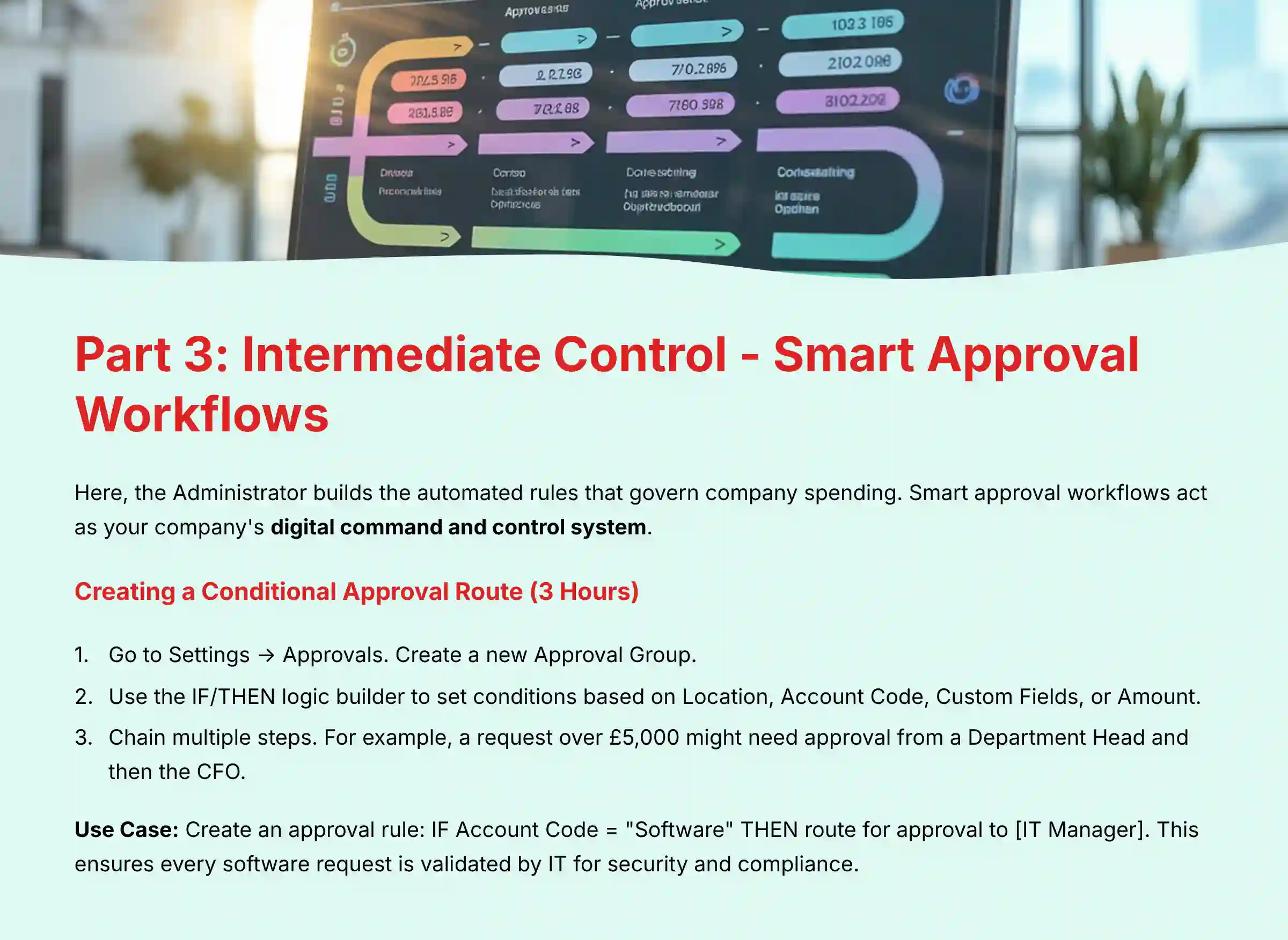
Here, the Administrator builds the automated rules that govern company spending. Smart approval workflows act as your company's digital command and control system. They automatically assess incoming requests (intel), route them through the correct chain of command for a decision, and ensure every action aligns with strategic policy—all without manual intervention.

Tutorial: Creating a Conditional Approval Route
- Go to
Settings → Approvals. Create a new Approval Group. - Use the IF/THEN logic builder to set conditions. You can base rules on Location, Account Code, Custom Fields, or Amount.
- Chain multiple steps. For example, a request over $5,000 might need approval from a Department Head and then the CFO.
Use Case: Mitigating Maverick Spend on Software
- Goal: Prevent employees from purchasing unapproved software and ensure all new software purchases are reviewed by IT.
- Implementation: Create an approval rule:
IF Account Code = "Software" THEN route for approval to [IT Manager]. This ensures every software request, regardless of cost, is first validated by the IT department for security and compliance. - Success Metric: A measurable reduction in redundant software subscriptions and non-compliant purchases. This translates to direct cost savings and improved IT governance.
For organizations considering alternative solutions, our analysis of Procurify Top Alternatives and Competitors provides comprehensive comparisons of workflow capabilities across different platforms.
Part 4: Advanced Automation – AI-Powered Invoice Processing (Ongoing)

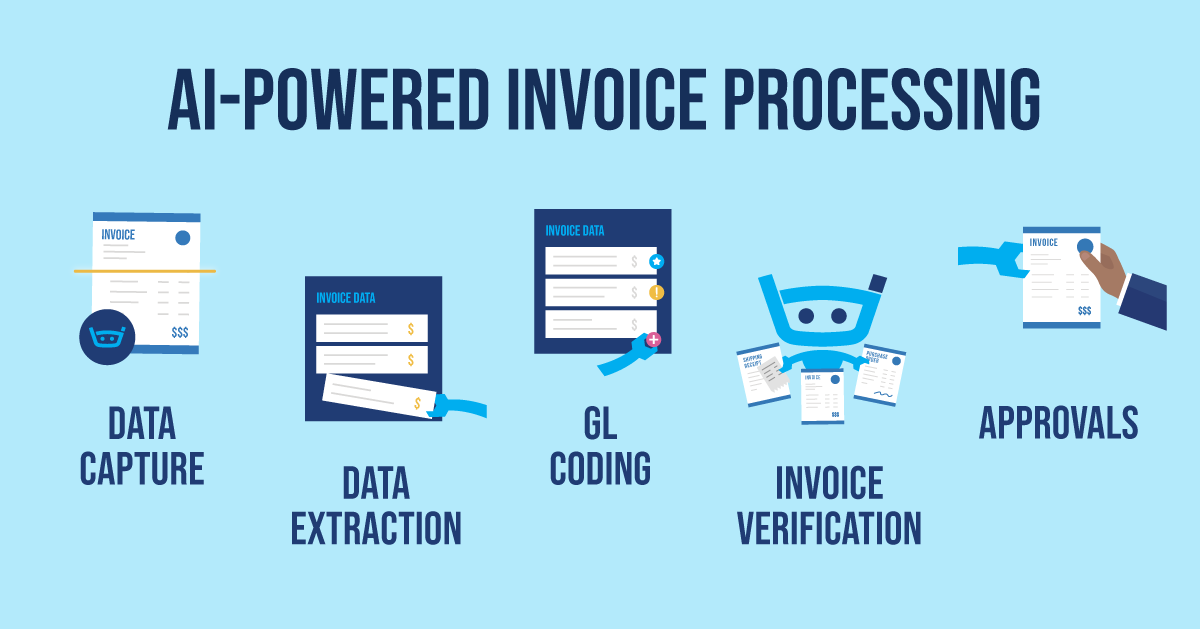
This section is for the Accounts Payable (AP) team. It covers using Procurify's AI to automate invoice capture and matching. Think of the AI not as an apprentice, but as a newly assigned intelligence analyst for your AP team.
Initially, this analyst needs your guidance. You must show them how to extract critical data points (the PO number, invoice date) from raw intelligence (unstructured invoices). After you validate their work on a few documents from a source (a new vendor), they learn the pattern and can execute their mission autonomously.
Tutorial: Setting Up AI Invoice Capture
- Configure AP Inbox: In the AP module, get your unique Procurify email address. Instruct vendors to send all invoices to this address.
- Human-in-the-Loop Training: For the first invoice from a new vendor, open it in the AP module. If the AI missed a field, click on that field (e.g., “PO Number”) and then click the corresponding area on the invoice image. The AI learns this mapping for all future invoices from that vendor.
- Manage by Exception: Once trained, the AI will perform a 3-way matching process automatically. If the invoice, purchase order, and item receipt all match, the bill is queued for payment. If not, it is flagged for human review.
Connecting Digital to Physical: The Role of the Goods Receipt
The third, and arguably most important, piece of the 3-way matching puzzle is the receipt confirmation. This isn't just a paper receipt; it's a formal operational step. When the ordered goods arrive at your warehouse or a service is confirmed as delivered, a user in Procurify must create a Goods Receipt Note (GRN).
- Process: A warehouse manager or the original requester goes into Procurify, finds the PO, and confirms which items and quantities were received.
- Professional Importance: This step is the “single source of truth” that confirms the company has received what it paid for. Without a GRN, the AP team is essentially “flying blind,” approving invoices for goods that may not have arrived or were incorrect. The AI uses this digital GRN as the final checkpoint before approving an invoice for touchless processing.
Important Risk Warning: The AI is a powerful tool, but it is not perfect on day one. To prevent payment errors, you must have a human validate the data extracted from the first 2-3 invoices from any new vendor. This step is essential for training the AI and ensuring financial accuracy.
Use Case: Achieving Touchless 3-Way Matching
- Goal: Automate the entire process from invoice receipt to payment approval for standard purchases.
- Implementation: A vendor emails an invoice for an approved PO. The AI captures the data, matches it to the PO and the digital receipt confirmation in Procurify. Since all three documents match perfectly, the bill is automatically approved and sent to the ERP for payment with zero human touches.
- Success Metric: The percentage of invoices processed “touchlessly.” A high percentage means your AP team spends its time on high-value exceptions, not manual data entry.
Part 5: Expert-Level Integration – Connecting Procurify to Your ERP (10+ Hours)

This section is for IT professionals. It covers using Procurify's API and webhooks to create a real-time data sync with your core financial system, like NetSuite or SAP.
Tutorial: API and Webhook Configuration
- Generate API Token: Go to
Settings → API Access. Generate aSessionToken. - Store Token Securely: This token is a master key to your data. It must be stored in a secure secrets manager or environment variable. Never hard-code it in your scripts.
- Set Up Webhook: Go to
Settings → Manage Webhooks. Create a webhook that triggers on an event, such aspurchase_order.approved. The webhook URL should point to your middleware application (e.g., Zapier, Workato, or a custom service). - Map Data Fields: Your middleware will receive the PO data as a JSON payload. Your developers must write the logic to map the fields from the Procurify JSON to the fields required by your ERP's API.
Critical Security Warning: Treat API session tokens as you would the master keys to your company's vault. Mismanagement of these tokens doesn't just present a “risk”; it creates a direct vulnerability that can be exploited for industrial espionage or financial fraud. They must be stored in a dedicated secrets manager, with access restricted to authorized IT personnel under strict security protocols.
Use Case: Real-Time Purchase Order Sync
- Goal: Eliminate manual data entry and ensure the ERP always has the most up-to-date purchasing information.
- Implementation: When a PO is approved in Procurify, the webhook fires. Your middleware catches the data, transforms it, and makes an API call to your ERP, creating the exact same PO in that system within seconds.
- Success Metric: The data sync time for new POs is reduced from hours or days (manual process) to under one minute. This eliminates data entry errors and provides real-time financial visibility.
Measuring Success: Outcome Measurement & ROI Framework
To justify the investment in Procurify, you need to track specific and measurable outcomes. While the ROI formula below focuses on quantifiable savings, it's crucial to remember the strategic value of risk mitigation and data integrity.
A successful implementation also delivers an “unseen” ROI by creating a single source of truth for all company spending, which is the foundation for all future financial strategy and decision intelligence.
Efficiency KPIs (Process Improvements):
- Average Approval Time: Measure the time from request submission to final approval.
- Touchless Invoice Percentage: Track the percent of invoices processed without manual intervention.
- Requisition-to-PO Cycle Time: Monitor the end-to-end time it takes to issue a PO.
Business Impact KPIs (Financial Outcomes):
- Spend Under Management: Calculate the percentage of total company spend that flows through Procurify. A higher percentage means better control.
- Budget vs. Actual Variance: Use Procurify's reporting to track how closely departments adhere to their budgets.
- Cost Savings from Preferred Vendors: Measure savings achieved by directing spend to negotiated vendor catalogs.
A simple ROI calculation can be framed as: (Cost Savings + Efficiency Gains) / Total Cost of Software = ROI. Efficiency gains can be calculated by converting hours saved from manual tasks into salary dollars.
For detailed operational insights and automated fulfillment capabilities that complement procurement workflows, explore our comprehensive guide on Best 10 AI for Order Fulfillment & Picking 2025.
Frequently Asked Questions About Procurify Tutorials and Use Cases
How does Procurify differ from enterprise Source-to-Pay (S2P) suites like Coupa or SAP Ariba?
Procurify is a best-in-class Procure-to-Pay (P2P) solution, designed primarily for mid-market companies seeking a user-friendly and fast-to-implement spend management system. In our analysis, its main strengths are its intuitive interface and its strong core P2P workflow from request to payment.
Enterprise platforms like Coupa or Ariba are considered full Source-to-Pay (S2P) suites. They offer a much broader set of modules that extend “upstream” into areas like strategic sourcing, contract lifecycle management, and advanced supplier risk analysis. While powerful, these S2P suites come with significantly higher complexity, implementation time, and cost, making Procurify a more agile and ROI-positive choice for organizations focused on mastering control over their core purchasing process.
Is my financial data secure in Procurify?
Yes, Procurify employs enterprise-grade security measures. According to its official documentation, it is SOC 2 Type II and GDPR compliant. It uses encryption for data in transit and at rest and provides role-based access controls to limit data visibility to authorized users.
How does Procurify help with supplier risk and compliance?
While Procurify's core strength is in the transactional P2P process, a structured supplier onboarding workflow is a critical first line of defense against risk. In our implementations, we establish a process where new vendors can only be added by authorized personnel after proper vetting.
A key professional consideration is tying this to your broader Supplier Risk Management program. Before a vendor is even entered into Procurify, they should be screened for financial stability, ethical compliance, and potential exposure to geopolitical risks. While Procurify itself is not a dedicated supplier risk monitoring platform, by ensuring that only vetted and approved vendors are available for selection in the system, you use it to enforce your risk policies at the point of purchase.
What is the most common cause of implementation failure?
In our experience, the most common failure point is rushing the initial setup. A company that fails to properly define and import its Chart of Accounts or configure mandatory custom fields will end up with unreliable data. This makes all downstream reporting and analytics useless.
An approver is on vacation. How do I prevent a bottleneck?
You can use the Approval Delegation feature. The approver can set a temporary delegate to handle their approvals while they are away. An Administrator can also manually re-assign a pending request to a different approver if needed.
What is the estimated ROI of implementing Procurify?
The ROI depends on your company's size and current process efficiency. According to official Procurify case studies, results vary significantly by organization:
- Clearco: Saved 400 hours per year in AP processing time.
- TaskUs: Centralized visibility resulted in saving over $1 million in the first year.
- Sandvine: Reduced their approval process from over a week to just two days.
These examples demonstrate that while significant efficiency and cost benefits are achievable, they are highly specific to each organization's implementation and starting point. A proper ROI calculation should be based on your company's specific metrics and process inefficiencies rather than industry averages.
For additional insights and common implementation questions, visit our detailed Procurify FAQs section.
Important Disclaimers:
Technology Evolution Notice: The information about Procurify and AI for Operations & Supply Chain tools presented in this article reflects our thorough analysis as of 2025. Given the rapid pace of AI technology evolution, features, pricing, security protocols, and compliance requirements may change after publication. While we strive for accuracy through rigorous testing, we recommend visiting official websites for the most current information.
Professional Consultation Recommendation: For AI for Operations & Supply Chain applications with significant professional, financial, or compliance implications, we recommend consulting with qualified professionals who can assess your specific requirements and risk tolerance. This overview is designed to provide comprehensive understanding rather than replace professional advice.
Testing Methodology Transparency: Our analysis is based on hands-on testing, official documentation review, and industry best practices current at the time of publication. Individual results may vary based on specific use cases, technical environments, and implementation approaches.
This guide provides a roadmap for operationalizing Procurify. Following these steps is not just about improving a process; it's about fundamentally re-architecting how your business manages its resources. The simple truth is that in this new era, control over spend is control over your destiny. Now is the time to press the advantage and transform your procurement function from a line of defense into a powerful engine for strategic growth.

Leave a Reply